- 38 -
C141501700.fm
User's manual
GB
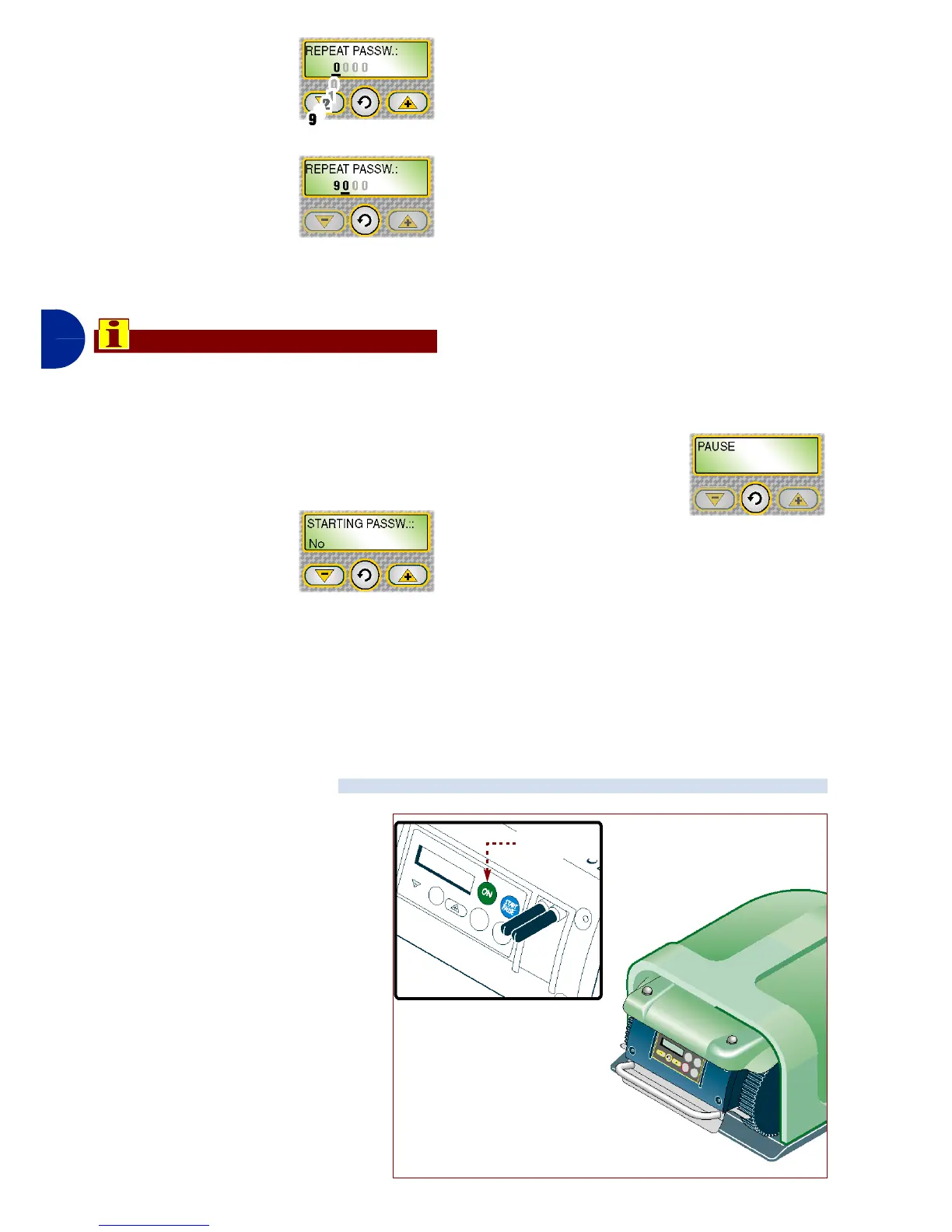
11-Press one of the
keys "+", "-" to set
the first number.
12-Press the key
"Enter" to con-
firm. The cursor
moves on to the
next position.
Repeat the procedure to set all the num-
bers of the password.
Important
Repetition of the password insertion
procedure is used to be sure that it has
been set correctly. To avoid forgetting
the password, we recommend choos-
ing a combination that is easy to re-
member.
When the procedure
has been completed,
on the display the
"PASSWORD START-
ING" function appears.
PASSWORD STARTING: function for
programming or not the password in-
sertion request each time the robot is
switched off and restarted after a peri-
od of inactivity (example, remessage
for winter season).
1-Press one of the keys "+", "-" to acti-
vate or deactivate the functions.
No: after a period of inactivity, the robot,
with each re-ignition, starts up and be-
gins operations without the password
having to be inserted.
Yes: after a period of inactivity, the robot,
with each re-ignition, does not start up
and does not begin operations until the
password has been inserted.
2-Press the key "En-
ter" to confirm.
3-Press the key "Pausa" to memorise
the settings and exit the program-
ming phase.
At this point, the robot is ready to use
(see "Automatic cycle start").
Automatic cycle start-up is car-
ried out when operational activity
first starts or after a period of in-
activity.
1-Press key ON.
2-Insert the password (if re-
quested) (see "Enter pass-
word").
3-If the robot is started up for
the first time, it is necessary to
carry out programming. If, on
the other hand, the robot is
started up after a period of in-
activity, it is necessary to
check that the programmed
AUTOMATIC CYCLE START
IDM - 41501703000.tif
Key
“ON”


 To Next Page