- 37 -
C141501700.fm
User's manual
GB
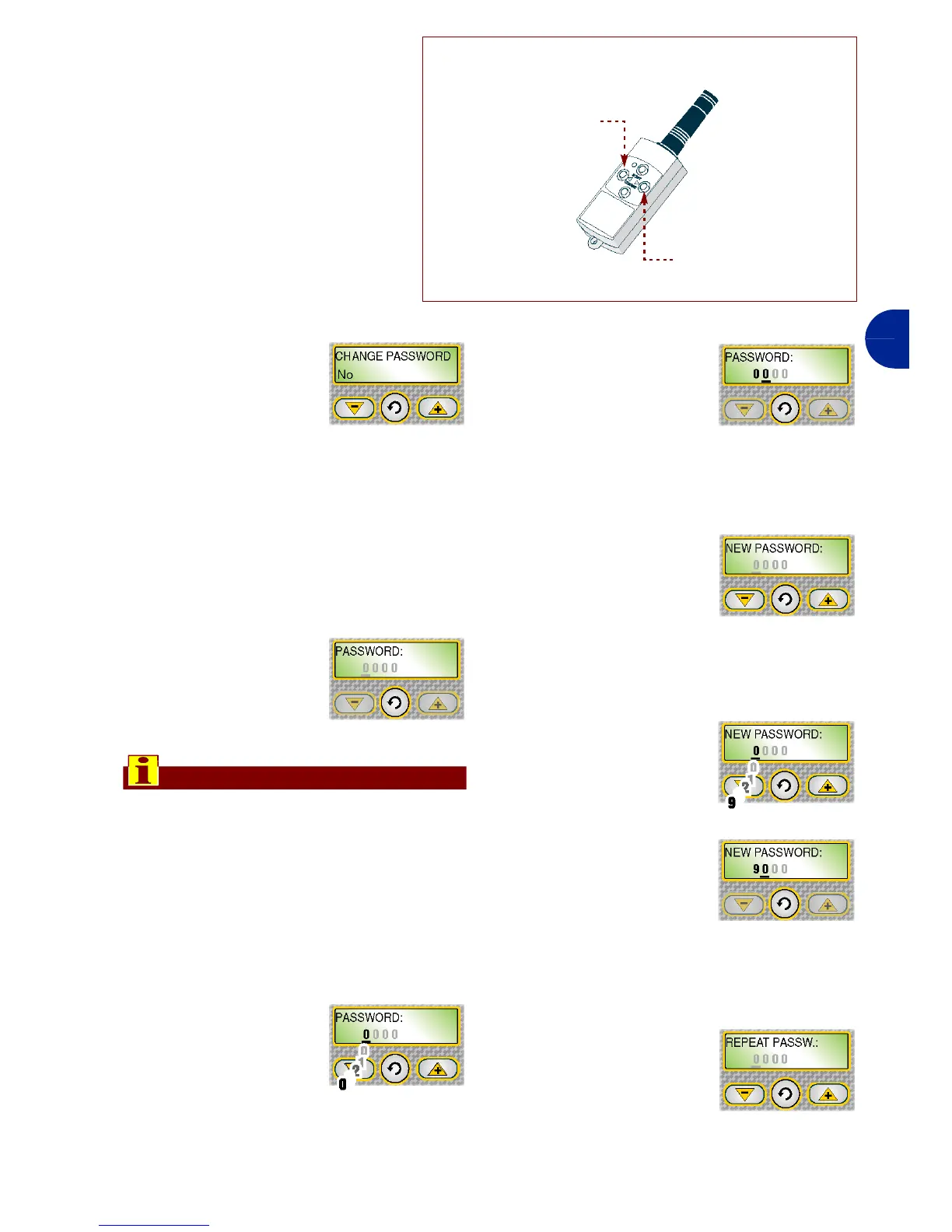
6-Press at the same time the
keys "DX", "SX" of the telecom-
mnad within 10 seconds (see
figure).
Activation of a double sound in-
dicates that robot and tele-
command matching has
occurred.
7-Press the key "Enter" to con-
firm.
On the display "PASS-
WORD" appears.
PASSWORD: function for setting or
modifying the password.
1-Press one of the keys "+", "-" to acti-
vate or deactivate the functions.
Yes: used to insert a new password.
No: used to leave the previously inserted
password.
2-Press the key "En-
ter" to confirm.
Important
To set or modify the password it is nec-
essary to first insert the previous one
and then proceed with insertion of the
customised one.
When the purchased, the password in-
serted by the manufacturer comprises
four numbers (0000).
3-Press one of the
keys "+", "-" to set
the first number.
4-Press the key "En-
ter" to confirm.
The cursor
moves on to the
next position.
5-Repeat the procedure to set all the
numbers of the password.
6-When the proce-
dure has been
completed, on the
display the func-
tion "NEW PASSWORD" appears.
The cursor automatically positions itself
in the area under the first number.
7-Press one of the
keys "+", "-" to set
the first number.
8-Press the key "En-
ter" to confirm.
The cursor
moves on to the
next position.
9-Repeat the procedure to set all the
numbers of the password.
10-When the proce-
dure has been
completed, on the
display the "RE-
PEAT PASSWORD" function ap-
pears.
IDM - 41501709300.tif
Right arrow (DX)
Left arrow (SX)


 To Next Page