- 36 -
C141501700.fm
User's manual
GB
Select ×4 if the problem is not solved by
selecting ×2.
Select ×6 if the problem is not solved by
selecting ×4.
Important
When switched on, the lawn mower is
automatically positioned in the Perime-
ter YES mode. The NO, ×2, ×4 and ×6
options are disabled when the lawn
mower is switched off. Use these op-
tions with great care and only in the ab-
sence of swimming pools or steep
slopes.
2-Press the key "Enter" to confirm.
When the procedure
has been completed,
on the display the
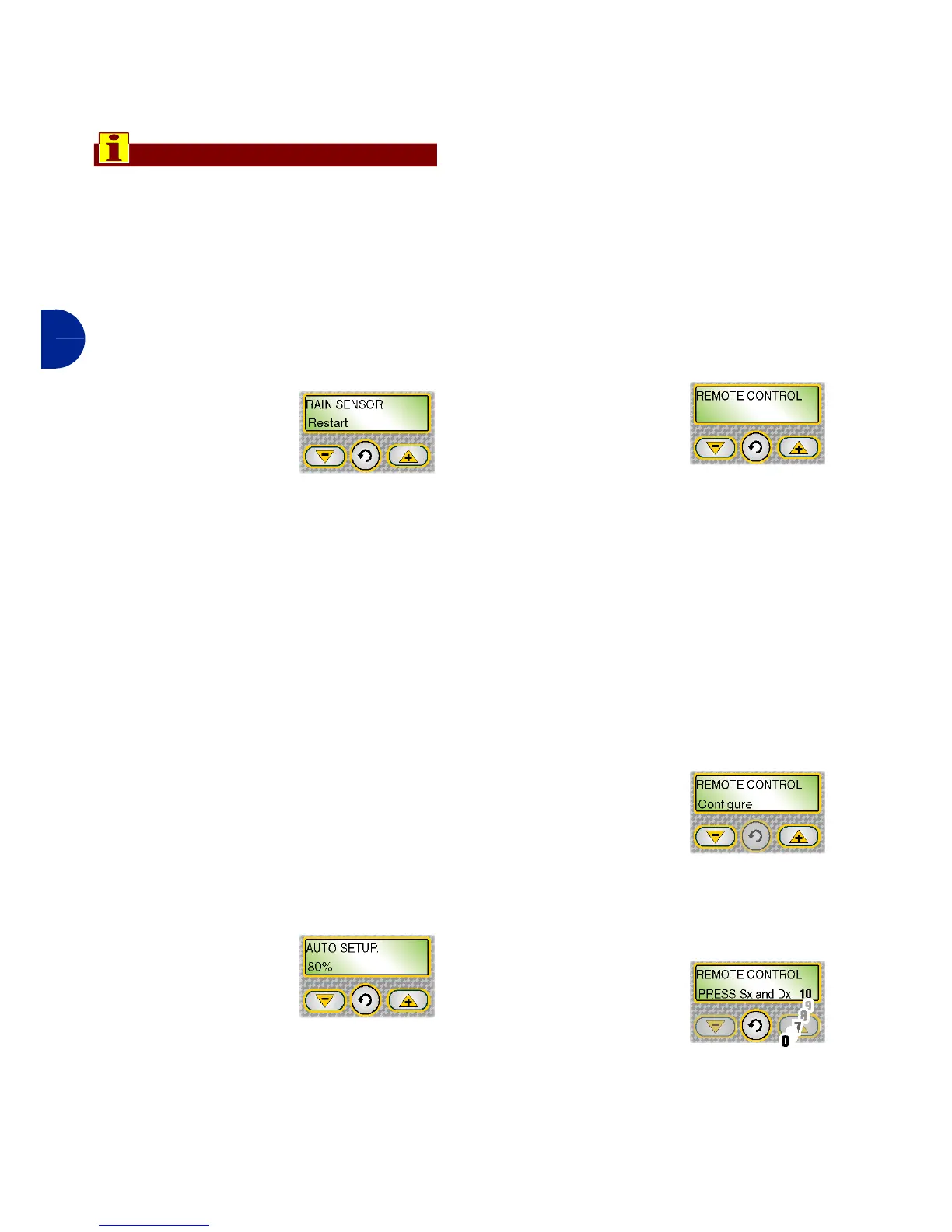
"RAIN SENSOR" func-
tion appears.
RAIN SENSOR: function for setting the
robot when it rains.
1-Press one of the keys "+", "-" to acti-
vate or deactivate the functions.
Disenabled: when it rains the robot con-
tinues to mow.
Pause: when it rains the robot returns to
the station and stays there (in "recharg-
ing" modality) until the key "Pause" is
pressed.
Restart: when it rains the robot returns
to the station and stays there in "re-
charging" modality. Once the recharging
cycle has finished the robot starts again
and only starts to mow if it is no longing
raining.
2-Press the key "Enter" to confirm.
On the display "AUTO-
PROGRAMMING" ap-
pears.
AUTOPROGRAMMING: (only for some
versions, see "Specifications") function
for automatically reducing the mowing
time of the robot on the basis of lawn
conditions.
1-Press "+" and "-" to disable this op-
tion or set the percent of mowed
lawn grass to be used for auto-pro-
gramming function start.
The auto-programming function reduces
machine work time based on grass con-
ditions. When the lawn surface is cut in
a percent higher than the one set in the
"Autoprogramm." Menu item, the ma-
chine automatically set an idle interval
that delays the next exits from the charg-
er base; the higher the percentage of
mowed lawn, the longer the machine idle
interval.
2-Press the key "Enter" to confirm.
On the display the
"TELECOMMAND"
function appears.
TELECOMMAND: (only for some ver-
sions, see "Specifications") function
for reprogramming the telecommand.
1-Press one of the keys "+", "-" to se-
lect one of the functions.
Configure: used to reprogramme the
telecommand with the univocal code as-
sociated with the reference robot.
2-To reprogramme the telecommand
select "Configure".
3-On the display
"TELECOM-
MAND Configure"
appears.
4-Position yourself with the telecom-
mand near the robot.
5-Press the key "En-
ter" to confirm.


 To Next Page