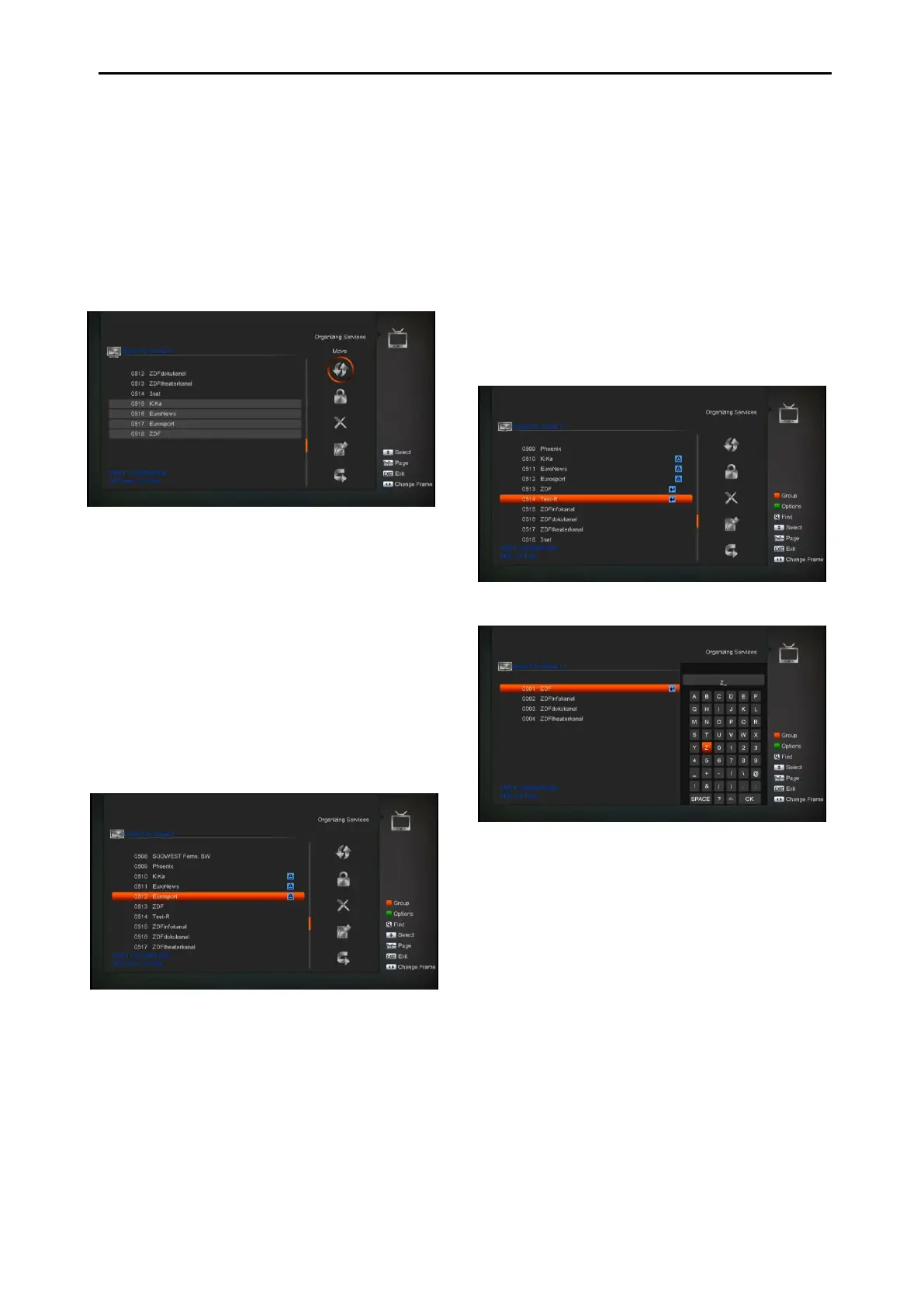
2. Then press [Right] key to move the high
light to right toolbar.
3. Select Move icon by press [Channel
Up/Channel Down] key and [OK] key.
4. Move the channels to the position which
you want and press [OK] key to confirm.
Like the following picture:
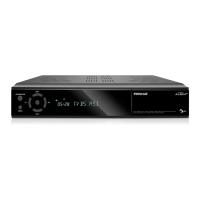
Lock
1 Select the channels which you want to edit in
channel list by press [OK] key or other select
mode.
2 Then press [Right] key to move the high light
to right toolbar.
3 Select Lock icon by press [Channel
Up/Channel Down] key and [OK] key.
4 Lock the channel by press [OK] key.
Like the following picture:
Delete
a) Select the channels which you want to
edit in channel list by press [OK] key or
other select mode.
b) Then press [Right] key to move the high
light to right toolbar.
a) Select Delete icon by press [OK key to
delete channel one by one.
b) When you high light in channel list ,you
can press [OK] key to select more
channels ,and repeat b and c step to
deleted.
Skip and rename
Follow the same way you can set the channel’s
Skip or give the new name for high light channel.
Find
1. Press[Find] key can open the “Find” window
like above. You can
press[Up/Down/left/right]key to move
highlight and press [OK] key to input the
selected symbol or letter into the dialogue.
2. After input each character, the program list
on the left will search the channel according
your input, and list the matched channel.
3. Move highlight to “OK” and press [OK] key
can close “Find” window and you can select
channel from the channels list directly.


 To Next Page