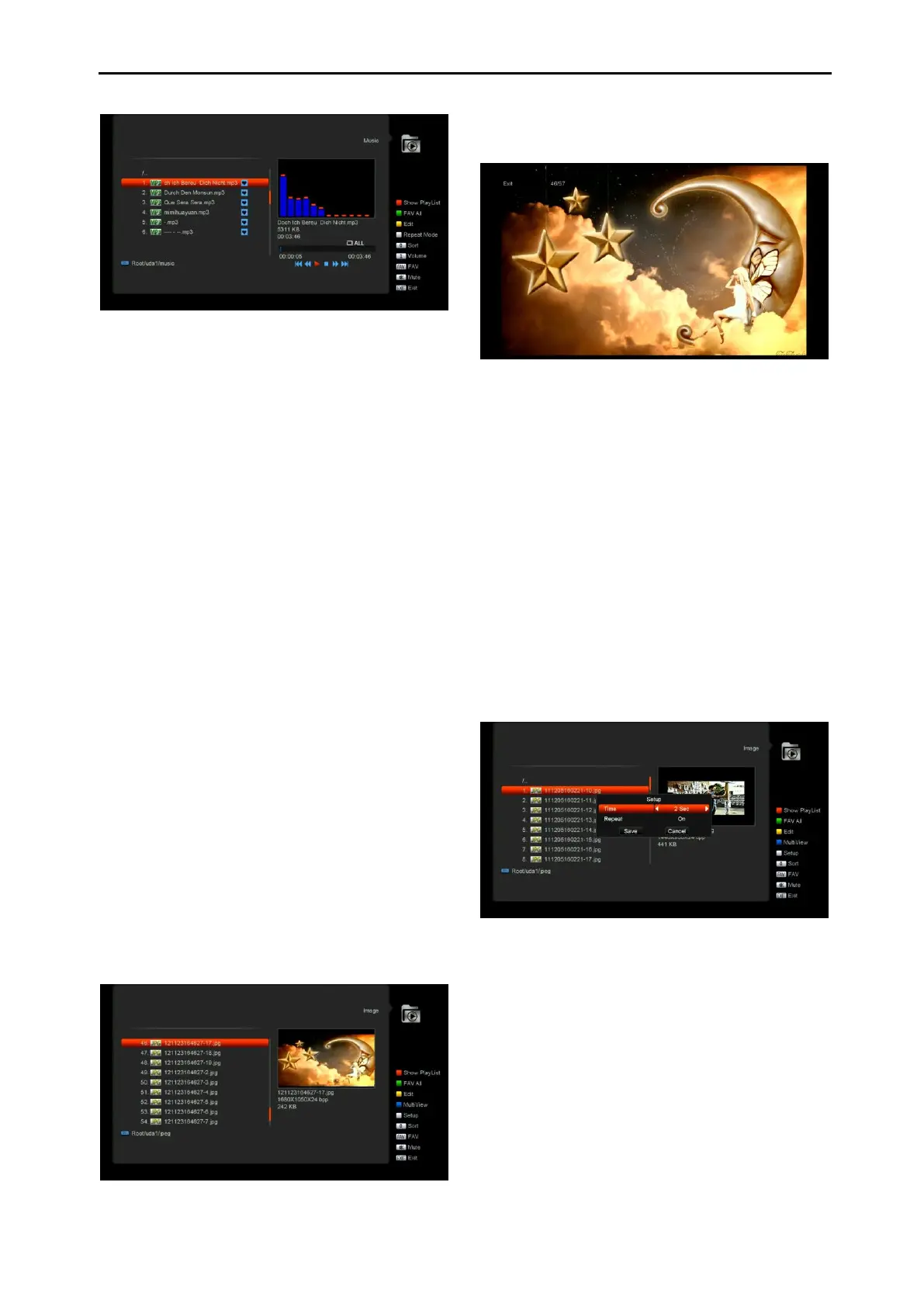
After begin to play MP3, it will show the MP3
play window.
Press “PAUSE” button to pause.. Press “PLAY”
button to play. Press “STOP” button to stop and
time return to 00:00.
Press “PREV” button to jump to the beginning of
file list if play is over 3 seconds; or jump to
previous file if play less than 3 seconds.
Press “NEXT” button to go to the next file.
Press “FORWARD” button to forward 4S. Press
“BACKWARD” button to back 4S. Jump to
beginning or end if less than 4S to the beginning
or end of music file.
Switch to the next file or stop playing by the
repeat mode when play is over on the current
file.
[0] key: To sort the file list by different order.
[FAV key: To add mp3 or jpeg to play list.
12.4 Image
In this menu you can press [left/right] button to
select the USB disk that you want to visit. Then
Press [ok] button to enter the Image list
Press 'OK' button on the selected files to play
the files.
You can preview the picture at the top right
corner if the scroll bar is on the picture files
(JPG, BMP), and show the logo when at MP3
file.
Move scroll bar when press up/down key, page
up or down by page key.
Go into sub-directory when press ok key in the
file directory, play the selected file when scroll
bar is on the file, automatic return USB menu
after play is over.
White key:
In this menu to setting JPEG player.
[0] Key:
To sort the file list by press [0] button.
[Red] Key:
Show file play list. There will display “The type of
playlist do not exist” if there are no any file.
Image view operation
Please see the below image operation menu if
Image function is selected.


 To Next Page