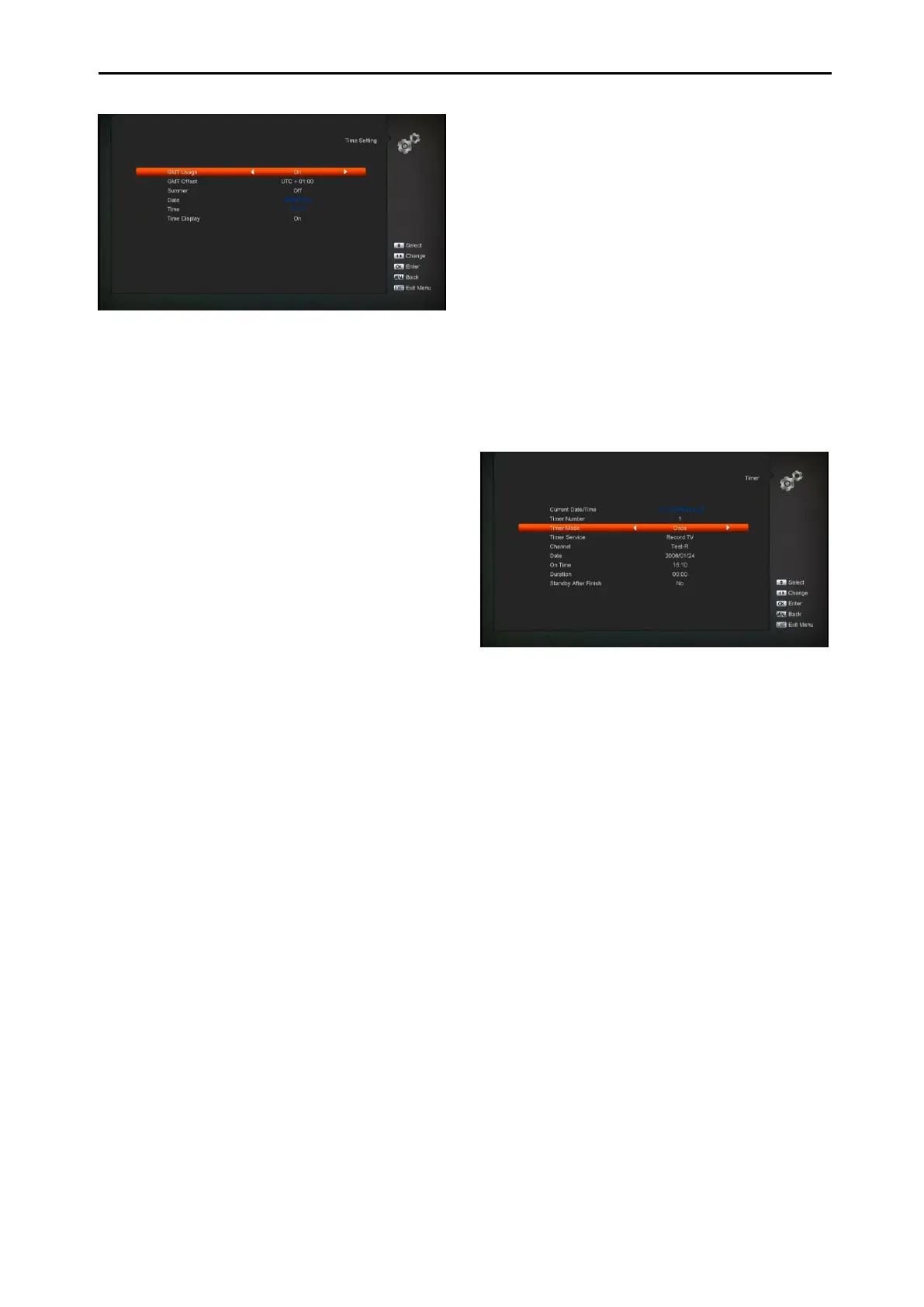
GMT Usage: This item is use for open the
usage of GMT. You can press[Left/Right]
keys to switch “On/Off”.
The “GMT Offset”item is valid only when the
setting of “GMT Usage” is “Yes”. You can
press [Left/Right] keys to switch “GMT
Offset” value and the range are“-12:00 ~
+12:00”increase each half hour
progressively.
You can press [Left/Right] to control
Summer time on or off.
“Date” and “Time” items are valid only when
the setting of “GMT Usage” is “No”. You can
press [Left/Right]keys to moving highlight
and use number keys to input directly.
You can select the front panel display
current time or not by Time Displayitem.
Press [MENU] key to draw back from “Local
Time Setting” Menu.
11.4 Timer
Press [OK] key to open timer menu.
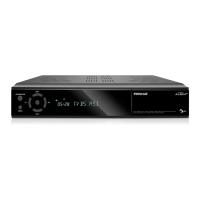
Current time information will display on the
first column;if the current time is incorrect,
please modify the time information in “Time”
item.
Timer Number: You can
press[Left/Right]keys to set Timer number,
and there are 8 timers in total.
Timer Mode: There are several modes for
Timer to setting, include Off, Once, Daily,
Weekly and Monthly .
Timer Service: There are two options for
“Timer Service”, include “TV Channel” and
“Radio Channel” (timer setting for channel
change and Wakeup/Sleep) and "Record
Radio" and "Record TV" (Timer setting for
Record the TV or Radio program to USB
Hard Disk) and Message (reminding
message).
When you select “Channel” (timer setting for
channel change and Wakeup/Sleep) option
in “Timer Service”, the screen will display like
below:
i. Channel:press [OK] key to enter
channel list and select channel that
you want to setting.
ii. Date: use number keys to input your
wakeup date.
iii. On Time: use number keys to input your
wakeup time. Once the time’s up, no
matter what the system is in standby
mode or in playing mode, the system will
automatically switch to the channel you
want and start to play.
iv. Duration: After you set a time for
“Duration” item, once the time’s up, the
system will automatically switch to
standby mode. If you want not work this
function, set the duration is 00:00.
When you select “Message” (reminding
message) option in “Timer Service”, the
screen will display like below:


 To Next Page