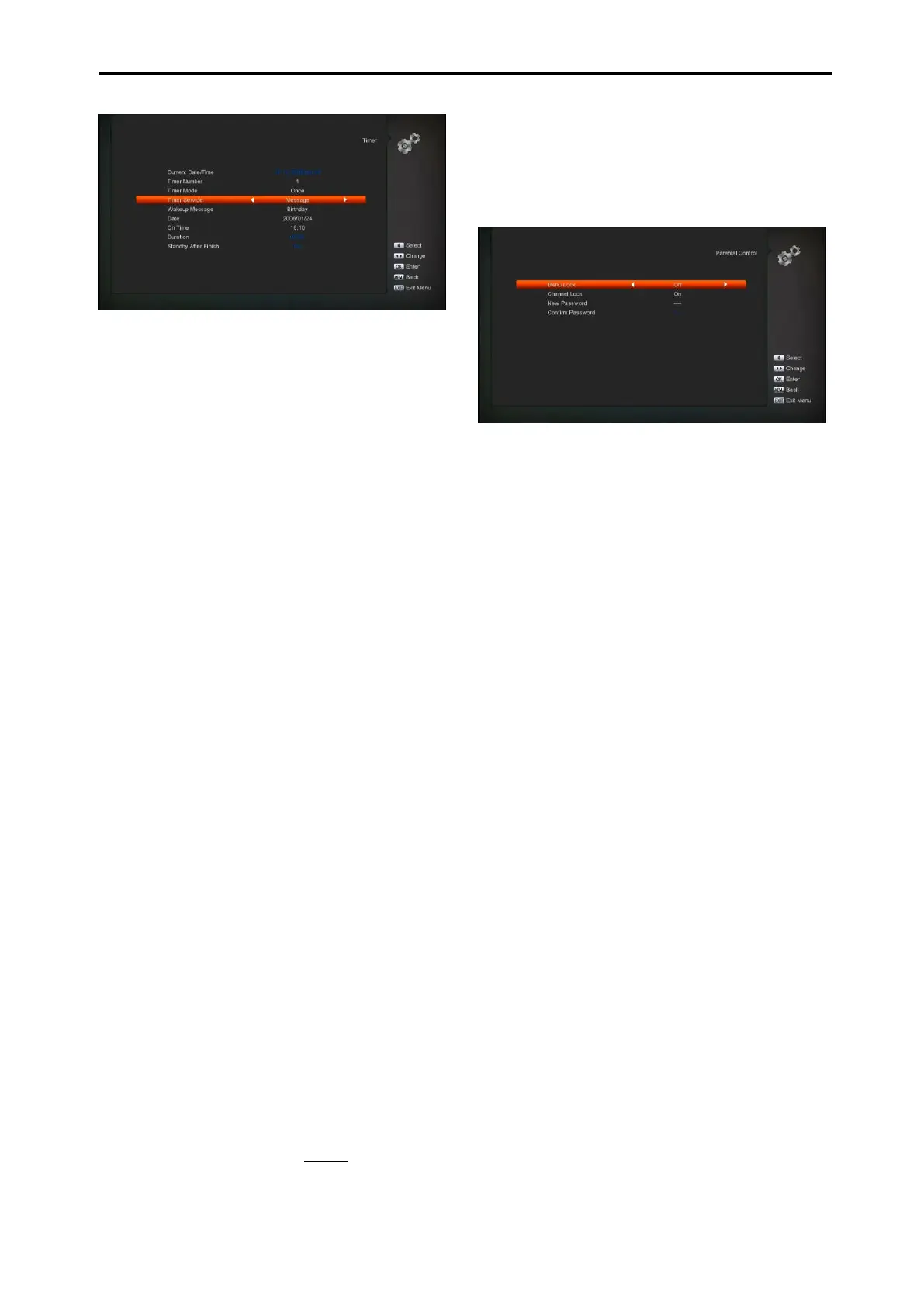
v. Wakeup Message: press [Left/Right]key to
select reminding message as Birthday,
Anniversary and General.
vi. Date, you can use number key to input
your wakeup date.
vii. On Time: use number keys to input your
wakeup time. Once the time’s up, no
matter what the system is in standby
mode or in playing mode, the system will
automatically pop a reminding message.
viii. The message will always display on the
screen, you can press [Exit] key to close it.
ix. Standby After Finish: You can press
[Left/Right] to control the system is in
standby mode or in playing mode after the
record stopped.
x. Extend Record Time : Press [left/right]
button or input the number using numeric
keys to set the Extend Record Time. It is
used to add time at beginning and end of
the record time.
xi. Press [MENU] key to exit the current
menu.
11.5 Parental Control
1 You can set a password for anyone who
wishes to operate in the “Installation”
menu. And you can also set the password
for the lock channels. (How to set the lock
channel please refer to LOCK) Here will
show you how to setting and how to
revising the password.
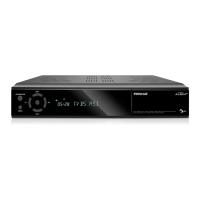
2 In “Parental Lock” function, press [OK] key,
there will pop an dialogue for you to input
the password. When you input the correct
password, you will see a screen like below:
3 Menu Lock determining that when user
wish to enter “Installation” menu,whether
have to input Password or not. If the setting
of “Menu Lock” is “On” which means user
have to key in password, set “Off” means
unlock.
4 Channel Lock determining that when user
wish to play the lock channels, whether
have to input the password or not. If the
setting is “On”, play the channels with lock
mark will show up a dialogue on the screen
and ask for the password. If the setting of
“Channel Lock ”is “Off”, the Lock function
will invalid.
5 New Password is used for revising
password;you can input the new password
in this item by using number keys directly.
After you filled in 4 digital numbers, the
highlight will auto skip to Confirm Password
and ask you to input the new password
again. If the password is correct, the screen
will show up a message of “Saving Data,
Please Wait…”. After finish saving and
drawback to “System Setup” menu, the
revising is complete.
6 Press [MENU] key to draw back from the
“Parental Lock” menu.


 To Next Page