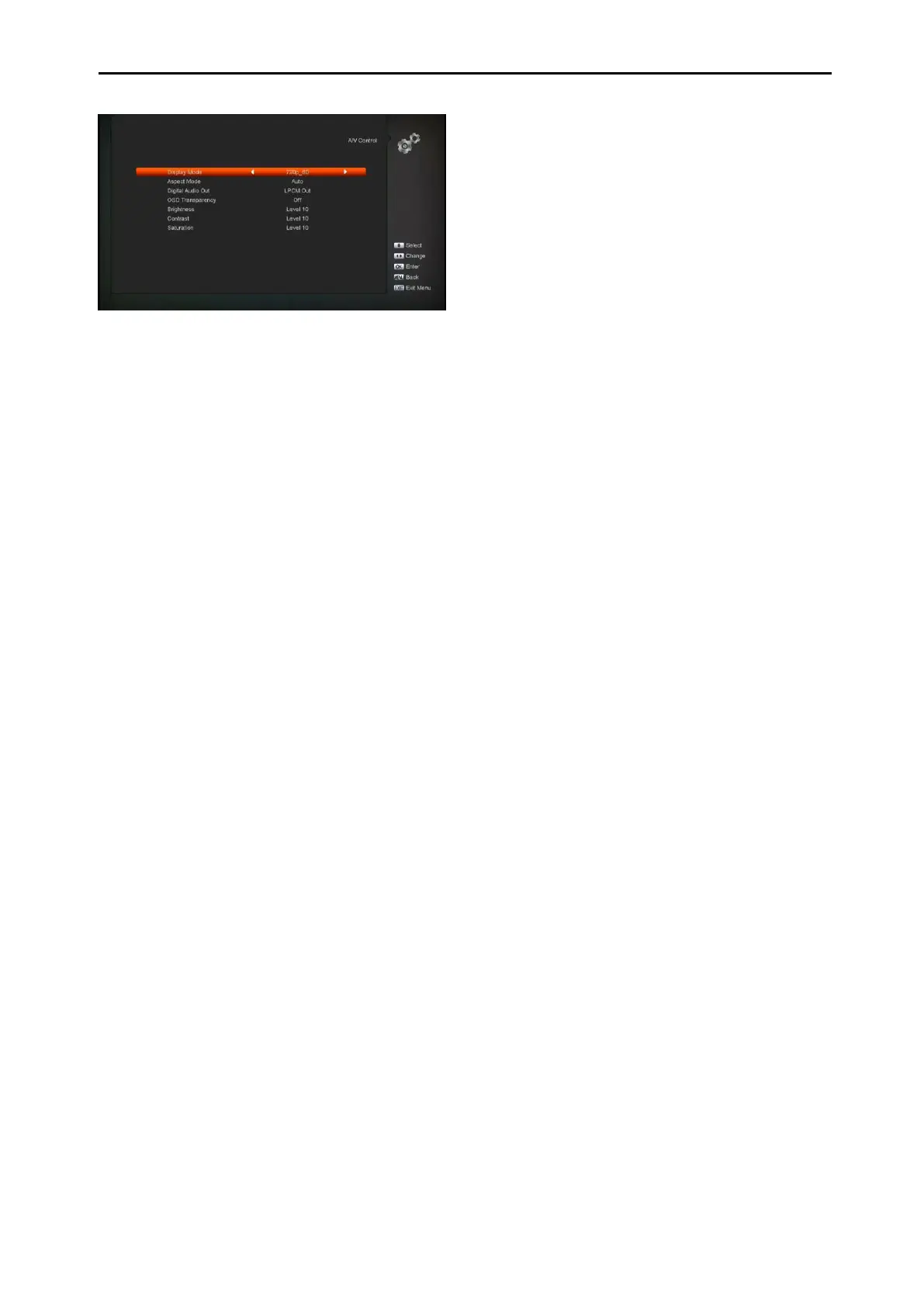
Display Mode is for switching the system
outputting video resolution. Move highlight
on it and press left or right key, it will switch
video resolutioncircularly by the sequence
"AUTO", "By Native TV","480p", "576P",
"720P_50","720P_60,"1080i_50","
1080i_60" ," 1080P_50" and"
1080P_60"This effect is equal to press
V.Format Key under Full Screen and their
last setting saving will be efficient for each
others. By Source means system will set
the video output resolution according to the
program it’s playing, different resolution
programs switching perhaps will makes TV
screen flickering. By Native TV means
system will be according to the HD TV’s
max supported resolution to set its
resolution, if system is not connected to a
HD TV, it will set resolution to be default
Aspect Mode is for switching the screen
aspect ratio mode. Now we provide below
options: 4:3 PS / 4:3 LB / 16:9/Auto. You
can press [Left/Right] key to select each
mode circularly. 16:9 will provide user pillar
box mode it means user use 16:9 TV to
display but need to see a 4:3 full display
picture. System will force press wide
screen picture to be narrow and there’re
black band on left and right site. Auto
means system won’t do any aspect ratio
translation, 16:9 picture source will be good
display on a 16:9 TV but will be too narrow
on a 4:3 TV, and 4:3 picture source will be
too wide in a 16:9 TV but will be good
display in a 4:3 TV.
Digital Audio Out is for setting the both
SPDIF and HDMI’s digital audio output
mode, it has options LPCM Out, Auto, You
can press [Left/Right] Key to select each
mode circularity. LPCM Out means system
will decode no matter AC3 or PCM audio
track data to be LPCM, digital audio
decoder or HD TV will get LPCM digital
audio data. Auto means system will detect
which the connected HD TV can decode
and then output that data. If HD TV can
decode AC3, system just output RAW data,
if HD TV can decode LPCM only, system
will just decode AC3 or LPCM to be LPCM
and then output.
OSD Transparency: Besides the setting of
“OSD Menu Style”, you also can set the
transparency of OSD. You can press
[Left/Right] key to select the values. There
are 5 levels of transparency, 10%, 20%,
30%, and 40% and “OFF” (means no
transparency function).
Brightness/Contrast/ Saturation: You can
adjust the parameter about the Video
image by using the [OK] button or press
[Volume Up/Volume Down] key; the default
value is Level 10.
Press [MENU] key to draw back from“A/V
Control” menu.
11.3 Time Setting
When you enter to “Local Time Setting” menu,
you will see the screen like below:


 To Next Page