AML “Spanner” logo
on this side
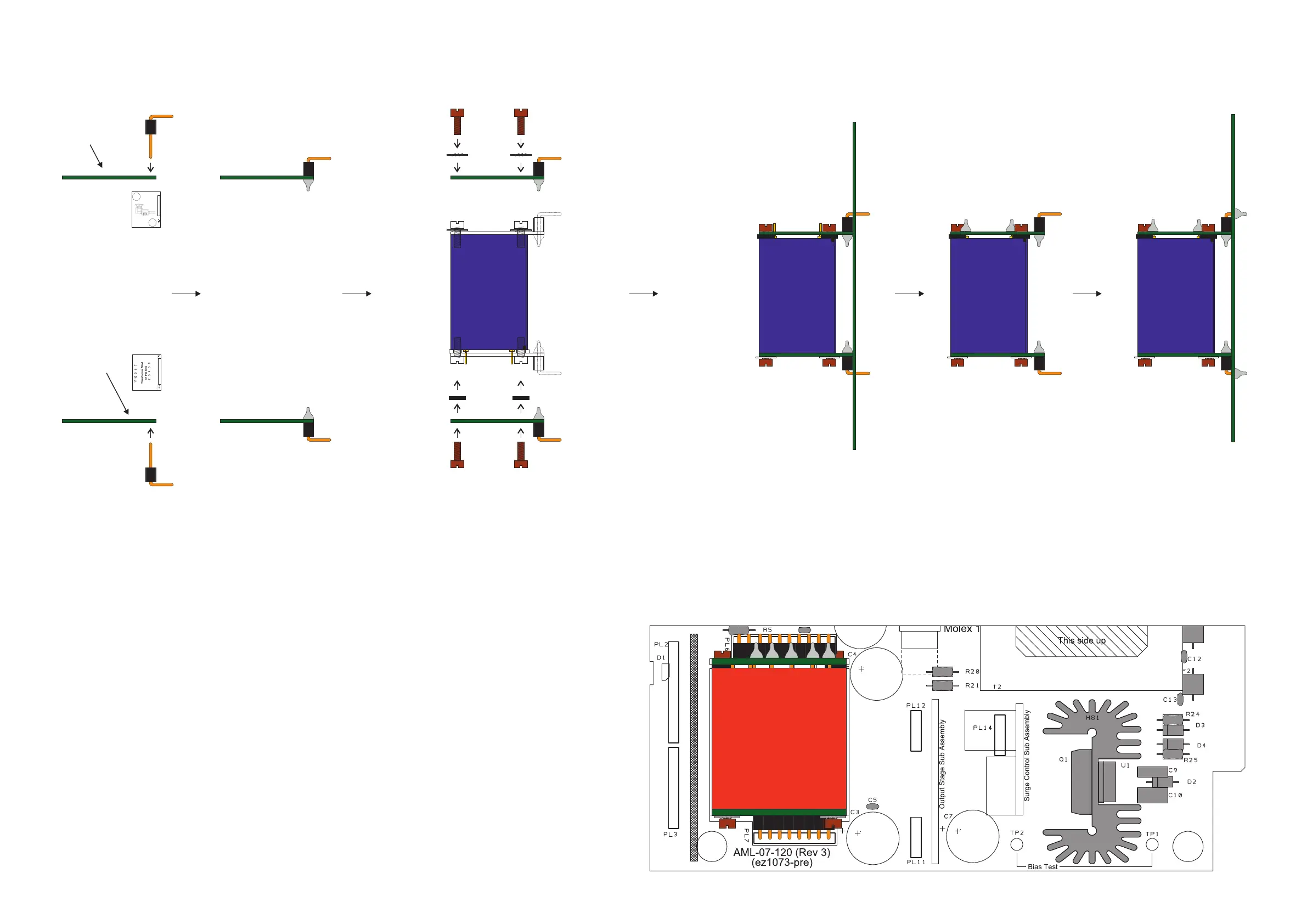
Tighten up all the screws
Solder the assembly
to the main PCB
Transformer silk screen
print on this side
Solder the right angle pin headers
to the circuit boards - the longer pin
goes through the PCB - trim off the
excess pin (PL8 is 8-way, PL6 is
10-way)
Fit the transformer ensuring that
Pins 2 to 6 are at the bottom
Pins 7 to 11 are at the top
ie Pin 2 is nearest to the “PL6”
on the PCB
Remove the 2 original brass screws from
the end of the transformer which has
the pins. (do not discard)
Fit the assembly into the main PCB
and then tighten up the screws -
but not too tightly !!
Remove the assembly again and then
solder the transformer to its PCB
On the end of the transformer which has
pins, fit an M3 nylon washer between the
PCB and the transformer (this is to stop the
PCB bending when screwed down).
Fit loosely using the longer (6BA x 1/4 in)
steel screws
On the end of the transformer without pins
fit shakeproof washers onto the original
brass screws
Fit the screws loosely
Input Transformer Assembly and Fitting (VTB9045)
Original brass screws
Longer steel screws
Fit the transformer (VTB9045) to the 2
PCB’s as shown in the daigram.
Input Transformer
PCB 1
Input Transformer
PCB 2


 To Next Page