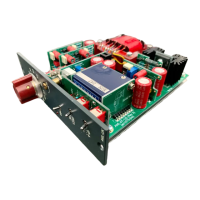
1 ] Before powering up the module, turn the “Bias Adjust” trimmer R58 fully counter-clockwise (about 10 turns)
ez1073pre Calibration / Setup
2 ] Power up module, measure the DC voltage between bias test points TP1 & TP2
[It should typically measure about 40-50 mV (after relay clicks)]
4 ] Apply a signal of -40dBu to the input and then turn front panel gain control up to +60dB
6 ] Measure the output signal, and adjust the “Gain Adjust” trimmer R70 until output measures +20dBu
5 ] Ensure that the front panel brass coloured “Trim” control pot is turned fully clockwise
3 ] Slowly turn the “Bias Adjust” trimmer R58 clockwise until the DC voltage now measures 90mV


 To Next Page