1 - 15
USER’S GUIDE Triton Wireless Hand-held Terminal
The Triton Scanner LED
The Triton has a multi-color LED to indicate when the unit has scanned a bar code
successfully. When the scan button is pushed, the LED above the on/off button will turn a
solid red. Once the scanner has successfully read the bar code, this LED will turn a bright
green.
This visual indication of a good read is useful in very noisy environments where the audio
beeper can not be heard.
Note: When the Triton is in sleep mode the scanner LED will be ashing green.
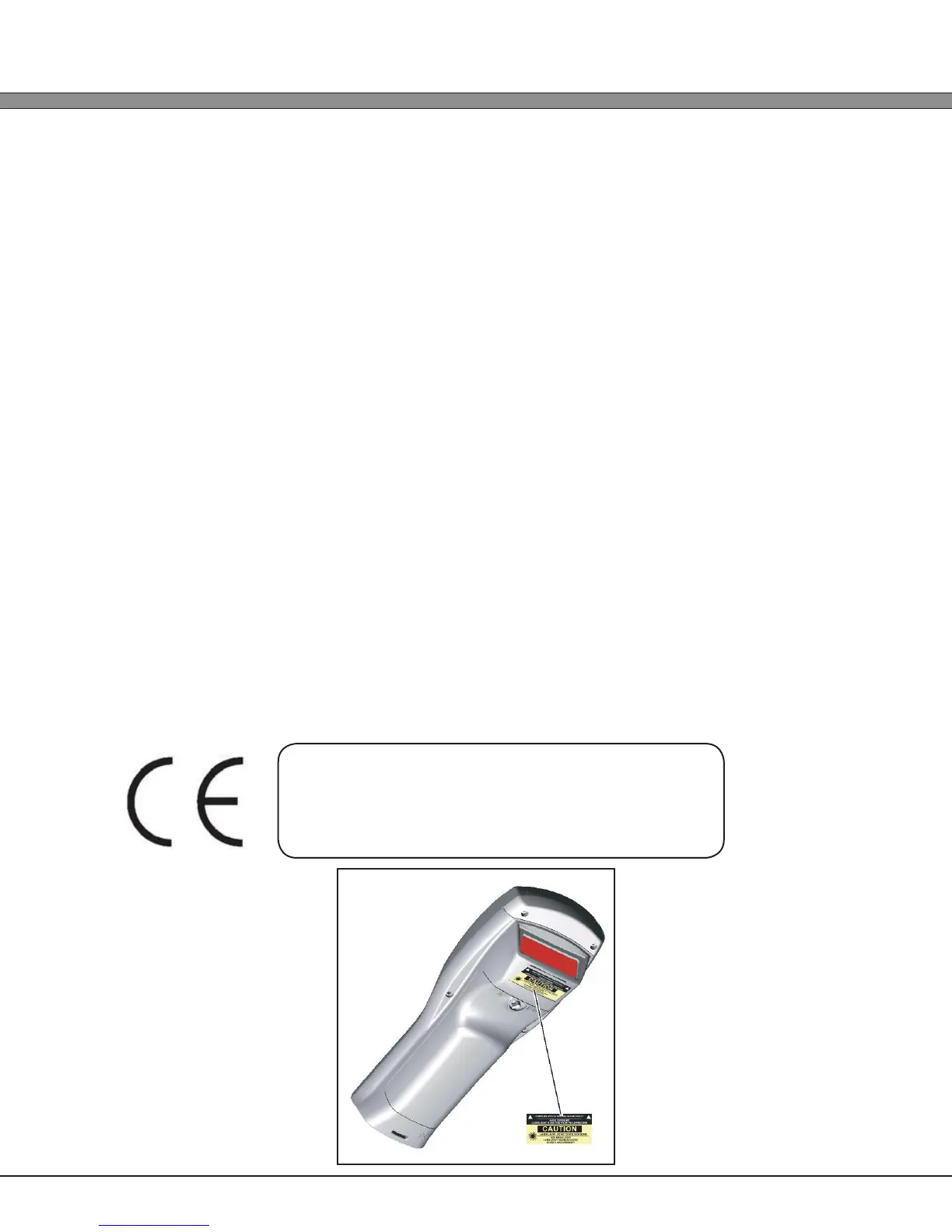
Scanner Information and Labeling
The Triton Integrated Laser Scanner uses a low-power visible laser diode. Avoid staring
directly into the light beam. Momentary exposure to a CDRH Class II laser is not known to be
harmful.
Laser Classication: CDRH Class II
Light Source: 630 – 680 nm laser diode
Laser Output Power: 1.0 milliwatt maximum output
FCC Information: This device complies with Part 15 of the FCC Rules. Operation is
subject to the following two conditions: (1) this device may not
cause harmful interference, and (2) this device must accept any
interference received, including interference that may cause
undesired operation.
CAUTION: Use of controls, adjustment, or per-
formance of procedures other than those
specied herein may result in hazardous visible
laser light exposure.



 To Next Page