18
5.4 MODE OF OPERATION
The Mitre-Mite VN 4 Memory Program allows the
operator to create customized working cycles
according to size and profile of mouldings to
be assembled.
The machine has only one operating mode:
• Semi-automatic operating mode using programs
created by the operator
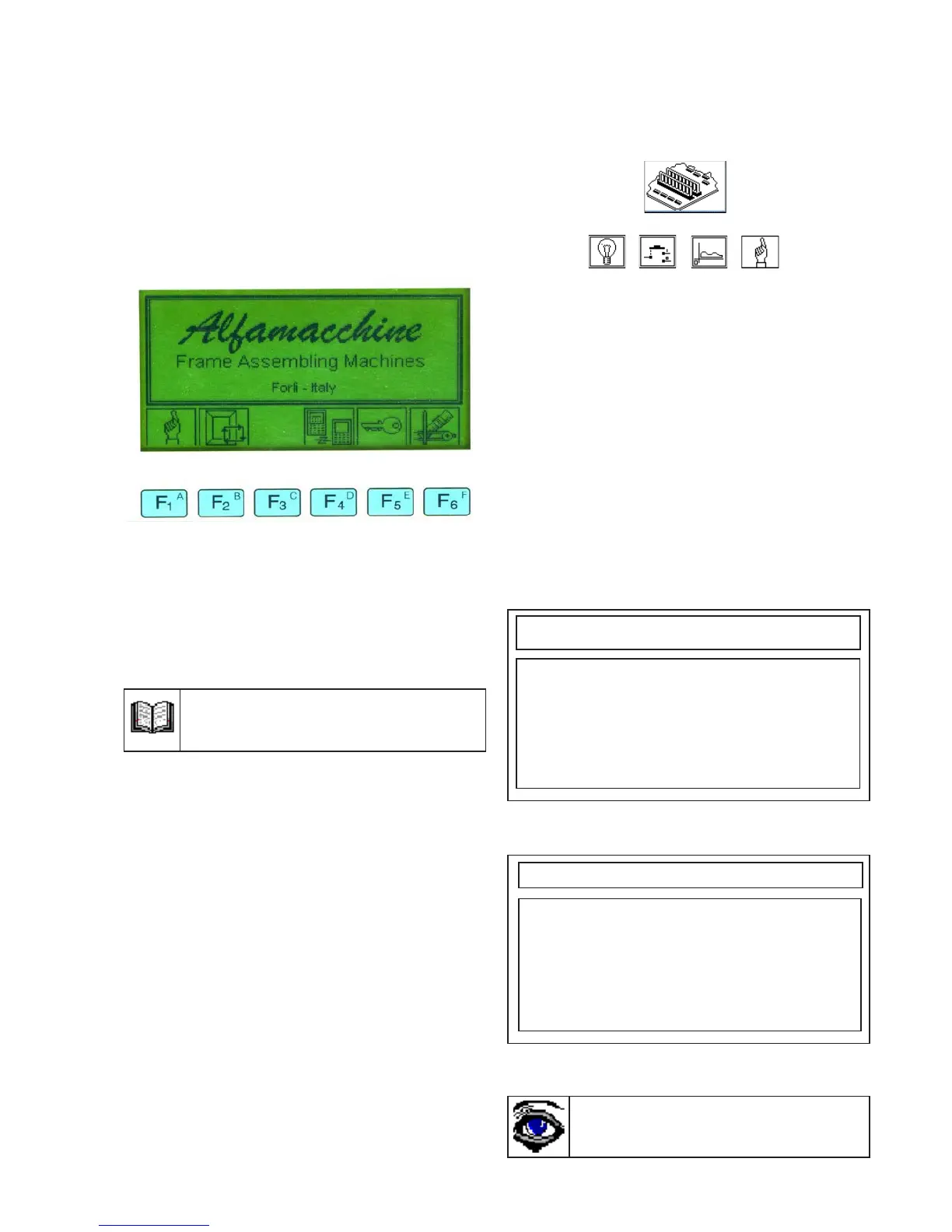
Switching the machine on: the following is
displayed on the screen:
5.4.1 Manual functions menu
Pressing F1 from the main menu allows you access
to the Manual Functions sub-menu.
The following functions are available:
F1 Jog motor it allows you to shift the
V-nail driver to the
(positive and/or negative
side)
F2 Test Ingressi It allows you to check the
proper functioning of
the control board inputs
F3 Output Test It allows you to check the
proper functioning of
the control board outputs
F4 Machine zero It takes the V-nail driver
back to the homing point
(position 0)in the middle
of the fences vertex
5.4.2 Jog menu
Entering into the Jog menu (manual movement of
V-nail driver) the following picture is
displayed:
5.4.3Input test menu
Opening the Input Test Menu (checking of inputs
proper functioning) the following is displayed
on the screen:
Input status is displayed here: only pedal
status (enabled / disabled) can be displayed by
the operator when the pedal is pressed and
released, the other values are only set by
authorised technicians.
5.4.4 Output test menu
Opening the Output Test Menu (outputs are tested)
the following is displayed on the screen:
To return to this display always press
the MENU key from any sub-menu.
Use the yellow arrows to position the cursor on
the desired option, then press ENTER to activate
it and check if it is working properly.
The outputs test works only if the machine has
performed the homing cycle at least once before
entering into the test.
The icons corresponding to the function keys
(F1..F6) have the following meanings:
F1 Manual Functions ( chapter 5.4.1)
F2 Programming/Executing Functions
F4 Transfering programs (see page 42)
F5 Access Enabled
F6 Parameter Functions
Press the yellow arrows to move the carriage:
<== (toward zero) ==> (toward operator)
The position of the V-nail driver is
simultaneously adjusted and displayed on the
screen.
This option can be useful to verify visually
the V-nails insertion points and record their
relevant positions.
Select F1 to confirm or F2 to delete.
Input Test
Pedal :off
V-Nails inserting :on
Pressoswitch :on
Home or min. switch :off
Sensore di massima :off
Emergency :on
Change speed :off
Output Test
Horizontal Block :off
Vertical Block :off
Hammer :off
Buzzer :on
Free :off
Free :off
Free :off
Figure 5.4


 To Next Page