25
6. PROGRAMMING
6 . 1 CREATION OF A PROGRAM
To program a frame, operate as follows:
From the Main Menu
• Press F5
• Type the access code 5678
• Press F2 (writing frame program icon)
• Position with the cursor on an empty line/
code, then press enter
• Type the new program name
To use the keyboard for typing letters
instead of numbers press SHIFT+ the
letter to be inserted. Press shift
again after you are finished typing
letters
• Press ENTER
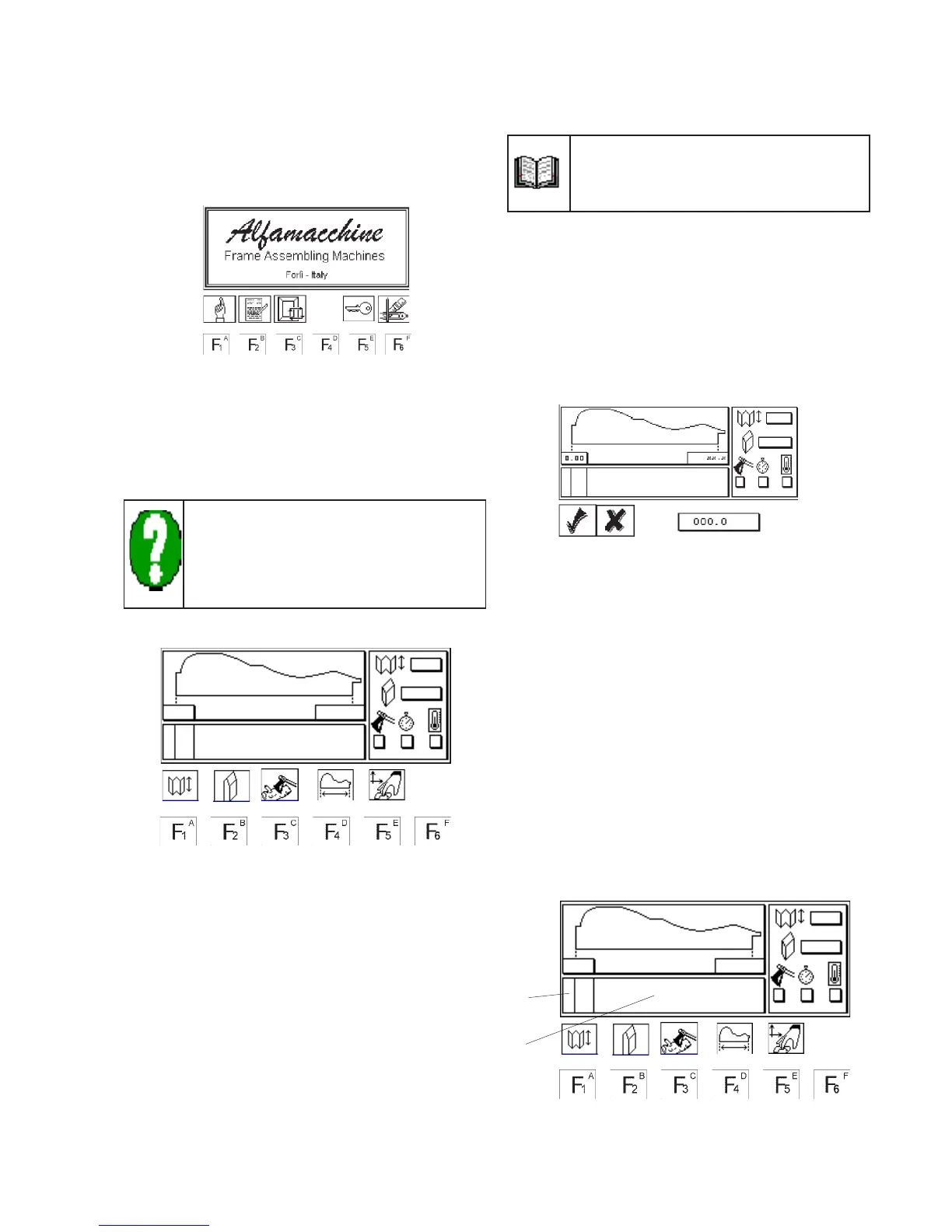
At this point the following screen is displayed:
• Press F1
• Type in the V-nail height
• Press ENTER
• Press F2
• Type in the V-nails sharpening
• Press ENTER
• Press F3
• Type in the value corresponding to the
hardness of material to be assembled (see
chapter 5.4.11)
• Press ENTER
• Press F4
• Type in the width of the moulding in(mm)
• Press ENTER
• Press F6
• Enter in the value of the working speed (see
chapter 5.4.11) by using the directional
arrows
The value of working speed is already entered
with reference to the value of Default
(CUSTOM) parameters (see cap 4.5.15)
• Press ENTER
• Positioning the V-nail head. This operation
can be done in 2 ways:
• Auto-learning mode
• Inputting mode
6.1.A. Auto-learning mode
• Press F5
The following screen appears:
• Execute the v-nails head positioning by the
directional arrows
• Press ENTER
• Type in the number of V-nails to be inserted
• Press ENTER
• Repeat the above steps for each V-nail
inserting position
6.1.B Inputting mode
• Position the cursor (A) on the V-nails
inserting positions to be programmed (B) -
see the fig. 6.1.B.
• Type in the value in mm.
• press ENTER
• Type in the number of V-nails to be inserted
• Press ENTER
• Repeat the above steps for each V-nail
inserting position
Figure 6.1.B
Figure 6.1.A
A
B


 To Next Page