SafeWizard Operating Instructions American Security Products Company
Last Revision 10/17/2008 Page 66 of 73 Document 4305199
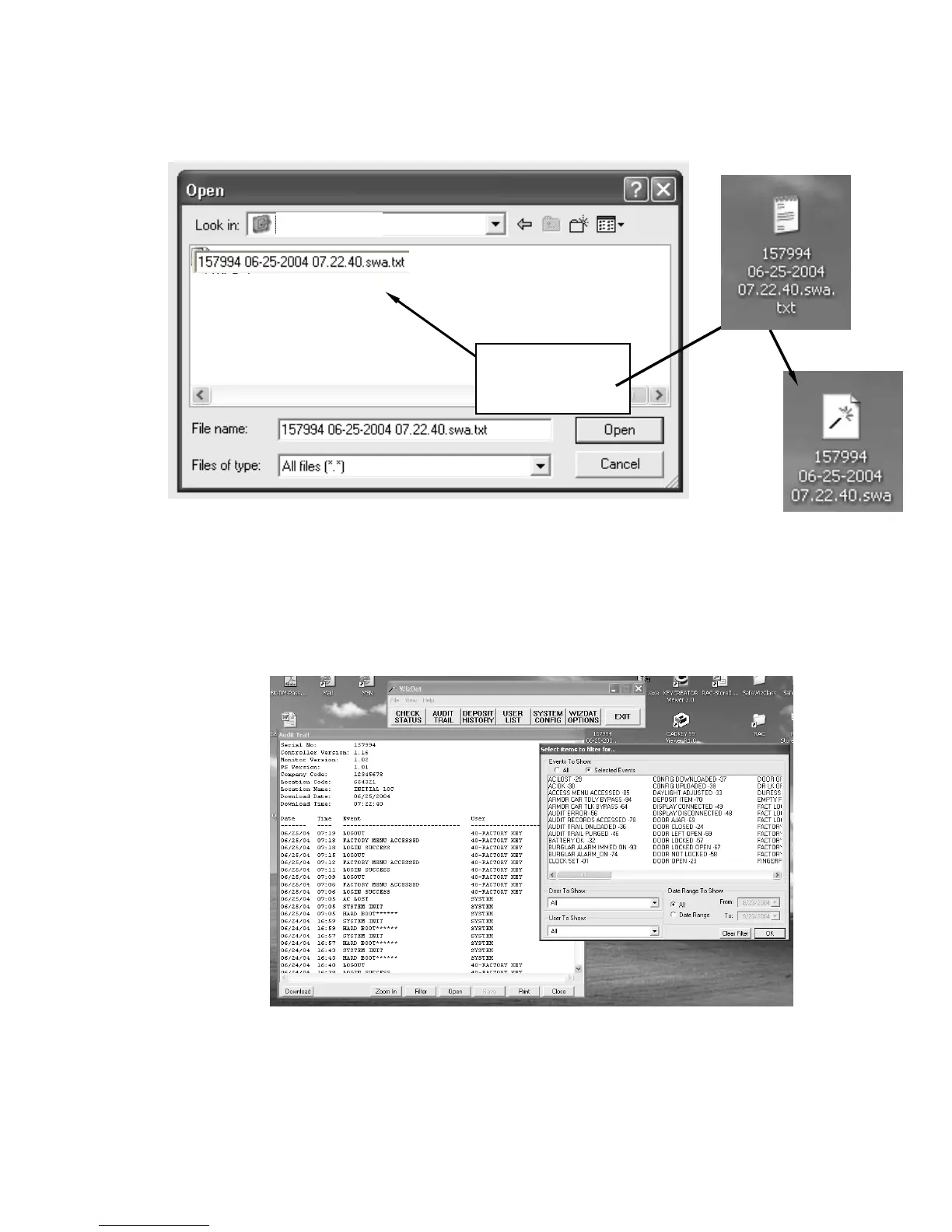
Then right click on the same file now on the desk top and select “rename”.
Click at the end of the line and “backspace” to delete .txt.
Opening The SafeWizard Audit File:
• Open the “WIZDAT” program from the AUDIT Pack “CD” or from your hard drive if copied there.
Select “AUDIT” on the menu bar, then “OPEN”.
• Select the arrow in the “Look in:” box to expand the directory tree and locate the “Desktop” icon
and select the SafeWizard audit file.
• Once the file is open, you can view the specific types of activities by selecting the “Filter” tab.
PC_MY DOC
Drag this file to the
desk top and
delete .txt



 To Next Page