Start up Guide for Axpert-VT240S Series AC Drive
15
RY0
FDW
FUP
PSI6
PSI5
Step-2: Set C03-D=0.
Note that the speed reference will be incremented or decremented from the A00-0 set value. So, set the
initial desired speed reference to A00-0. When the ON state continues, the frequency is incremented/
decremented with the currently valid acceleration time.
4-2-6 Use of Multiple Preset Speed reference
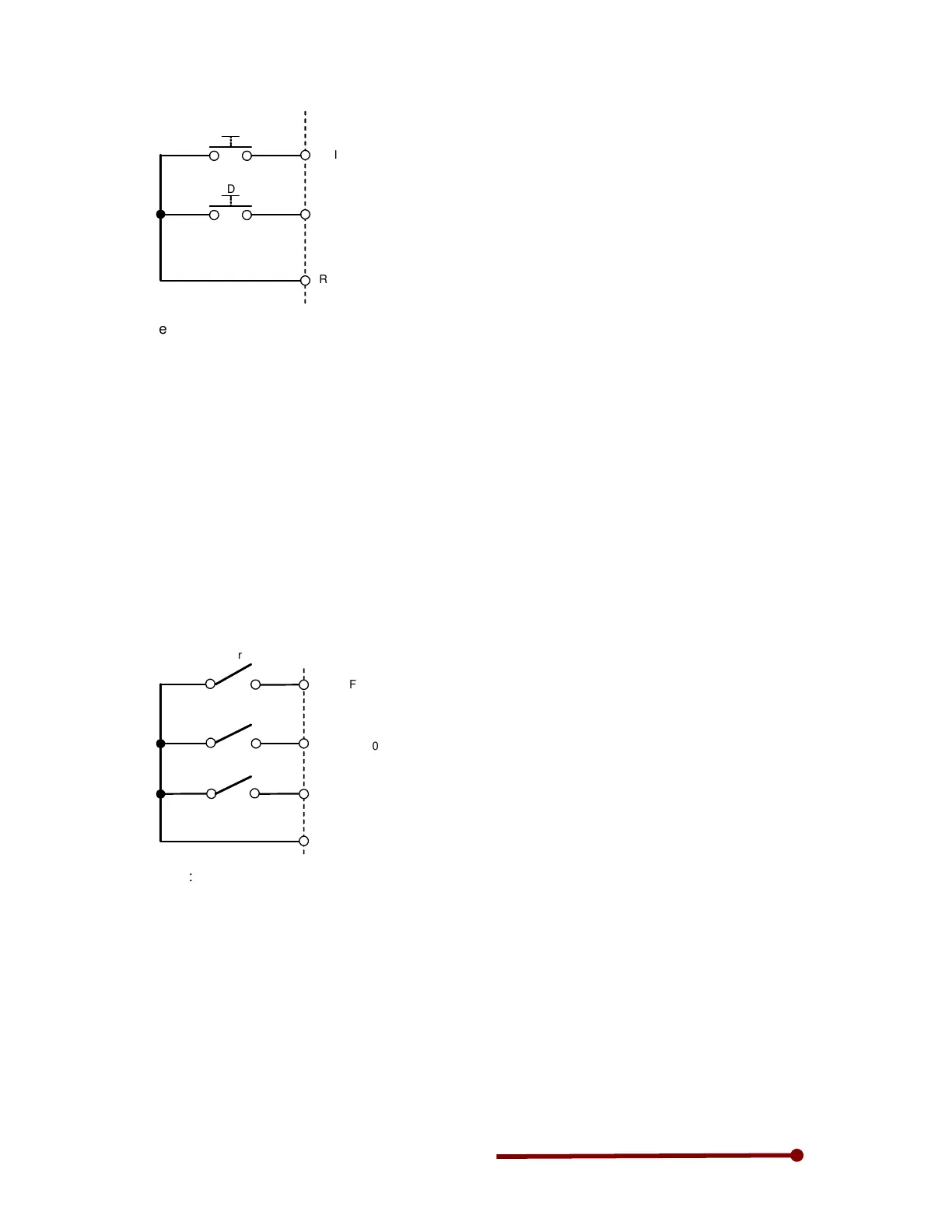
To assign multiple preset speed reference, one needs to connect selector switches to digital inputs (PSI)
to select the desired preset speed. Follow below steps to use preset speed reference. This drive has
facility to select the speed as per the binary logic as well as direct method. Both the methods are
described here. In this example, only two digital inputs PSI2 and PSI3 are used for preset speed setting.
PSI1 is used for start.
Binary method for speed selection:
Step-1: Connect selector switch for start between PSI1 & RY0.
Step-2: Assign PSI2 to S0 by setting C04-2=2 and PSI3 to S1 by setting C04-3=3. As PSI1 and PSI2
are assigned to other functions in default conditions, clear them first by setting C03-1=0 and C03-7=0.
Connect selector switches S0 and S1 between PSI2 & RY0 and PSI3 & RY0 respectively.
S0
PSI2
PSI1
PSI2
RY0
S1
S0
S1
Start
F: RUN
Step-3: Set C04-0=16
Step-4: Set B11-8=1 for binary method for speed selection
Step-5: Set the desired frequency in parameter B11-0, B11-1 and B11-2
Step-6: When both the switches are OFF, the previous set frequency will be selected.
Step-7: Keep only S0 switch to ON position, the frequency set in B11-0 will be selected.
Step-8: Keep only S1 switch to ON position, the frequency set in B11-1 will be selected.
Step-9: When both the switches are kept to ON position, the frequency set in B11-2 will be selected.
Below table shows how the multiple preset speed (frequency) can be selected using more digital inputs
(PSI1 ~ PSI7).
Refer detail instruction manual for more detail and timing diagrams on this
application.


 To Next Page