16
SINGLE ESPRESSO GRINDER
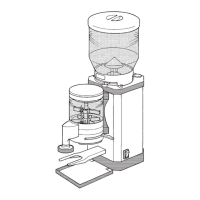
Seng the portalter support and outlet
You will need a slot screwdriver to adjust the portalter support
(not supplied).
Adjust the portalter support (10) to the size of your espresso machine’s
portalter (see Fig. C):
1. Make sure that the grinder is switched o (On/O switch (5) to posion 0).
2. Loosen the screws (8) for adjusng the portalter support (le and right)
by turning them counterclockwise using a slot screwdriver.
The portalter support lowers unl it reaches the stop.
3. Insert the portalter into the portalter intake (12).
4. Push the portalter support upwards unl the portalter ts exactly
between the portalter support and the portalter intake.
If the portalter support does not t, contact your supplier (see
“Maintenance and service” secon).
5. Hold the portalter support in posion and x it by ghtening the screws
for adjusng the portalter support (le and right) counterclockwise with
a slot screwdriver.
6. Push the outlet guide (21) up or down in the lock to posion the outlet
(13) perfectly for your portalter (see Fig. E).
Align the outlet in such a way that the coee grounds fall out of the out-
let into the center of the portalter inserted.
Reset the outlet aer every grinding degree adjustment and
every change of the type of espresso beans.


 To Next Page