28
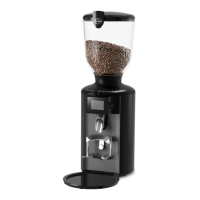
SINGLE ESPRESSO GRINDER
13. Press the start buon (11) to start the grinding process and keep it
pressed in unl the grinder cleaner has been completely ground.
14. Grind a quanty of espresso beans equal to the quanty of
grinder cleaner used in order to remove leover cleaning parcles.
Set the grinding degree to the seng required during the grinding process.
15. Dispose of the ground grinding cleaner and the ground espresso beans in
the commercial/domesc waste.
Troubleshoong
Problem Cause Remedy
The grinder is
not grinding;
the display
does not
light up.
• The power
plug is not
plugged into a
socket.
t Insert the power plug into a properly
installed wall socket.
• The bean con-
tainer is not
inserted.
t Insert the bean container (see “Seng
up the grinder and inserng the bean
container” secon).
• The thermal
overcurrent
circuit-breaker
has been
triggered.
t Check whether the circuit-breaker’s
release buon has popped out. Push it
back in if necessary. If the circuit-
breaker repeatedly pops out, contact
your supplier (see “Maintenance and
service” secon).
• The electric
fuse has
tripped.
t Check the electric fuse. Return it to
its original state or replace it. Check
whether other loads are connected
to this fuse and if so, pull their plugs.
If the fuse trips repeatedly, contact
your supplier (see “Maintenance and
service” secon).


 To Next Page