CNC Setup Utility Manual
P/N 70000490C - Setup Utility Concepts
All rights reserved. Subject to change without notice.
10-December-04
1-2
Navigating Through the Setup Utility
The Setup Utility provides access to parameter settings through menus
and submenus. Each menu contains a list and a highlight. Highlight one
of the choices listed. Press
ENTER to activate the highlighted choice.
Each menu provides access to parameter settings or another menu.
Press
ENTER to toggle settings On or Off. Type a specific value where
required. Press
ENTER or Exit (F10) to save settings when prompted by
the software. Press Exit (F10) to close a menu and return to the previous
menu.
Refer to “Section 6 - Setup Utility Maps
” for all maps referenced in
“Sections 1 – 4.” Use these maps to locate parameter settings. The
maps also serve as a quick reference guide.
NOTE: All dimensions, numbers, assigned values, and defaults
provided in this manual are subject to change without notice
depending upon individual manufacturing considerations and
industry standards.
Default Settings
The Setup Utility has default settings pre-loaded in the configuration file.
These settings remain active unless you change them. In this manual,
default settings are specified as: [Default: Setting].
Keypad Keys
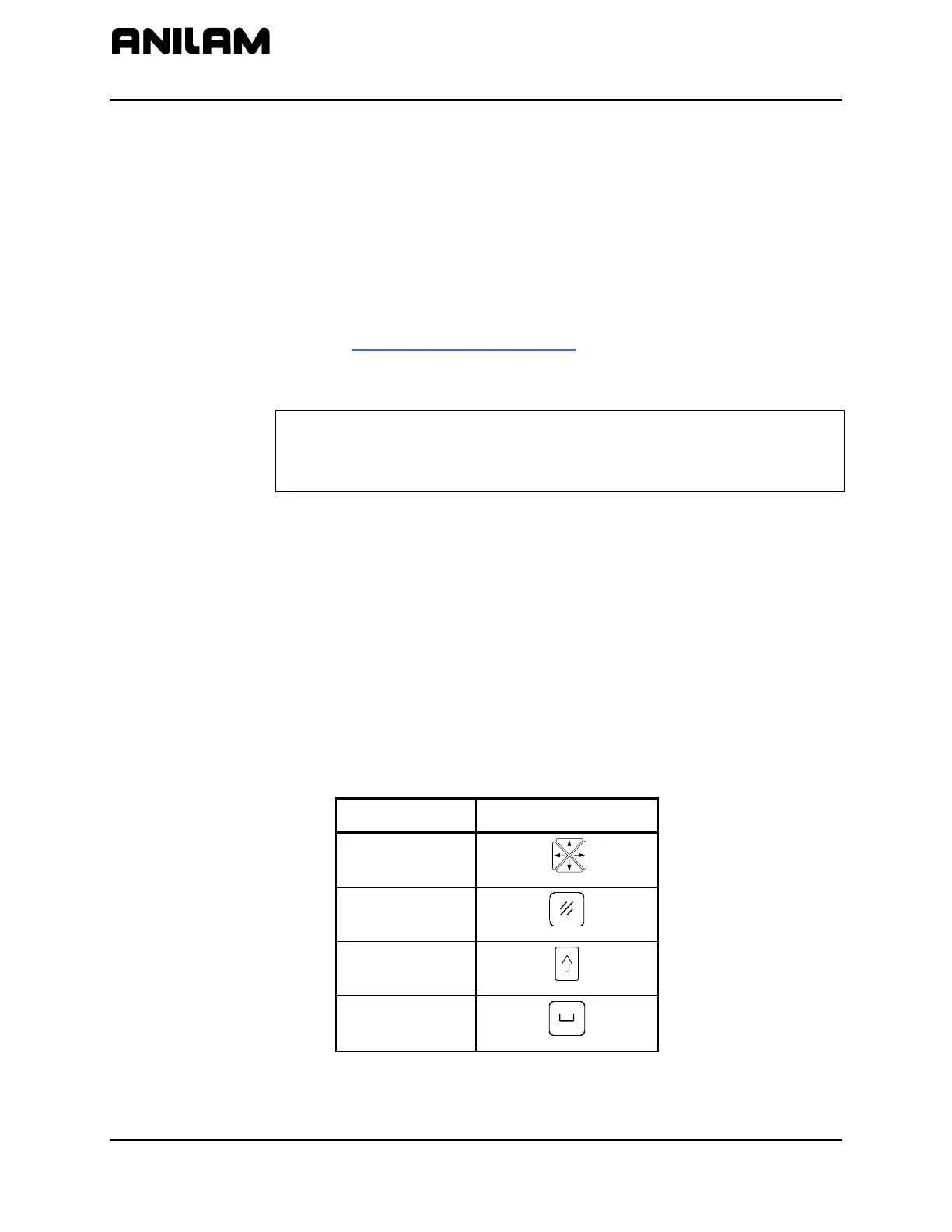
In this manual, the names ARROWS, CLEAR, SHIFT, and SPACE are
used for the corresponding keypad keys. See Table 1-2 for their
identifying key faces.
Additionally, the alphanumeric characters, (A – Z) and (0 – 9), are used to
reference corresponding alphanumeric keys.
Table 1-2, Keypad Keys
Name Key Face
ARROWS
CLEAR
SHIFT
SPACE



 To Next Page