Antelope Audio Zen Quadro Synergy Core User Manual
Page 18
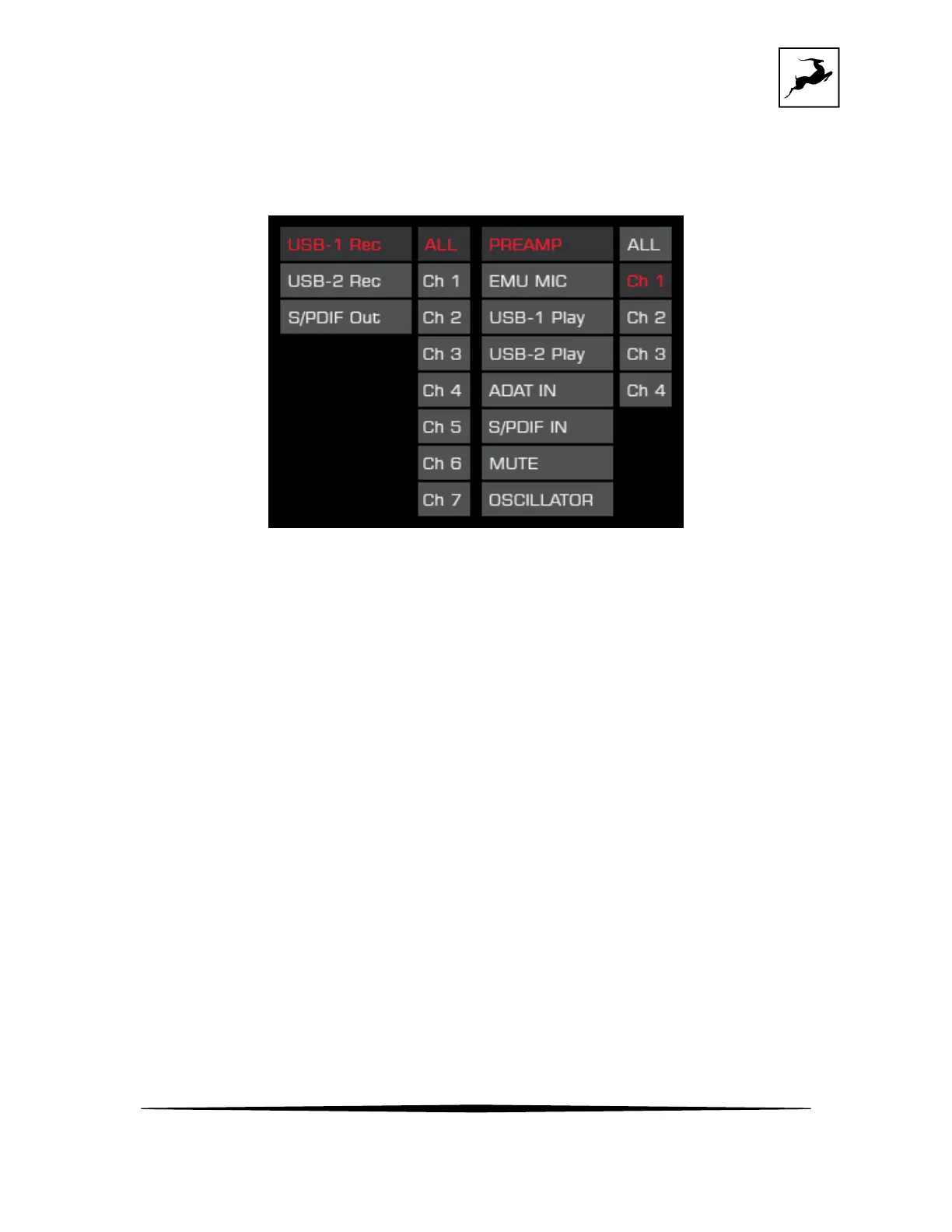
secondary USB 2 port or to the S/PDIF outputs:
- Chose the channel you want to record signal into.
- Choose the source of the signal you want to record.
Routing menu
• Brightness – Adjust the brightness of the display, between 0 and 100%.
• STANDBY - the rotary control to enter standby. Press again to wake the device.
Press the 'Antelope button' to exit the Control Menu.
'HP/MON' button - the 'HP/MON button' features the following functionality:
• Press (and keep pressing) 'HP/MON' to cycle through volume adjustments for the
Headphone (HP1, HP2), Monitor, and Line outputs. Turn the rotary control to adjust
volume. Press the rotary control to mute and un-mute. Press the 'Antelope button'
to exit.
• Press and hold the 'HP/MON' button to enter the System Menu.



 To Next Page