Antelope Audio Zen Quadro Synergy Core User Manual
Page 22
Rear Panel
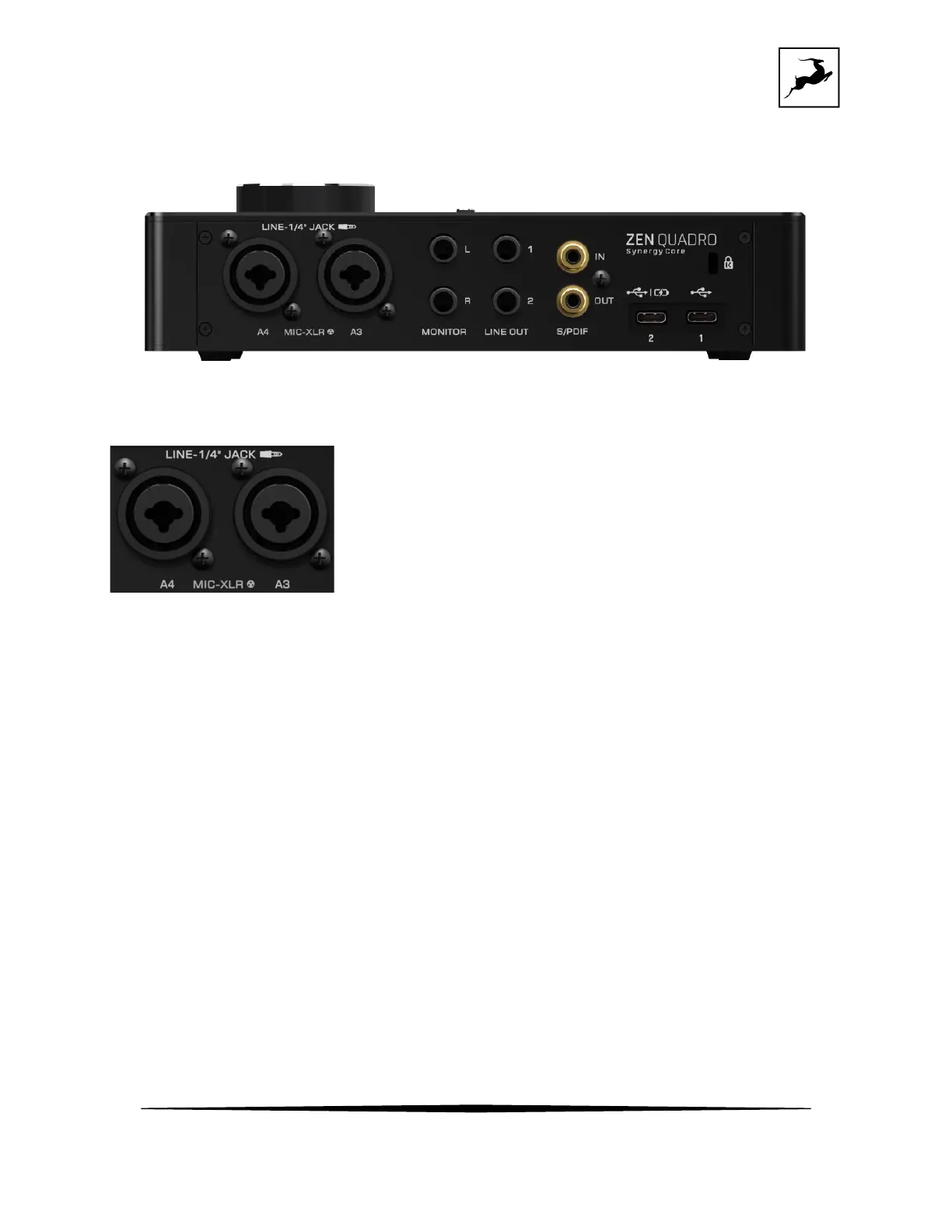
The Zen Quadro Synergy Core rear panel is laid out as follows (from left to right):
Analog inputs A3 and A4
Dual microphone/line level/ mono inputs on combined 3-pin XLR and 1/4-inch TS/TRS
connectors. Use the interface's top display controls or the Windows/macOS Control Panel
application to choose the mode of operation (Mic/Line/Hi-Z) and to activate or deactivate
48V phantom power for condenser microphones.
Important! Always use the following connections:
• Connect microphones with 3-pin XLR microphone cables. As a general precaution,
make sure 48V phantom power is switched off before connecting dynamic and ribbon
microphones.
• Connect line-level audio sources (such as synthesizers and keyboards) with 1/4-inch
TS (unbalanced, mono) or TRS (balanced, mono and stereo) audio cables.



 To Next Page