6 | Antipodes Audio Music Server
4.1
Setup Roon Ready
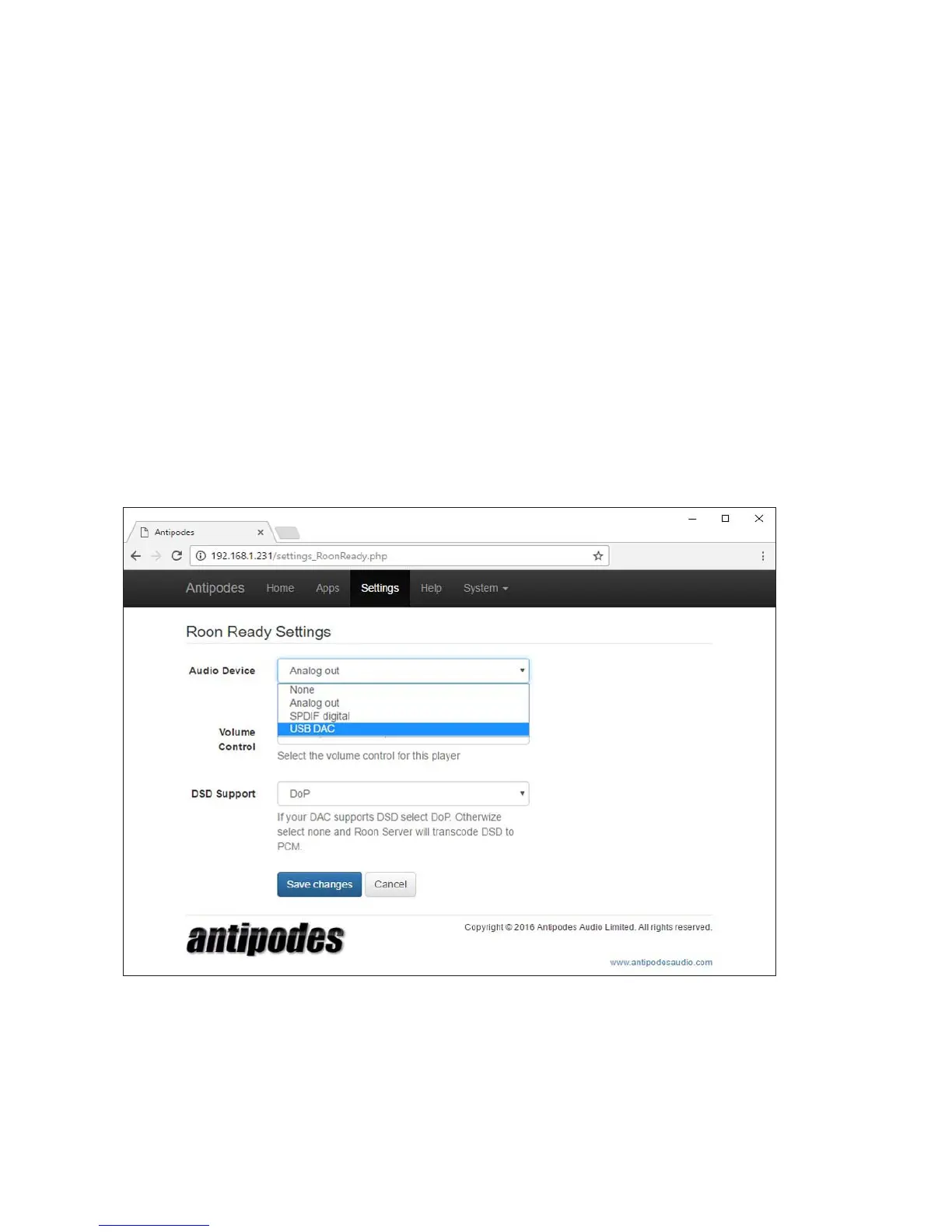
At the Antipodes GUI:
• Select the ‘Settings’ menu item
• Click on the ‘Roon Ready’ icon
This will open the screen shown below. Now:
• Select the correct output driver
• Select how you want to control volume (if you will
use your preamplier select ‘None’)
• Select how your DAC should receive DSD les.
• Click on ‘Save Changes’.
You can now proceed to Section 5 to setup remote
control of the Roon Server application.



 To Next Page