16 | Antipodes Audio Music Server
STREAMING SERVICES
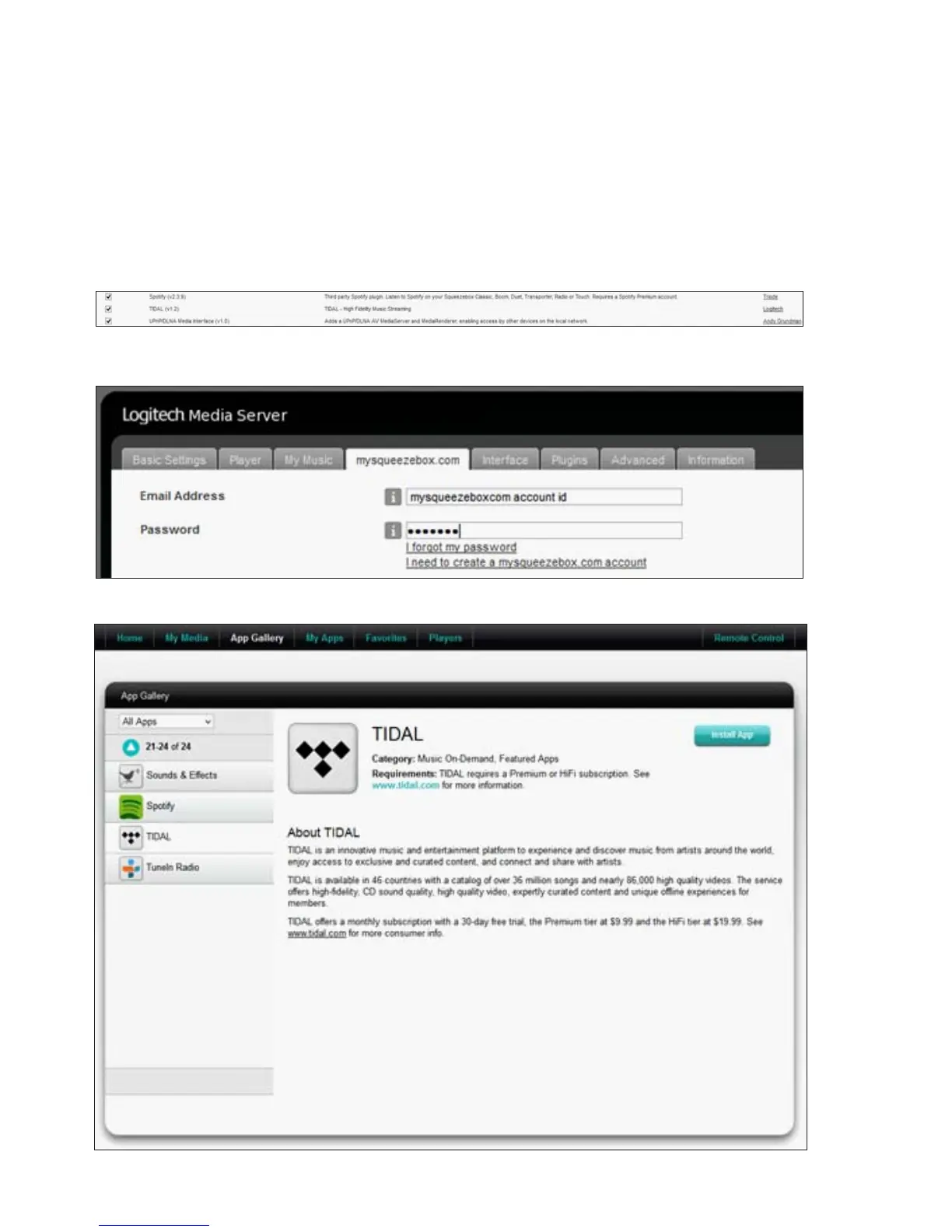
You need to have a ‘mysqueezebox.com’ login to register for some of the streaming services in Squeezebox.
As an example we will go through the steps to enable TIDAL streaming. Go to ‘Squeezebox Server /
Settings/Plugins’ and check that TIDAL is enabled. If it is not there, look under ‘Inactive plugins’ or
‘Recommended 3rd Party Plugins’, tick the ‘Enabled’ box and then click ‘Apply’, to enable it.
Log in to your mysqueezebox.com account, click the ‘App Gallery’ tab, select TIDAL and click ‘Install App’.
Now go to Squeezebox Server/Settings/mysqueezebox.com, check that you have an account, or create a
new one.



 To Next Page