32 | Antipodes Audio Music Server
If the ‘Internet Connectivity Test’ was unsuccessful,
click the ‘Restart Server’ button at the bottom of the
screen.
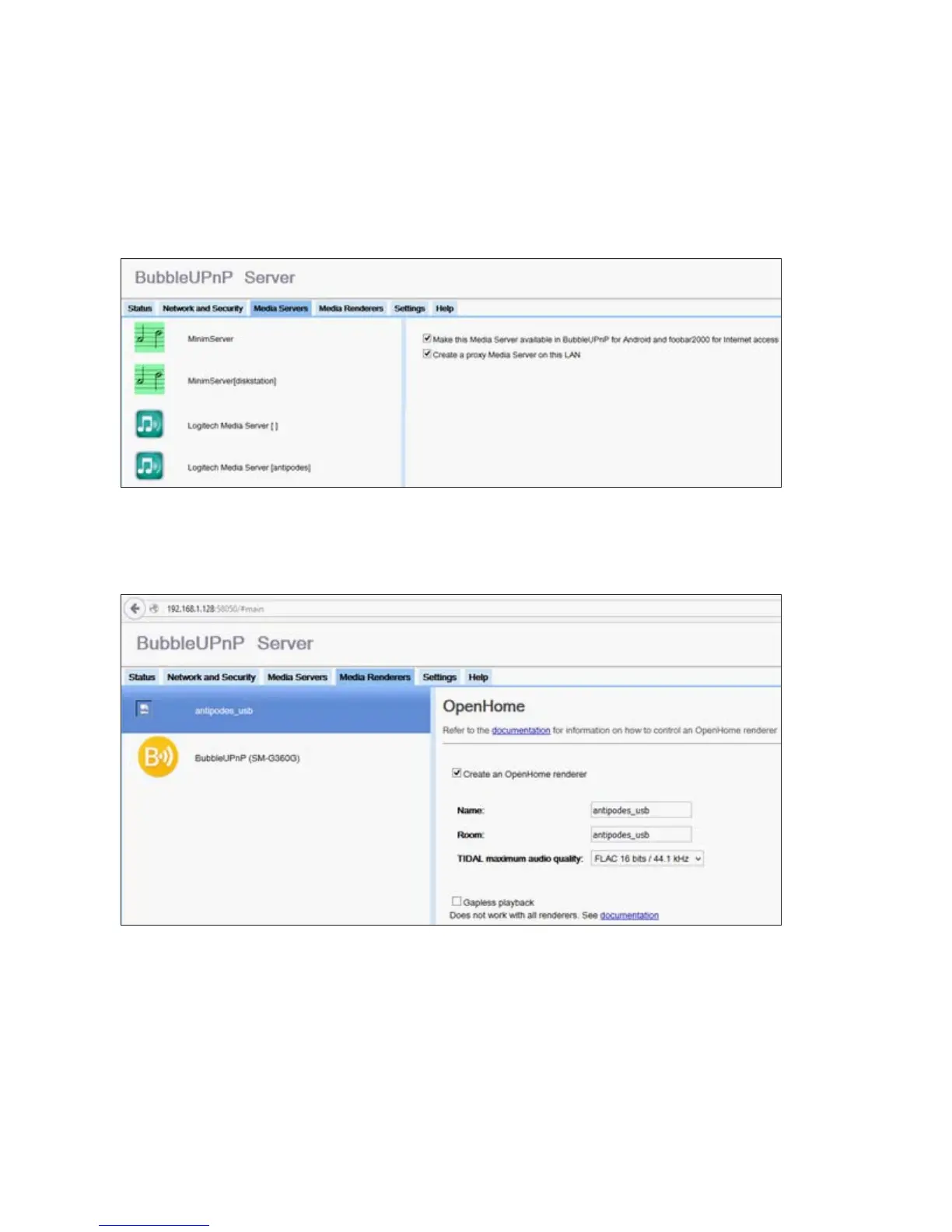
Click the ‘Media Servers’ tab to display the
UPnP/DLNA servers that have been located on your
network by BubbleUPnP.
Finally, click the ‘Media Renderers’ tab. This window
shows the DLNA renderers that have been located
on the network, in this example ‘antipodes_USB’,
a player on the Antipodes server, and BubbleUnP
SM-G3600 (the local player on a Samsung Galaxy
smartphone).
Check the ‘Create an OpenHome renderer’ box to
enable OpenHome capability for the renderer.
How to Run BubbleUPnP Server.
After it has been successfully installed BubbleUPnP
Server will be started automatically and then runs
continuously. It is automatically started when the
Antipodes server is powered on. It can be restarted
by pressing the ‘Restart Server’ button on the ‘Status’
screen.
BubbleUPnP Server Support
Usage and support information for BubbleUPnP
Server is available at
www.bubblesoftapps.com/bubbleupnpserver/.



 To Next Page