- 3 -
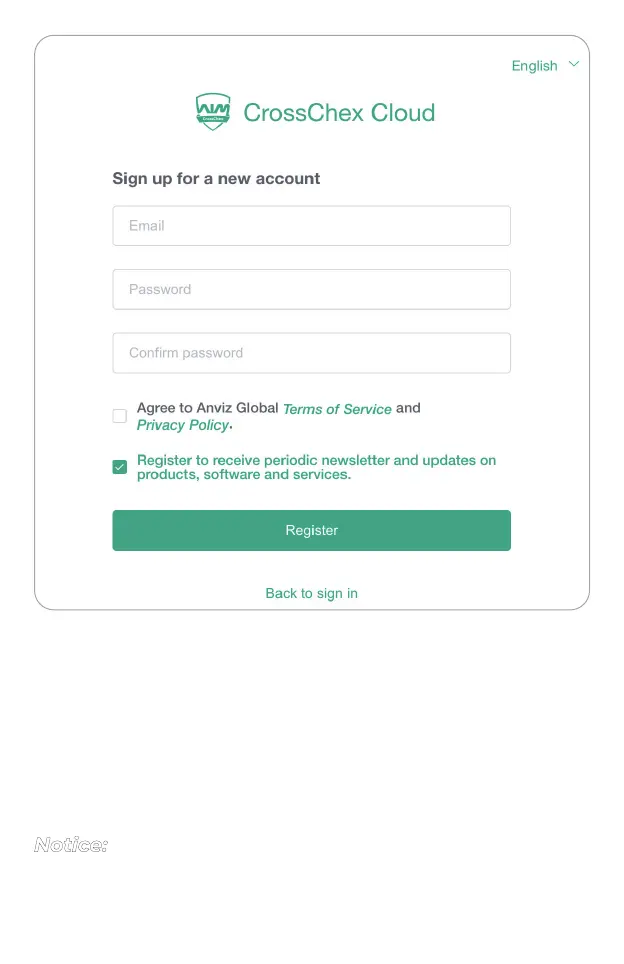
Please fill the E-mail and Password fields,
We suggest read Terms of ServiceandPrivacy Policy.
Then fill the “Agree to Anviz GlobalTerms of ServiceandPrivacy
Policy.” box to continue.
Click “Register”to proceed.
“Register to receive periodic newsletter and updates on products,
software and services” is optional, feel free to choose it or not.
Notice:



 To Next Page