Application
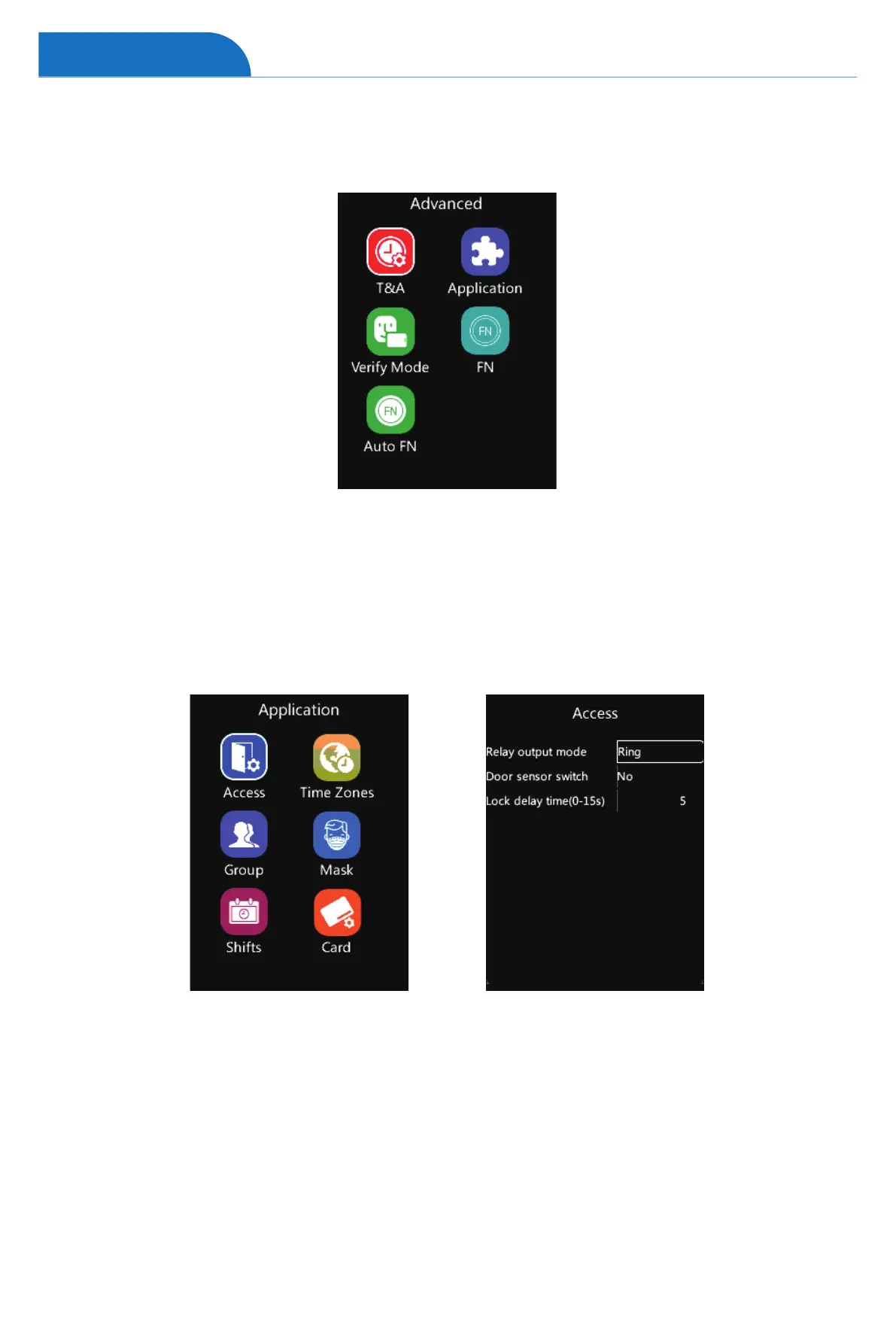
On the Advanced page, tap number “2” to access the Application interface.
Relay output mode: Define the device relay signal function.
(Door or Scheduled Ring or None)
Door sensor switch: Active the door sensor alarm. Setup time range from 1~20 seconds.
(Default: No).
Lock delay time(0-15s): Set up the relay delay time of 0-15 seconds.
(Default: 5 seconds)
Advanced
Access (Access Control Settings)
1 On the Application page, tap number “1” to access the Access Control Settings interface.
2 Select the desired item and tap “OK” then change the settings by tapping “↑/IN” or “↓/OUT”.
3 Tap “OK” to save the configuration, and jump to the next row.
4 Tap “M” to reture to the previous page.


 To Next Page