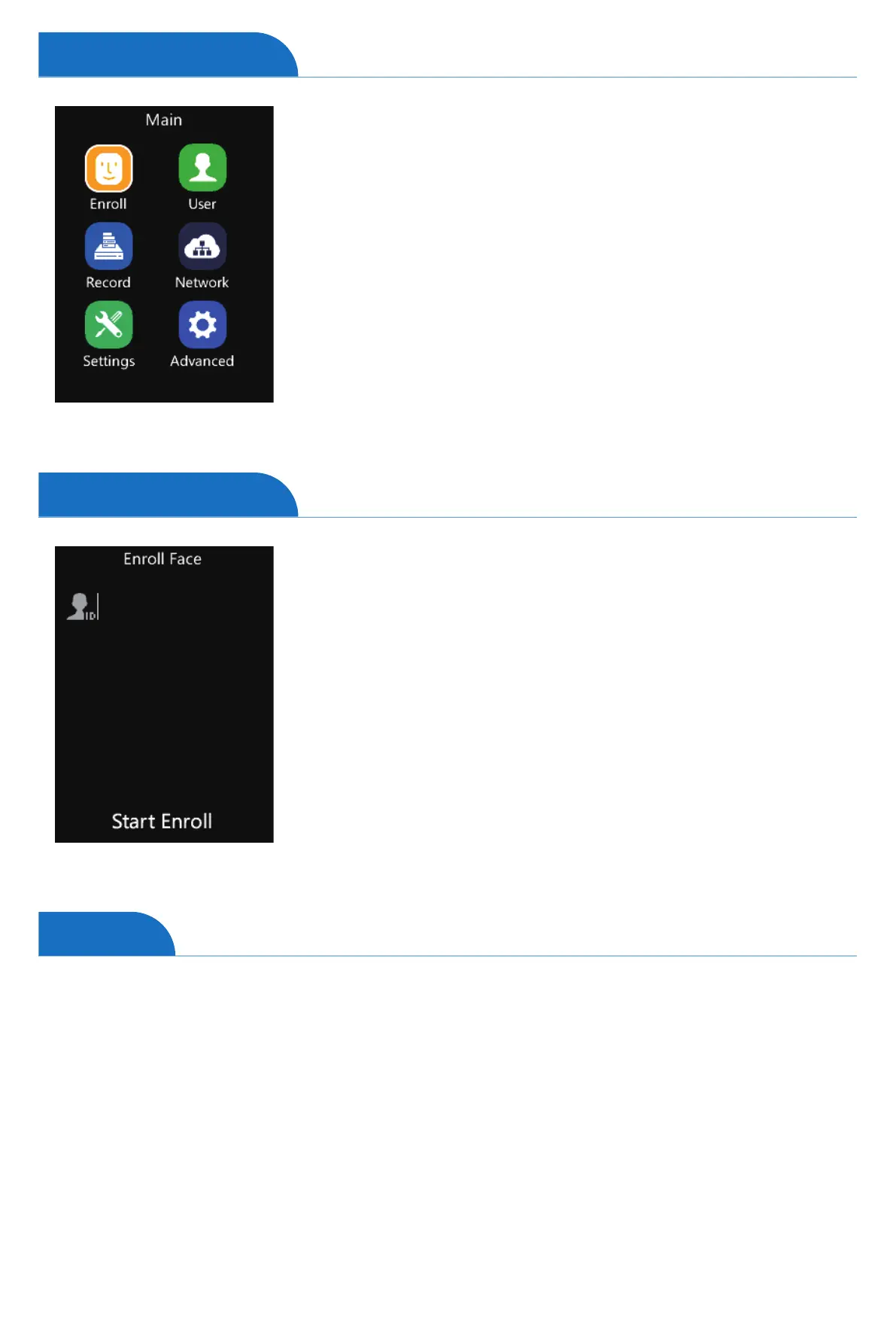
Enroll Face: Shortcut to register users’ faces.
User: To Add, Modify, Delete, Search basic user information,
and set Admin Level.
Record: Inquire about user records on the device.
Network: Set up the device network. Ethernet, Wi-Fi, Internet,
Comm. Mode, and Cloud.
Settings: Device basic parameter settings.
Include Device information, Time settings, Display,
Basic Information, and self-test function.
Advanced: Include T&A (Time and Attendance), Application,
Verify Mode, FN, and auto FN.
Tap ”M”, then enter the admin ID and password to access the
main menu.
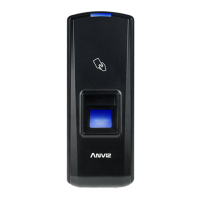
On Main Page, tap the number “1” to access the enroll
face interface.
Input the unique user identification number as User ID.
Tap “EnrollFace” to create a new user ID in the device.
Tap “OK” to continue to enroll the user’s face.
Please adjust your face in the register area and stay until
register success.
Menu Option
Enroll Face
User
4
Tap ”M” on the keypad, then enter the admin ID and password to access the main menu.
On Main Page, tap number “2” to access the user management interface.
1
2
1
2
3
4
5
6


 To Next Page