2
3
4
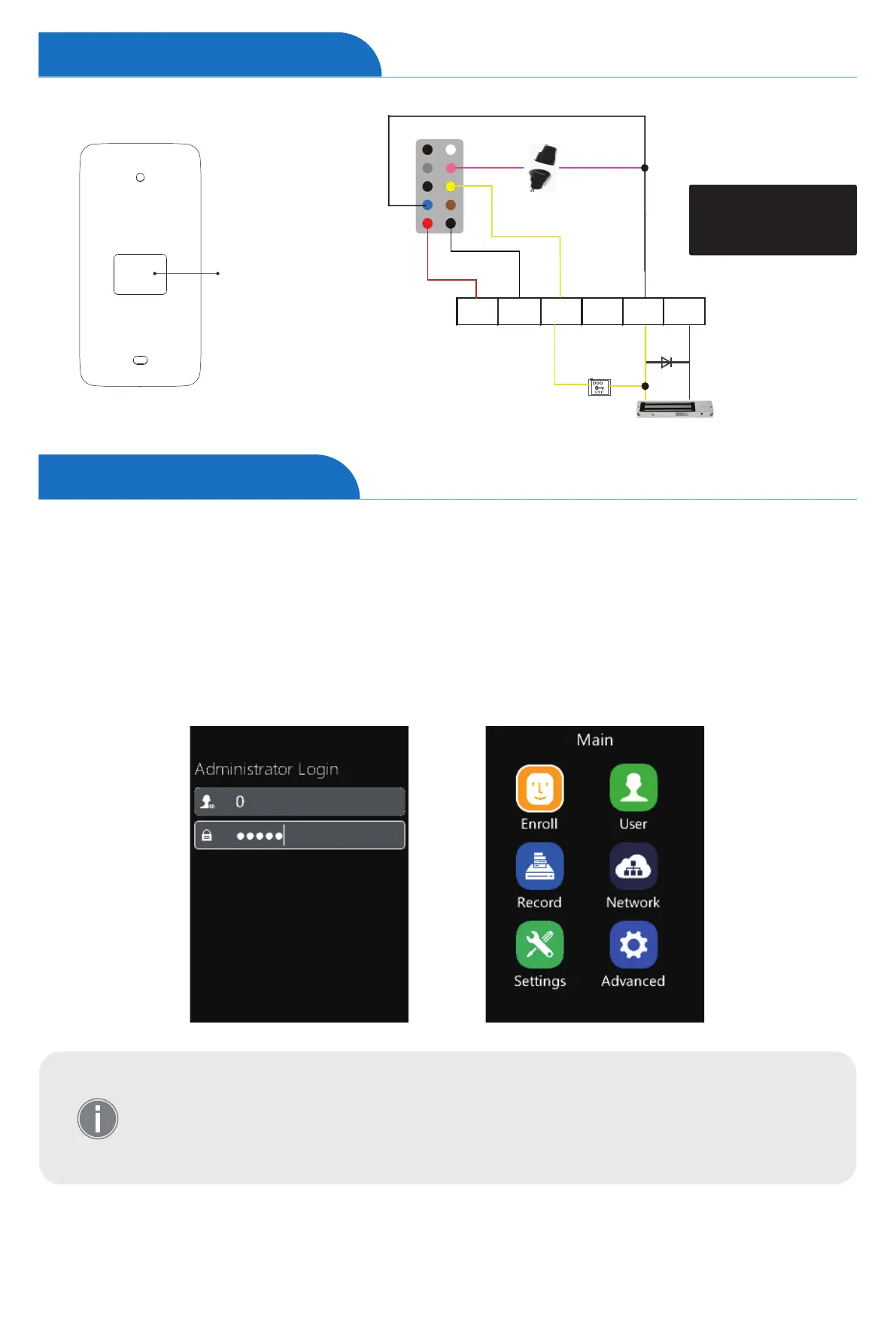
Access Control Power Supply
INPUT:AC220/230W
OUTPUT:DC12V, 3Amps+
Access Control I/O
Exit
Button
Door Sensor
Magnetic Lock
FR 107
+
-
+12 GND GNDNO NCPUSH
NO
D/S
GND
COM
12V
After completing the Device Setup Guide please Click ”M”, then enter the admin ID and password
to access the main menu. (The default administrator account: ID is 0 and the password is 12345.)
Select the options by tapping the number on the keypad. (Number 1,2,4,5,7,8. As per the postion)
or Tap “↑/IN” or “↓/OUT” on the keypad to select the options, and tap “OK” to enter the menu.
Tap “OK” again to save the configuration, and jump to the next row.
Tap “M” to reture to the previous page.
1
2
3
4
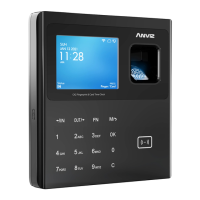
• W3 uses the keypad to input, and tap the numbers according to the function
order on the screen.
• To ensure the security of the device, we recommend modifying the default
administrator password the first time you use the W3. For detailed operating
instructions, please see the section “Settings-Device”.
Wiring Connection
Device Operation


 To Next Page