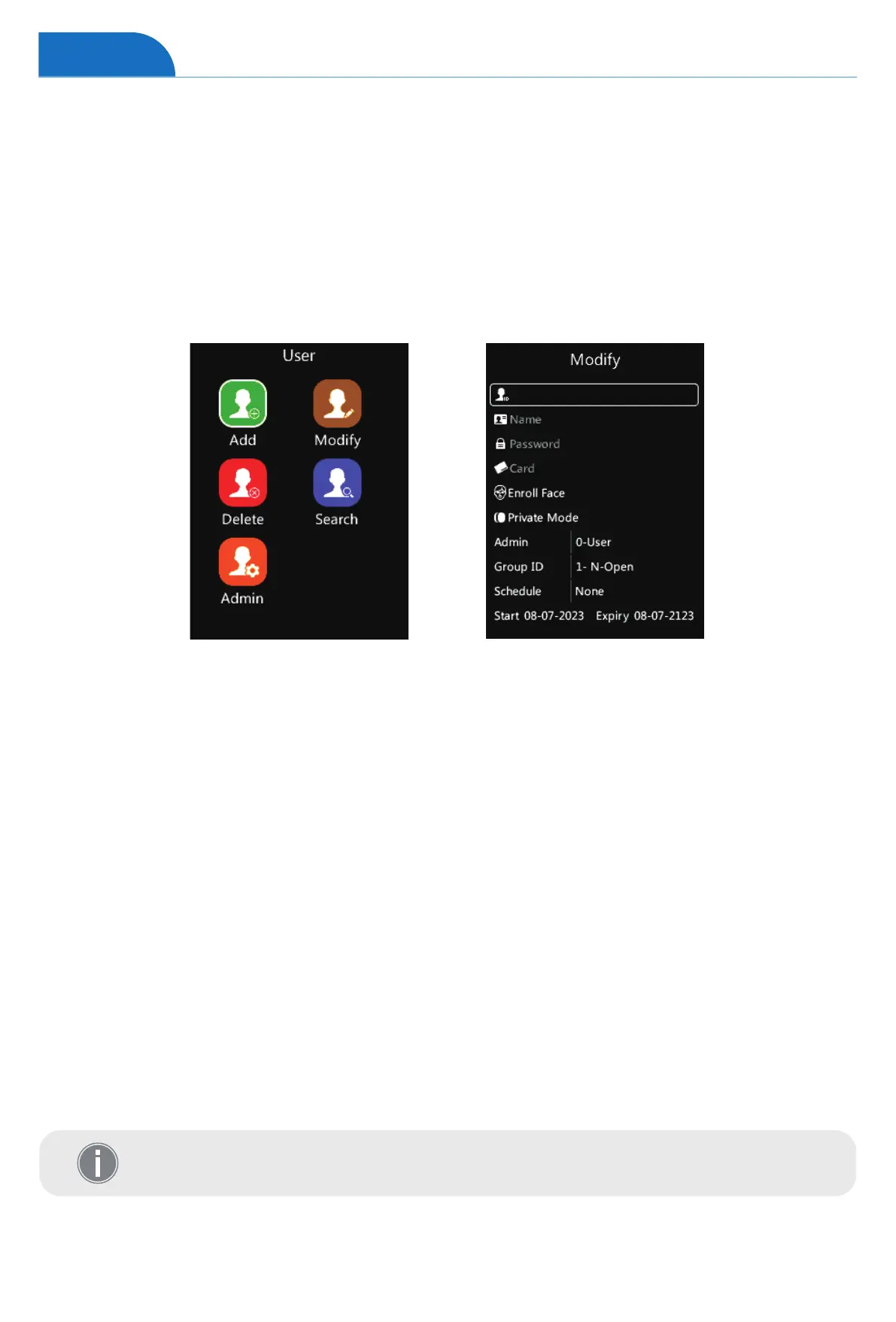
• User ID: The User ID is required and unique for each user.
• User Name: Input user name. (Tap the “Doorbell” to activate the input method and enter the
username via the keypad)
• User Password: Input the maximum 6 digits as a password.
• User RFID Card: Swipe the RFID Card on the device’s RFID Card area, it will display the RFID Card
number in the text bar.
• Register Face: Register the user’s face for user authentication.
• Mode: Select to set up the verify mode for the user, including System default, Face, ID->PW,
and Card.
• Admin: The device supports different roles for the user.(Support 17 roles. The default is User)
For detailed operating instructions, please see Section “Admin Level”.
• Group ID: The device supports 16 access control groups (The Default is Group 1, with whole-period
access control permission).
• Schedule: Select the shift for the user.
• Start and Expiry date: Select the Start date and Expiry date for the user.
After the expiration date, employees will no longer have access control.
Add User
1 On the User page, tap number “1” to access the Add User interface.
2 Input the user’s basic information on this page (Including User ID, Name, Password,
Card ID, Mode, Admin, Group ID, Schedule, and Expiry date.)
3 Select the desired item, and then change the settings by tapping “↑/IN” or “↓/OUT”.
4 Tap “OK” to save the configuration, and jump to the next row.
5 Tap “M” to reture to the previous page.
User


 To Next Page