73
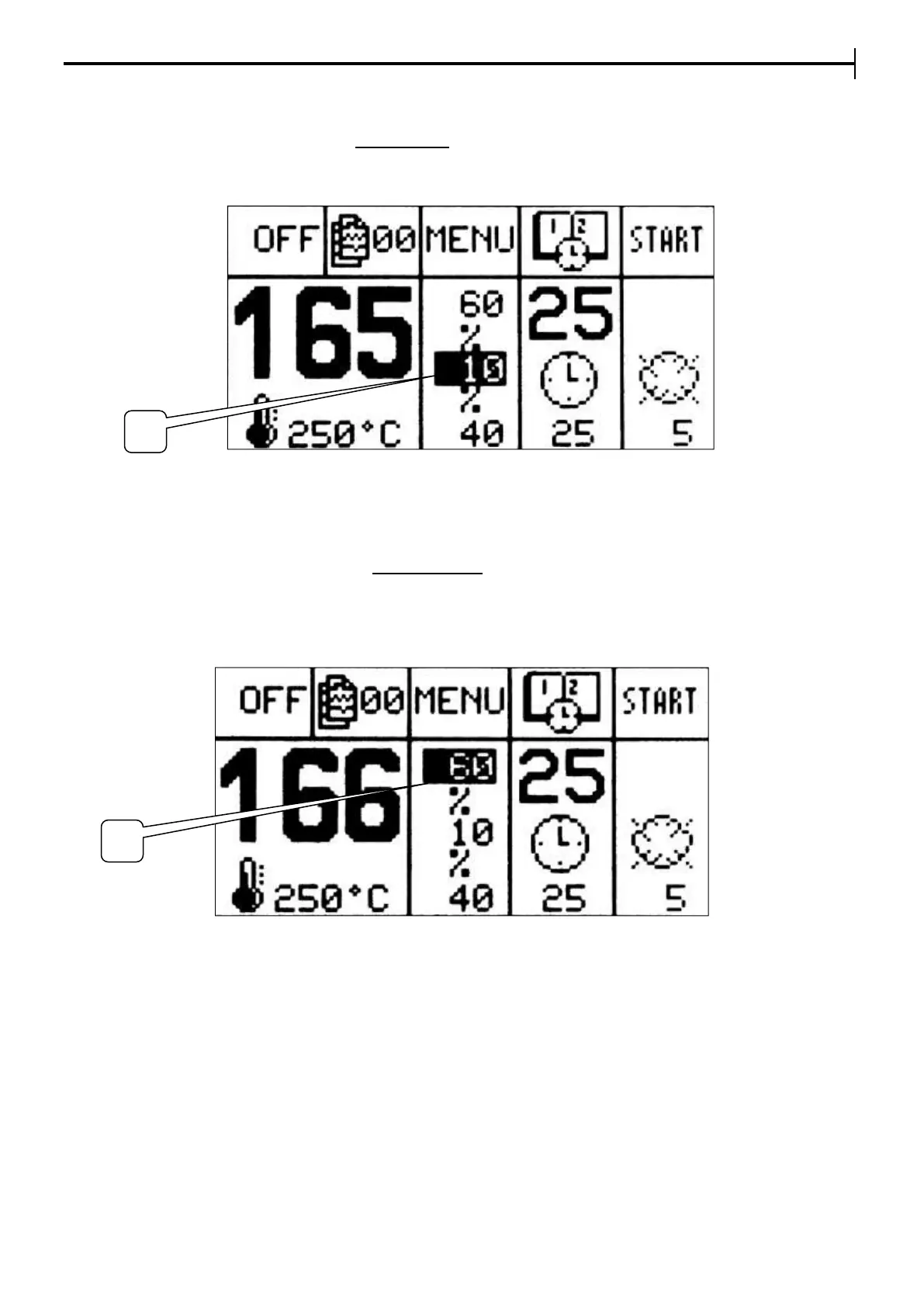
Setting Front power
With the % button, place the cursor on Floor Power setpoint (4). Press Enter and modify the by using + and
– buttons (100% is the programmable max.) To confirm the value press Enter and leave the setting phase.
The recommended setting is 10%, which can be modified according to baking products and one’s needs.
Setting Ceiling power
With the % button, place the cursor on Ceiling Power setpoint (5). Press Enter and modify the value by
using + and – buttons (100% is the programmable max.) To confirm the value press Enter and leave the
setting phase.
The recommended setting is 60%, which can be modified according to baking products and one’s needs.


 To Next Page