Smart-UPS 2200/3000 VA 230 VAC Tower User Manual 7
Start Up
Connect the UPS to the Network (if applicable)
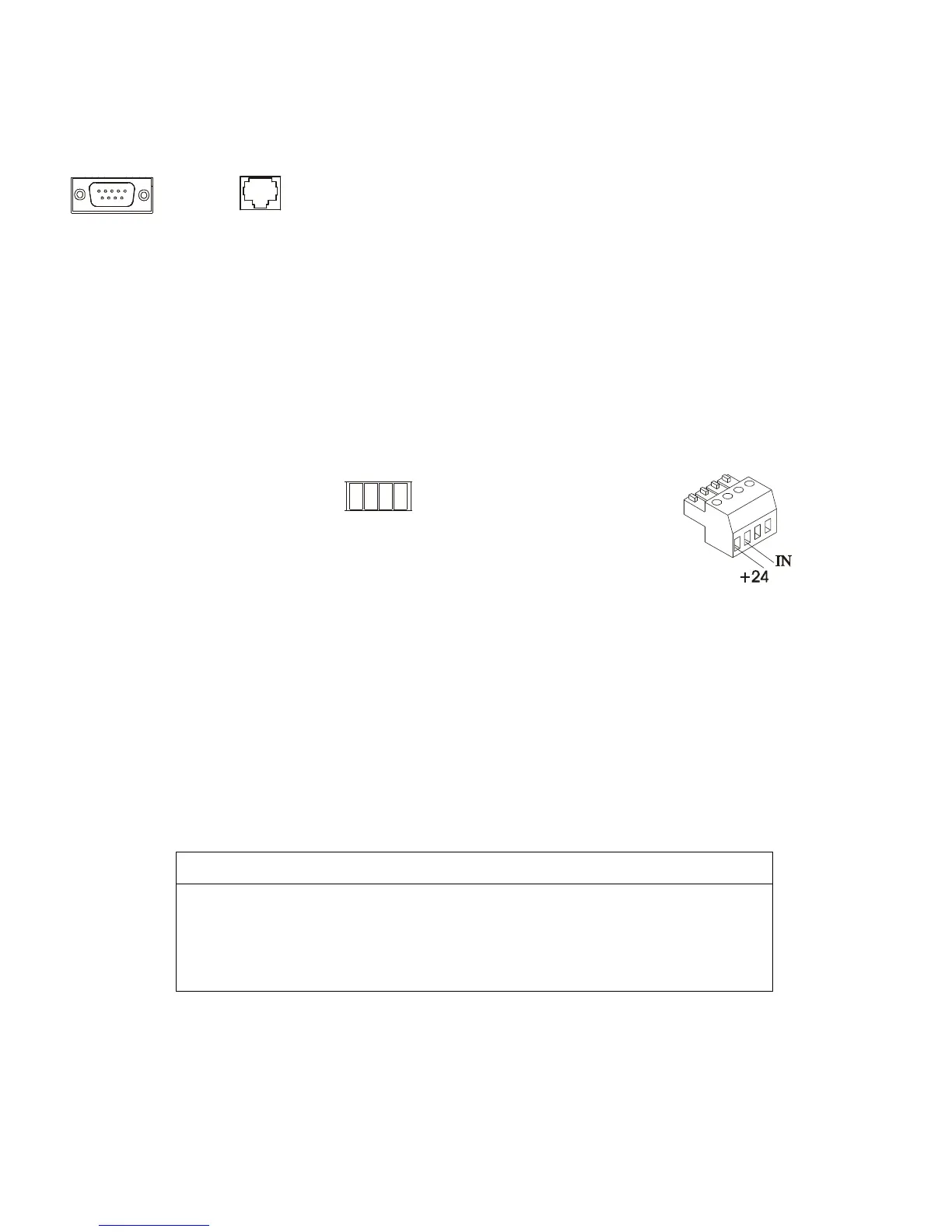
Communication Ports
This is a Class A product. In a domestic environment this product may cause radio interference, in which case
the user may be required to take corrective actions.
Emergency Power Off
The emergency power off (EPO) feature is user configurable. EPO provides immediate de-energizing of
connected equipment from a remote location, without switching to battery operation.
1. Use the EPO connector supplied with the UPS.
2. Use a normally-open contact to connect the +24 terminal to the IN terminal.
3. Wire the four-pin connector to the EPO system.
The EPO interface is a Safety Extra Low Voltage (SELV) circuit. Connect it only to other SELV
circuits. The EPO interface monitors circuits that have no determined voltage potential. Such closure
circuits may be provided by a switch or relay properly isolated from the utility. To avoid damage to the
UPS, do not connect the EPO interface to any circuit other than a closure type circuit.
Use one of the following cable types to connect the UPS to the EPO switch.
• CL2: Class 2 cable for general use.
• CL2P: Plenum cable for use in ducts, plenums, and other spaces used for environmental air.
• CL2R: Riser cable for use in a vertical run in a floor-to-floor shaft.
• CLEX: Limited use cable for use in dwellings and for use in raceways.
• Use standard low-voltage cable in accordance with national and local regulations.
CAUTION
EQUIPMENT DAMAGE
Do not connect the EPO interface to any circuit other than a unused circuit.
Failure to follow these instructions can result in equipment damage.



 To Next Page