Rev. A2, 07/16 PG7
7
Automation Products Group, Inc.
Accessing the Setup Menu:
Step 1: Simultaneously press and hold the On/O button and the (S)
button for approximately 3 seconds. This will bring up the 3 digit mode
number.
Step 2: Using (Z) to change the value of the ashing digit, and (S) to
advance to the next digit, change the mode number to 000.
Step 3: Press On/O to enter the setup menu, and press (Z) to scroll
through menu choices.
Exiting the Setup Menu:
Step 1: While in the main setup menu, press (Z) until EXIT is displayed.
Step 2: Press (S) to access the Exit options.
Step 3: Press (Z) until YES is displayed.
Step 4: Press (S) to Exit the main setup menu and return to the standard
operating mode.
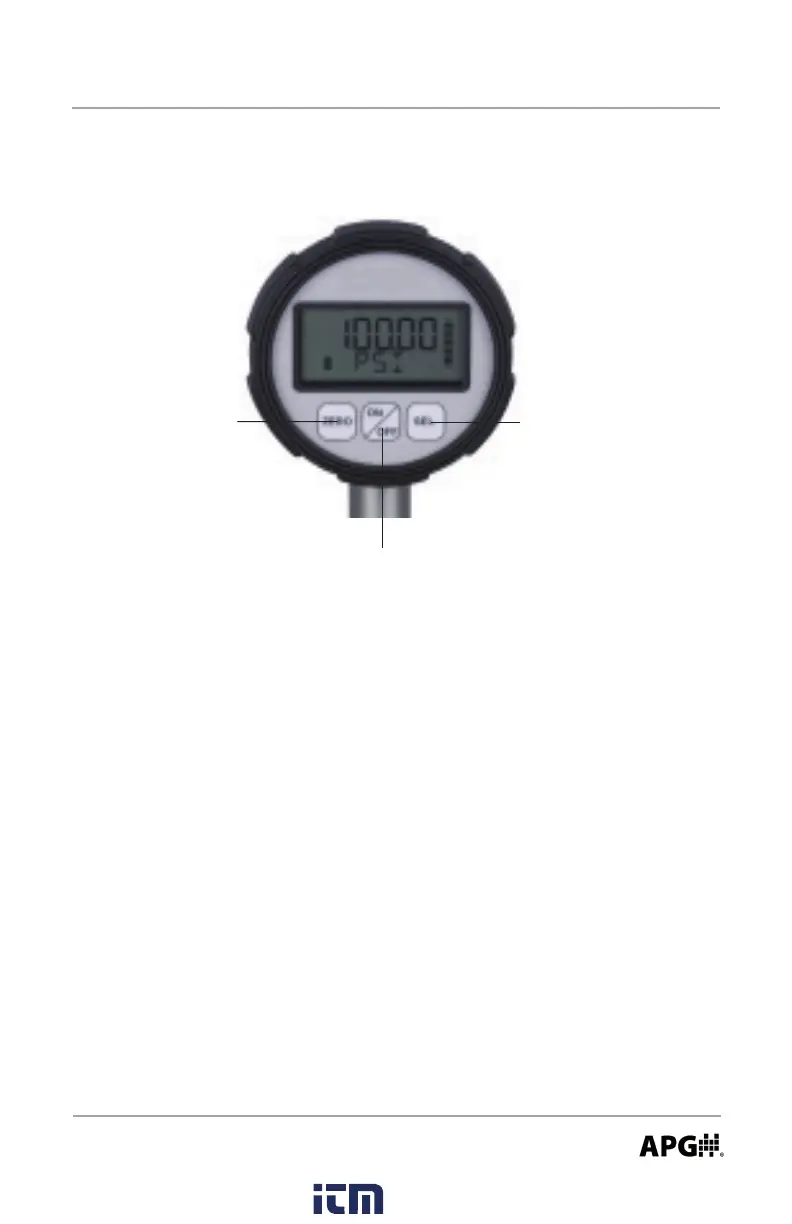
Zero (Z) Button Select (S) Button
On/Off Button
Accessing/Exiting the Setup Menu:
www. .com
information@itm.com1.800.561.8187



 To Next Page