PG10 Rev. B2, 8/16
4
Automation Products Group, Inc.
Tel: 1/888/525-7300 • Fax: 1/435/753-7490 • www.apgsensors.com • sales@apgsensors.com
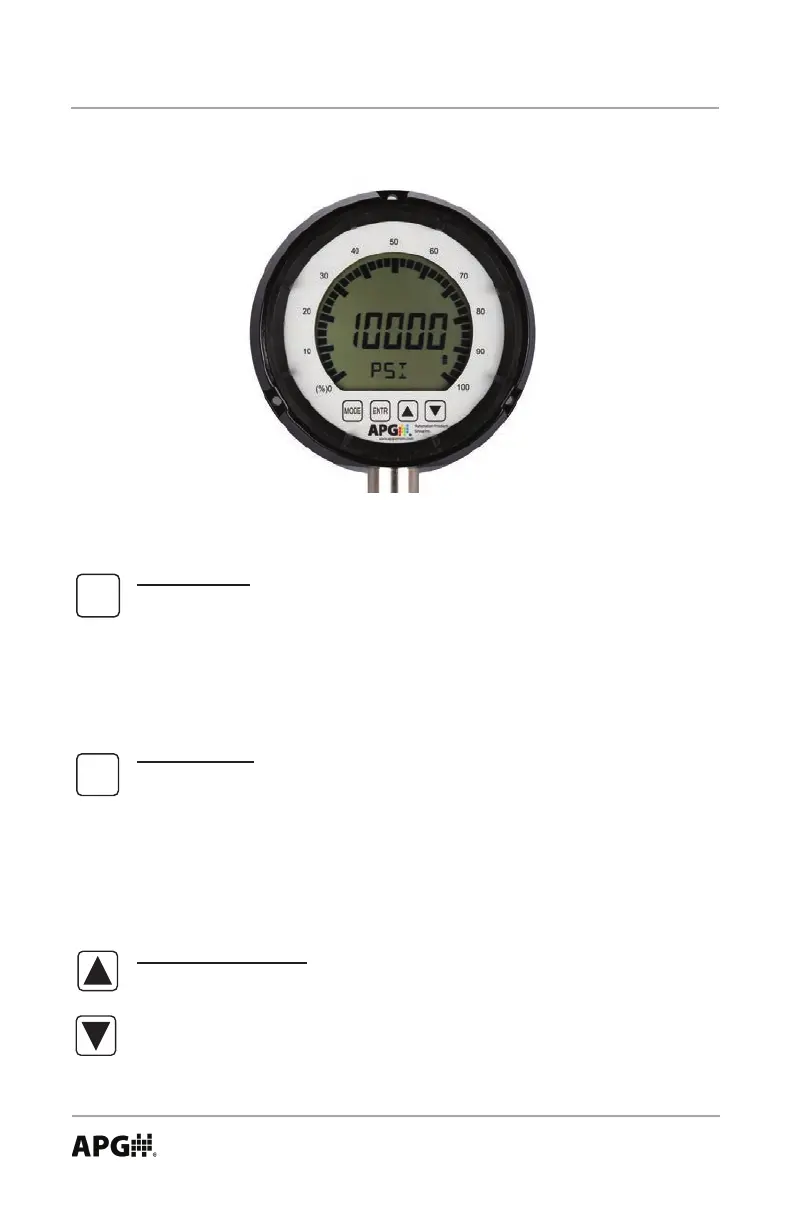
Mode Button
Primary Function: Used to access the main setup menu or to return to
the main setup menu from any of the submenus.
Secondary Function: Used to cycle the gauge on and off by pressing and
holding for approximately 2 seconds.
Enter Button
Primary Function: Used to accept the value displayed within each menu
setting.
Secondary Function: Used to Zero the gauge or Tare the gauge (when
the tare feature is enabled) by pressing and holding for approximately 3
seconds.
Up & Down Arrows
Primary Function: Used to cycle through all options and settings within
the menu system.
Secondary Function: Used to cycle between the Minimum, Maximum
and the present pressure reading.
Each of the 4 buttons on the PG10 performs dual functions; one within the setup
menu system, and another when in standard operating mode.
Programming the PG10
MODE
ENTR



 To Next Page