Connecting to an iOS Device (Lightning connector)
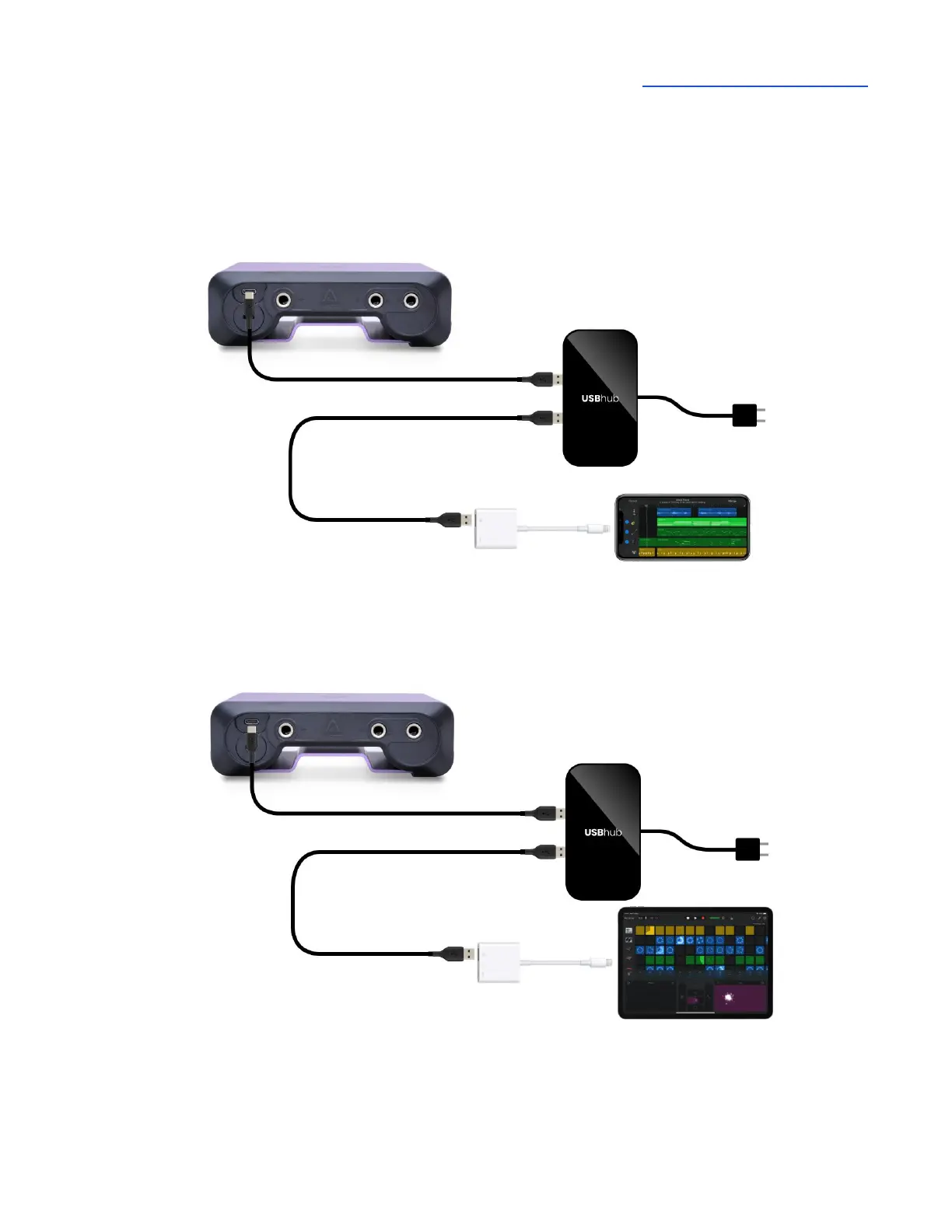
Using the supplied USB-C to USB-C/USB-A cable, connect Boom’s USB-C port to a powered USB
hub (sold separately). Connect the Apple Camera Connection Kit (sold separately) to the powered
USB hub and your Lightning iOS device. Connect the USB hub to a power source.
Connecting BOOM to an iPhone with Lightning connector via powered USB hub/Camera Connector Kit
Connecting BOOM to an iPad with Lightning connector via powered USB hub/Camera Connector Kit



 To Next Page