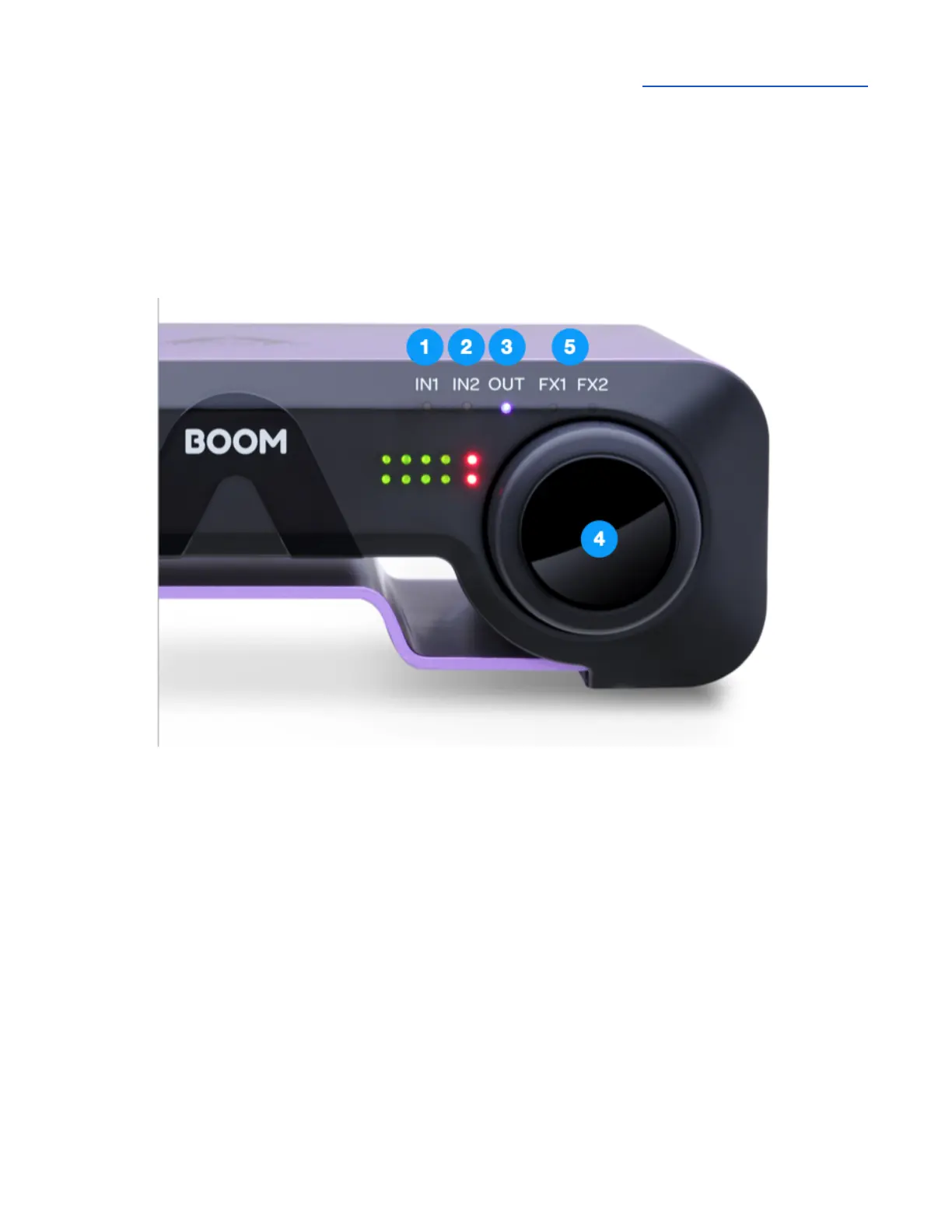
BOOM Front Panel Features
Control Knob & Focus LEDs
With Boom’s front panel Control knob, you have the most important settings right at your fingertips.
Set Input gain, Speaker and headphone listening level.
Tap the front panel Control knob to toggle the Control Knob Focus LEDs through this sequence:
1. IN1 - set the Combi XLR/ ¼” (Analog IN 1) input gain
2. IN2 - set the ¼” (Analog IN 2) input gain
3. OUT - set the currently active Output (Speaker or Headphone). Only one output is active at a
time - when headphones are connected, the headphone output is active; when headphones
are not connected, the speaker outputs are active.
4. Press and hold the Control knob to mute/unmute the currently active output. When the output
is muted, the OUT LED blinks.
5. DSP Status - When the Symphony ECS Channel Strip DSP processing is enabled on Analog
IN 1 or Analog IN 2, the FX1 or FX2 LED lights.



 To Next Page