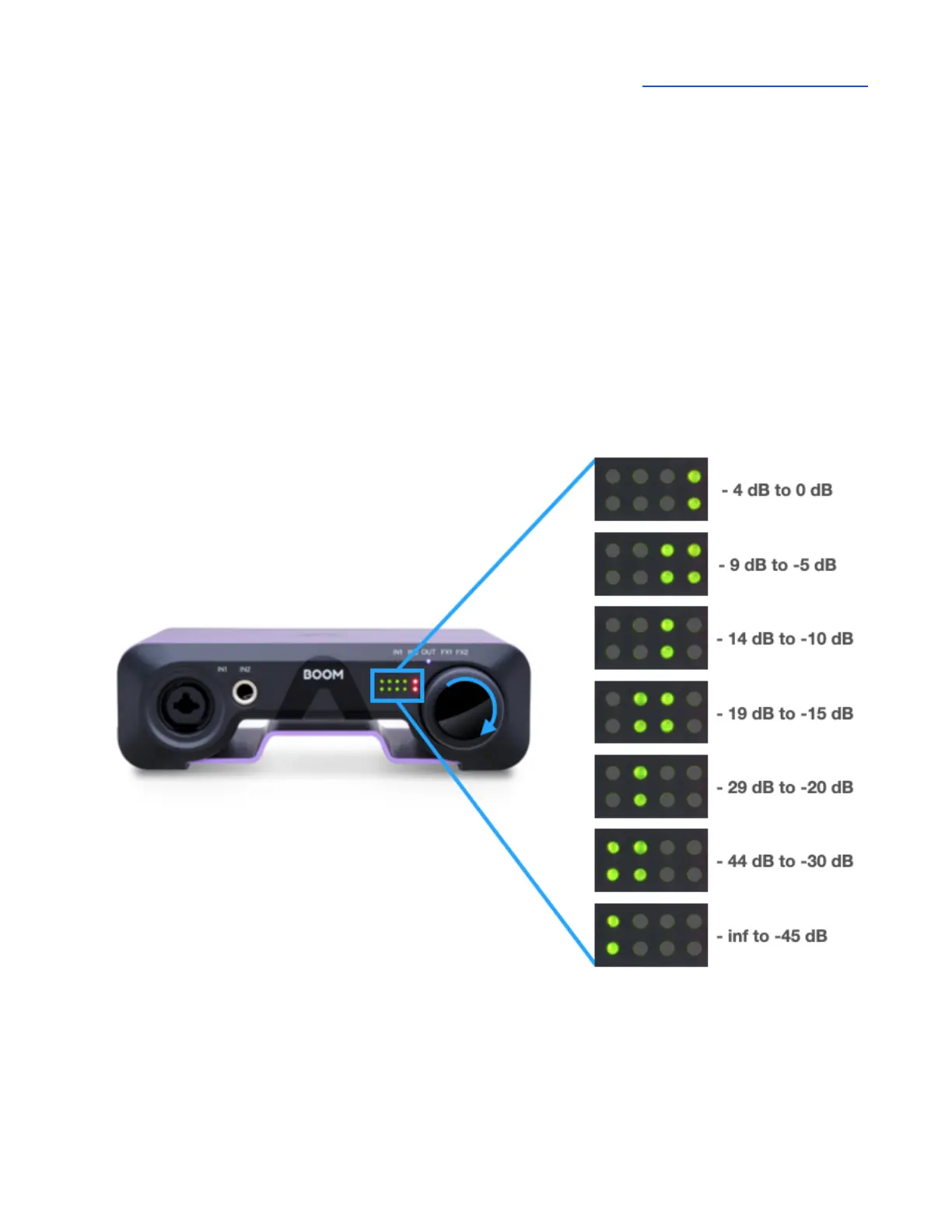
Front Panel Meters
The signal level of the selected Control Knob Focus is displayed by the front panel meters:
● IN1 - recording level of the Combi XLR/ ¼” (Analog IN 1) input
● IN2 - recording level of the ¼” (Analog IN 2) input
● OUT - signal level of the currently active Output source (Speaker or Headphone). Route
different sources to the Speaker and Headphones outputs in Apogee Control 2.
When Control Knob Focus is set to OUT, the Control knob volume setting is displayed by the meters
as you rotate the knob. This allows you to visualize the current output level setting. The volume
setting is displayed as shown below.



 To Next Page