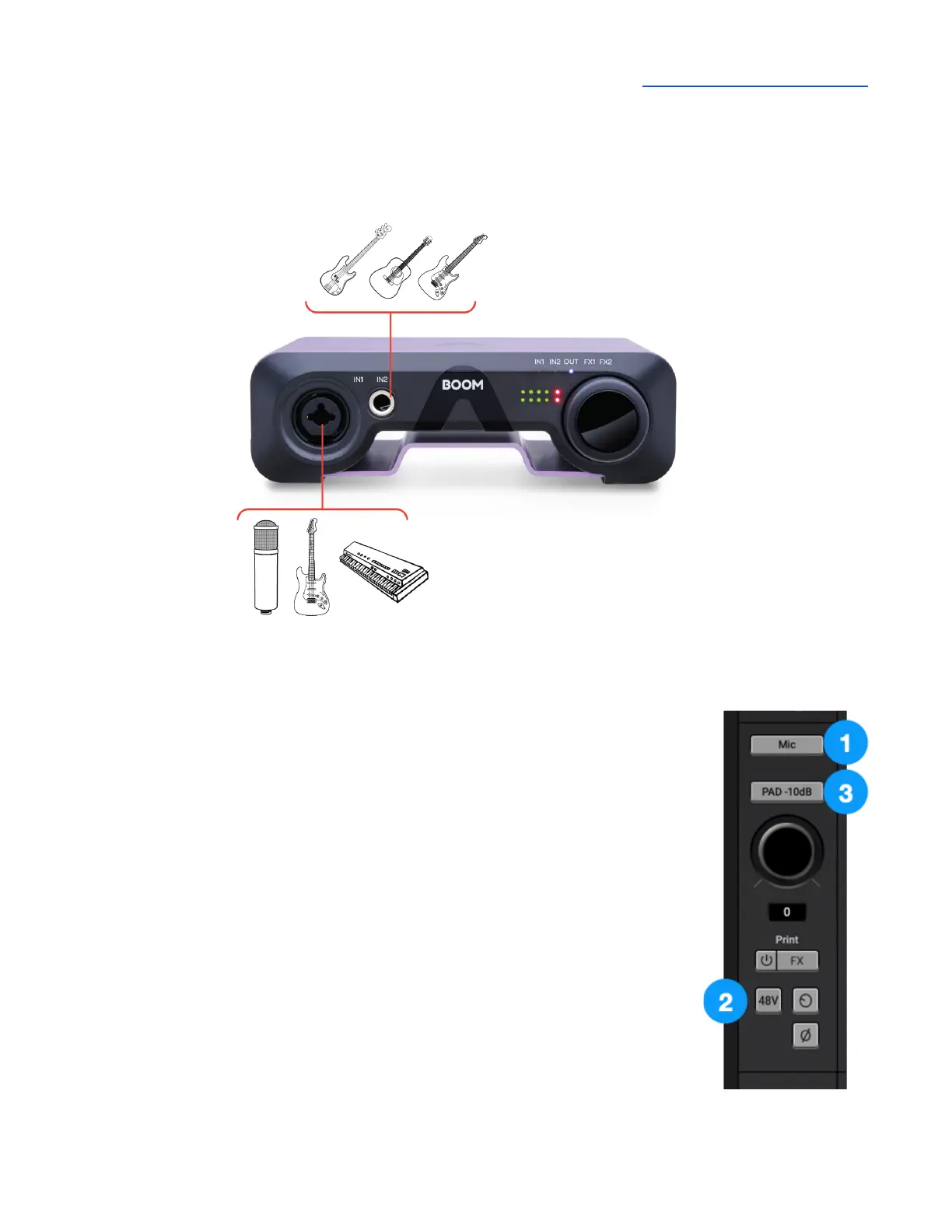
Connect microphones, guitars, keyboards, line-level audio devices and other sources to the front
panel connectors.
Connect your microphone to the front panel IN1 XLR Combi jack.
1. Open Apogee Control 2 software, then set Analog IN 1 Analog Level
to Mic.
2. When using condenser mics, be sure to click 48V to engage phantom
power.
3. If the input level is too high even when Gain is set to 0 dB (for example
when recording loud sources like drums or guitar amps), click the PAD
-10dB button.



 To Next Page