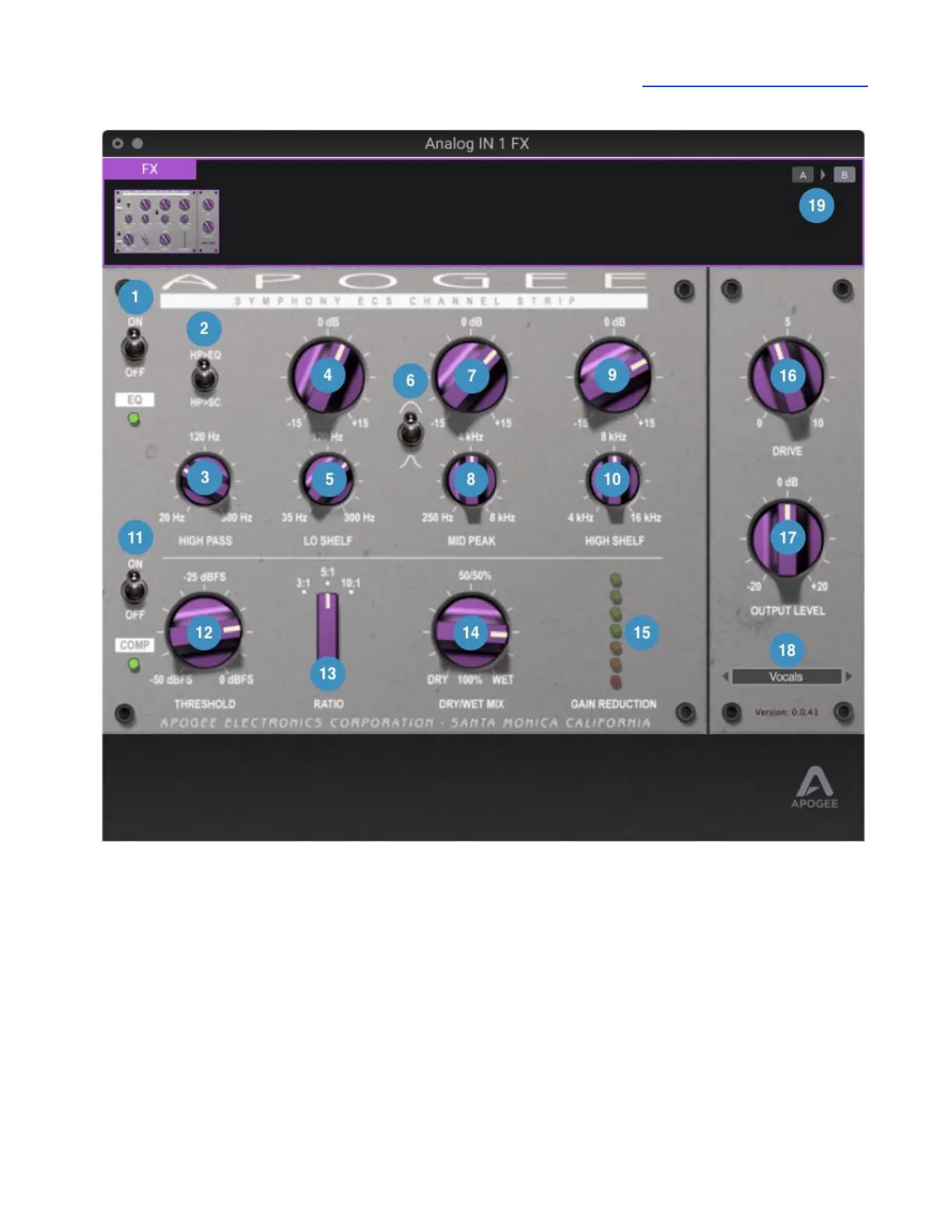
Symphony ECS Channel Strip Window
1. EQ Section In/Out - Toggle the EQ section on or off
2. High Pass to EQ or Side Chain - toggle the high pass filter between two possible signal paths.
● HP > EQ - The high pass filter is inserted into the EQ signal chain, processing audio
throughput.
● HP > SC - The high pass filter is inserted into the compressor side chain, making the
compressor less sensitive to low frequencies.
3. High Pass Frequency - Set the frequency of the high pass filter. The slope is fixed at 18 dB per
octave.
4. Lo Shelf Gain - Set the gain of the Lo Shelf band in the range of -15 dB to +15 dB.
5. Lo Shelf Frequency - Set the frequency of the Lo Shelf band.



 To Next Page