Ensemble Quick Start Guide | 15
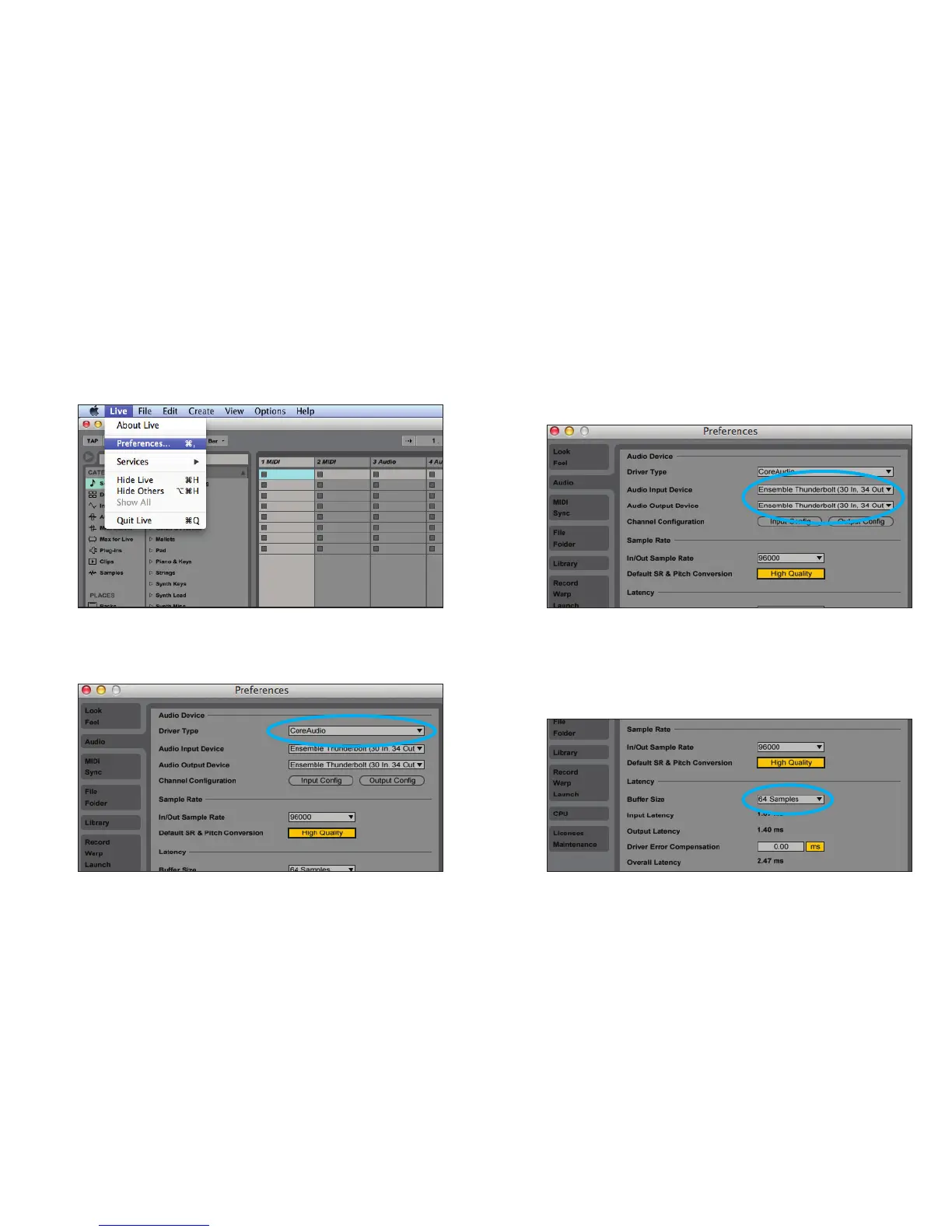
Select Ensemble in Ableton Live
1. Go to Live > Preferences. Select the Audio tab. 3.InAudioInput&AudioOutputDevice,select
“Ensemble Thunderbolt”.
4.Startbysettingthebuersizeto“64samples”.
Adjust the setting based on your
computer’s performance.
2.InDriverType,select“CoreAudio”.



 To Next Page