-- unlock the screen when finished
execute (make new unlock screen task) on these_computers
end tell
Using Automator with Remote Desktop
Accomplish all of your time-consuming, repetitive manual tasks quickly, eciently,
and eortlessly with Automator workows. It’s simple to create custom workows just
by dragging items, pointing, and clicking. You can easily automate Remote Desktop
tasks such as Lock Screen or Install Packages, then repeat those tasks again and again.
Simple and easy-to-understand application actions are the building blocks, so you
don’t have to write any code. Each actions has all of the options and settings available
to you.
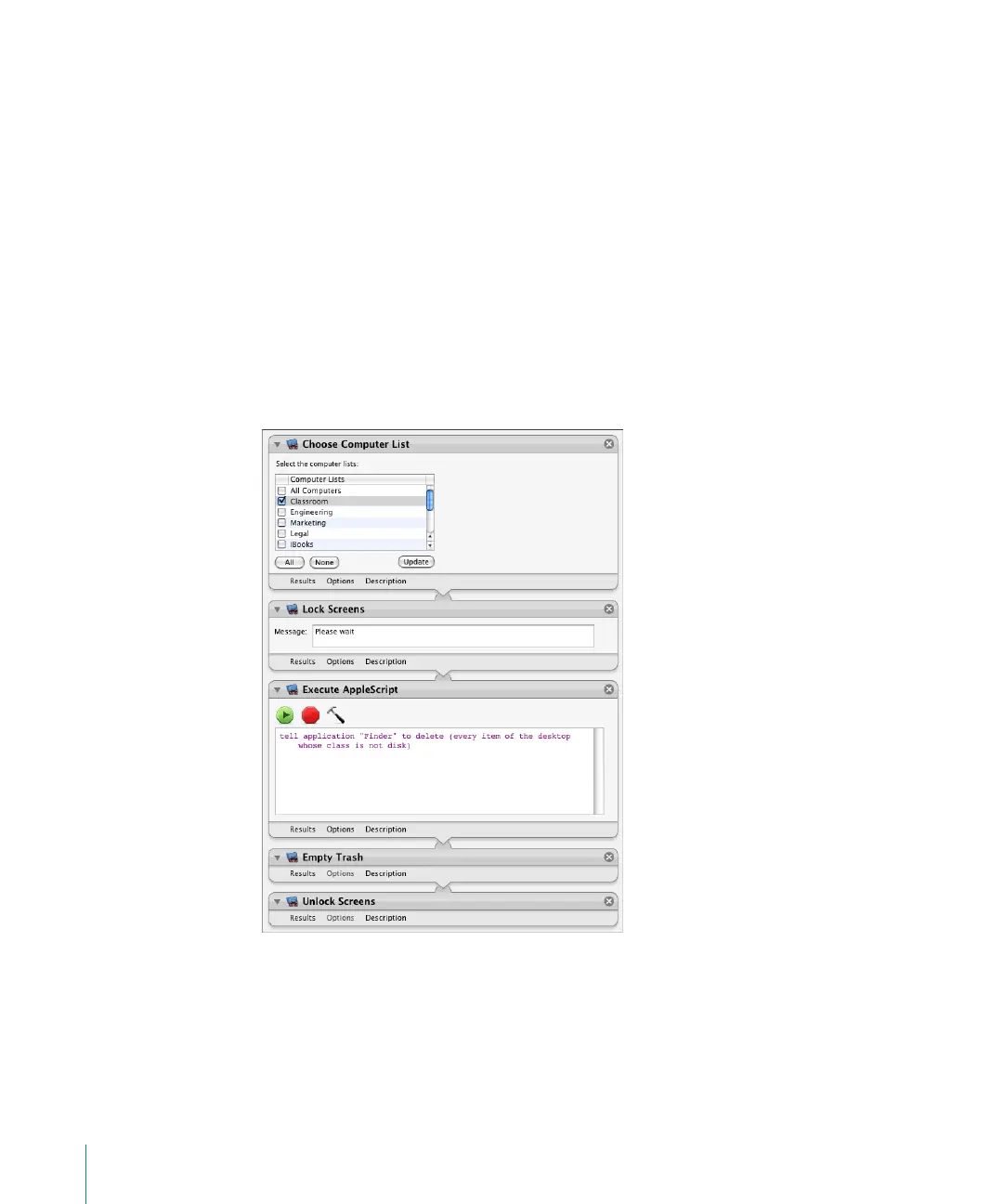
Here’s the sample script from the previous section, but done using Automator:
17 2 Chapter 9 Automating Tasks



 To Next Page