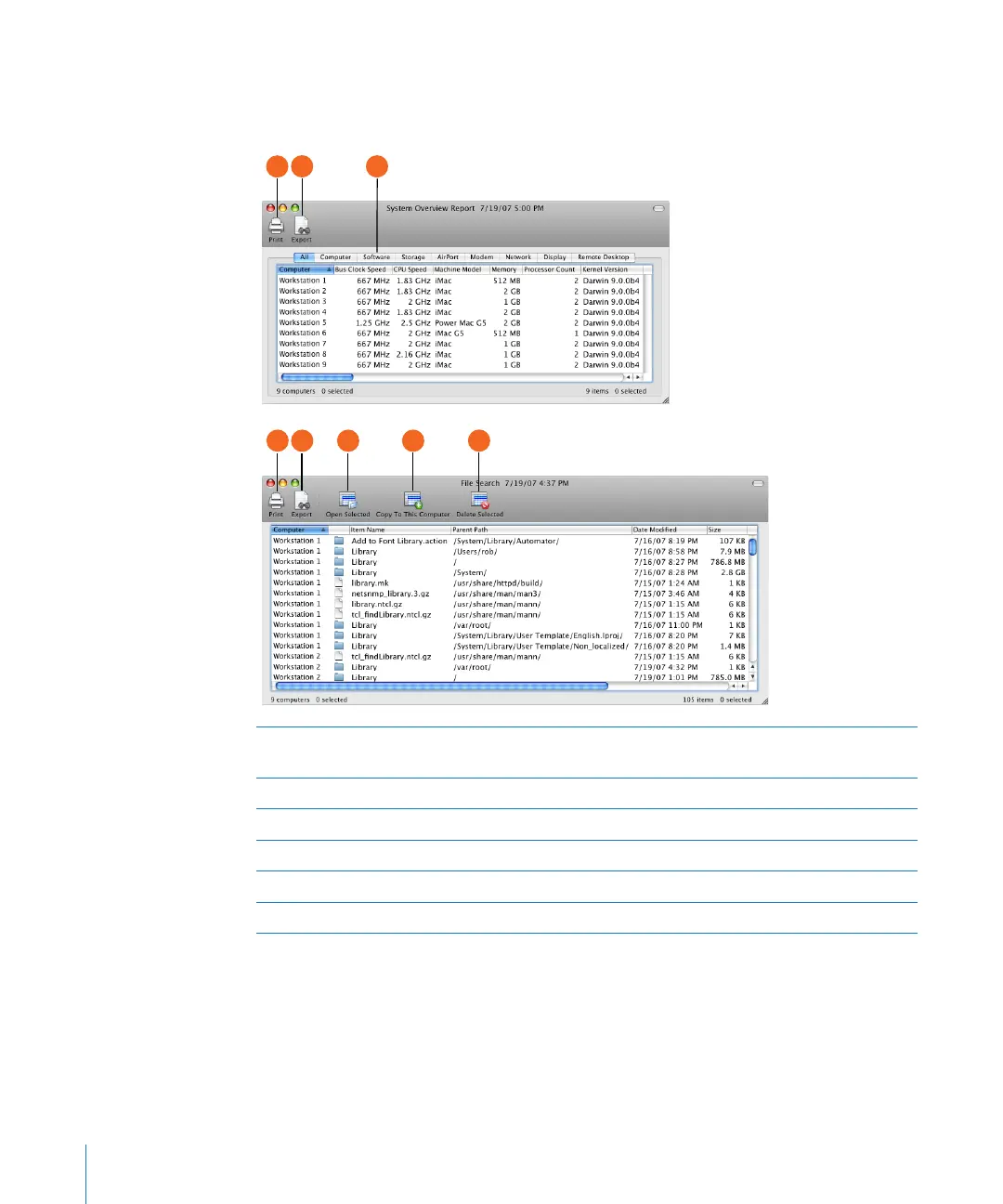
Report Window
Reports serve as valuable shortcuts when you’re copying les and organizing
computer lists.
Report category: Most reports have subcategories to help you nd the information you
want. In the report window, you switch between the subcategories using these tabs.
Save report to le Saves the report to a plain text le.
Print: Formats and prints the report window.
Open selected: Opens the item selected in the report. The item opens on the client computer.
Delete selected: Deletes the item selected in the report from the remote computer.
Copy to this computer: Copies selected items to the administrator computer.
36 Chapter 2 Getting to Know Remote Desktop



 To Next Page