Applus Technologies, Inc. Smog DADdy User Manual VER 8.2 Page 13 of 55
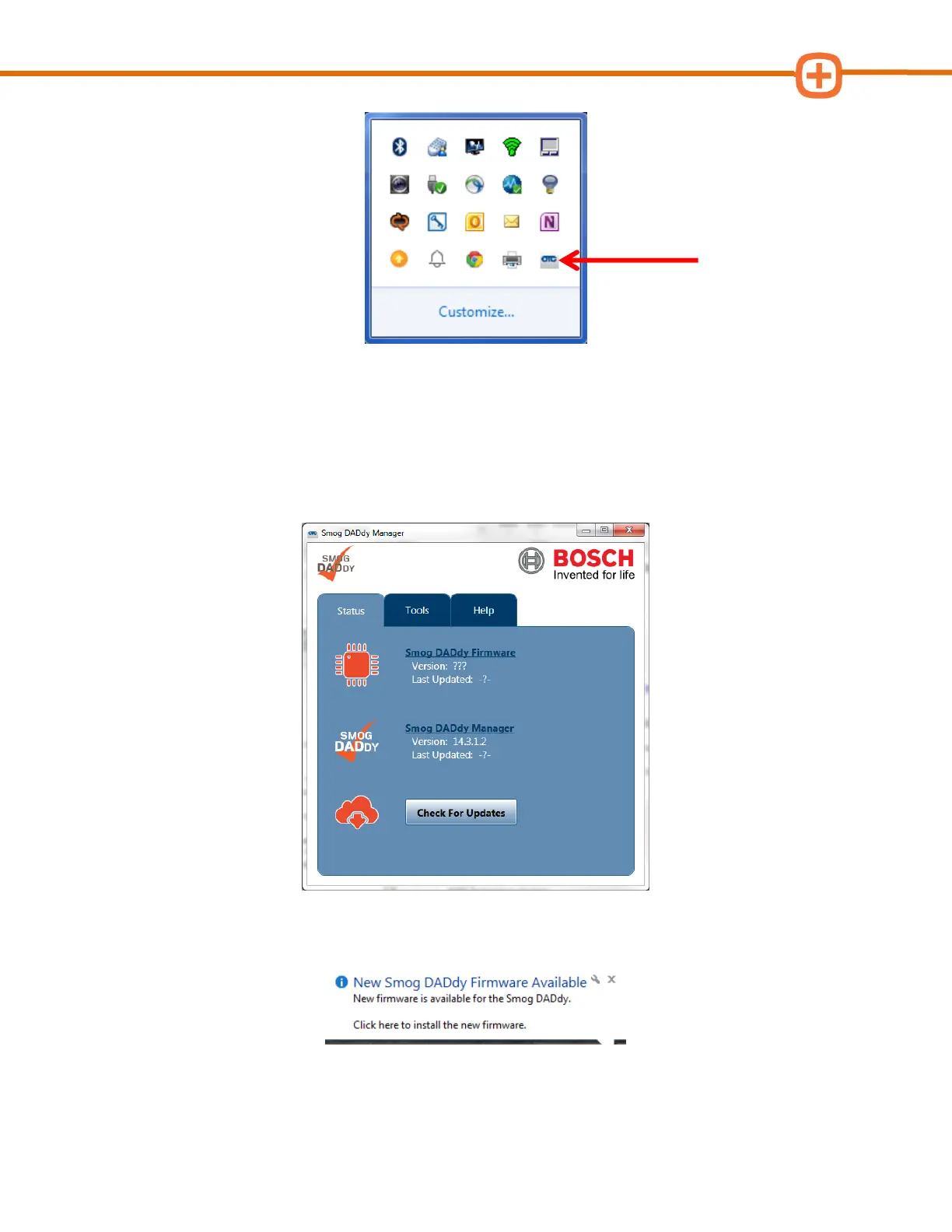
3. If the application is not running, select Program Files from the Start Menu, navigate
to the Applus Technologies folder and select Smog DADdy Manager.
4. The ‘Smog DADdy Manager’ window will appear. Click on Check For Updates to
manually check for updates. Clicking on the X at the upper right-hand corner of the
application will minimize to the System Tray and the software will remain running.
5. If alerted of an update via Windows Update Balloon as shown below, click the Balloon
and proceed to step 7.



 To Next Page