Applus Technologies, Inc. Smog DADdy User Manual VER 8.2 Page 27 of 55
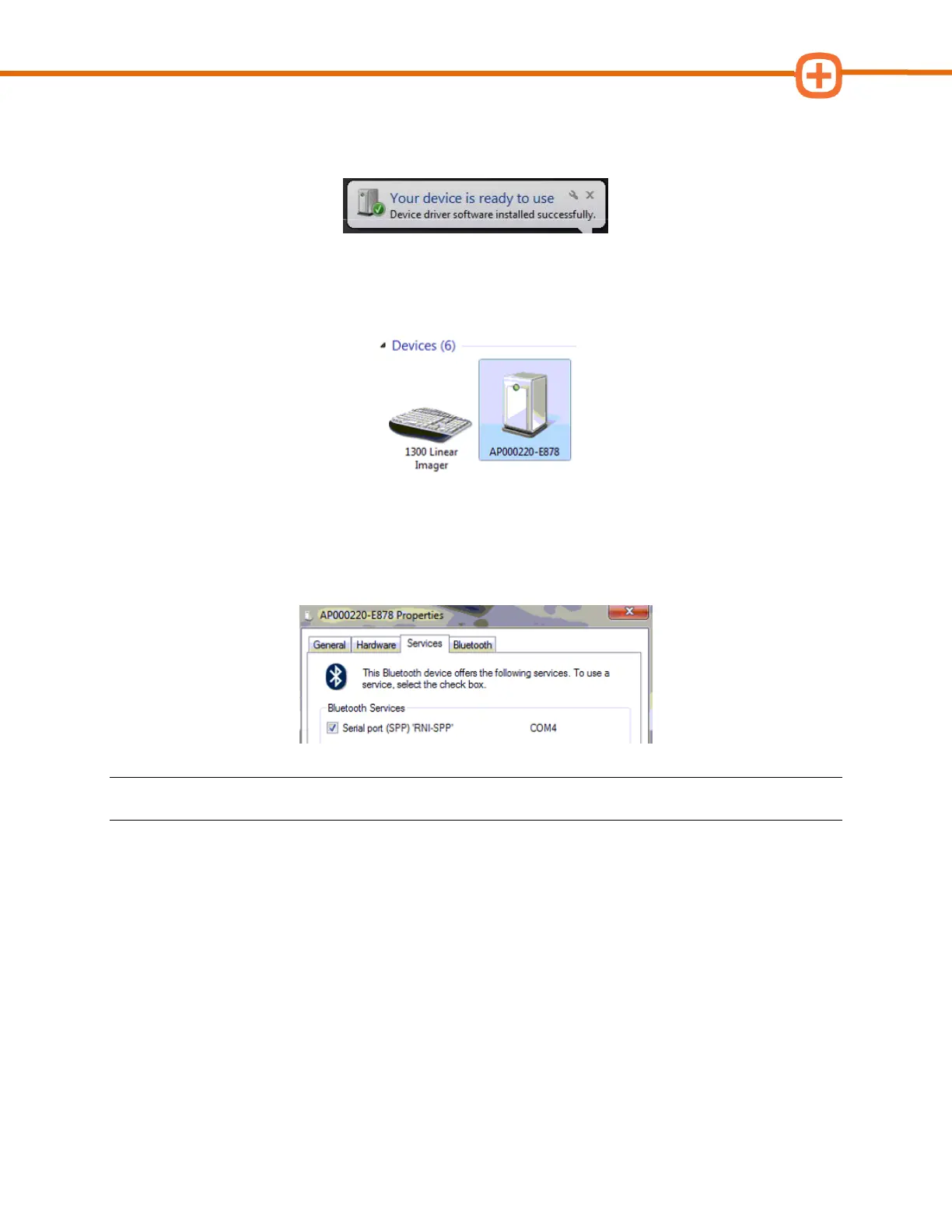
9. Windows will install the appropriate drivers. You will see this message when the process
is complete.
10. Go back to Devices and Printers and locate the device that was just installed. See the
first 4 steps at the beginning of this section to locate Devices and Printers.
11. Right click on the device name (Smog DADdy serial number) and click Properties.
12. Click on the Services tab to view your port number. In the example below, the port
number is “COM4”.
NOTE: Your port number will be used in the next section; you may want to write it down.
13. Click OK to exit the Properties window.
Please go to the Configuring BAR-OIS section, to complete the configuration process.



 To Next Page