Applus Technologies, Inc. Smog DADdy User Manual VER 8.2 Page 31 of 55
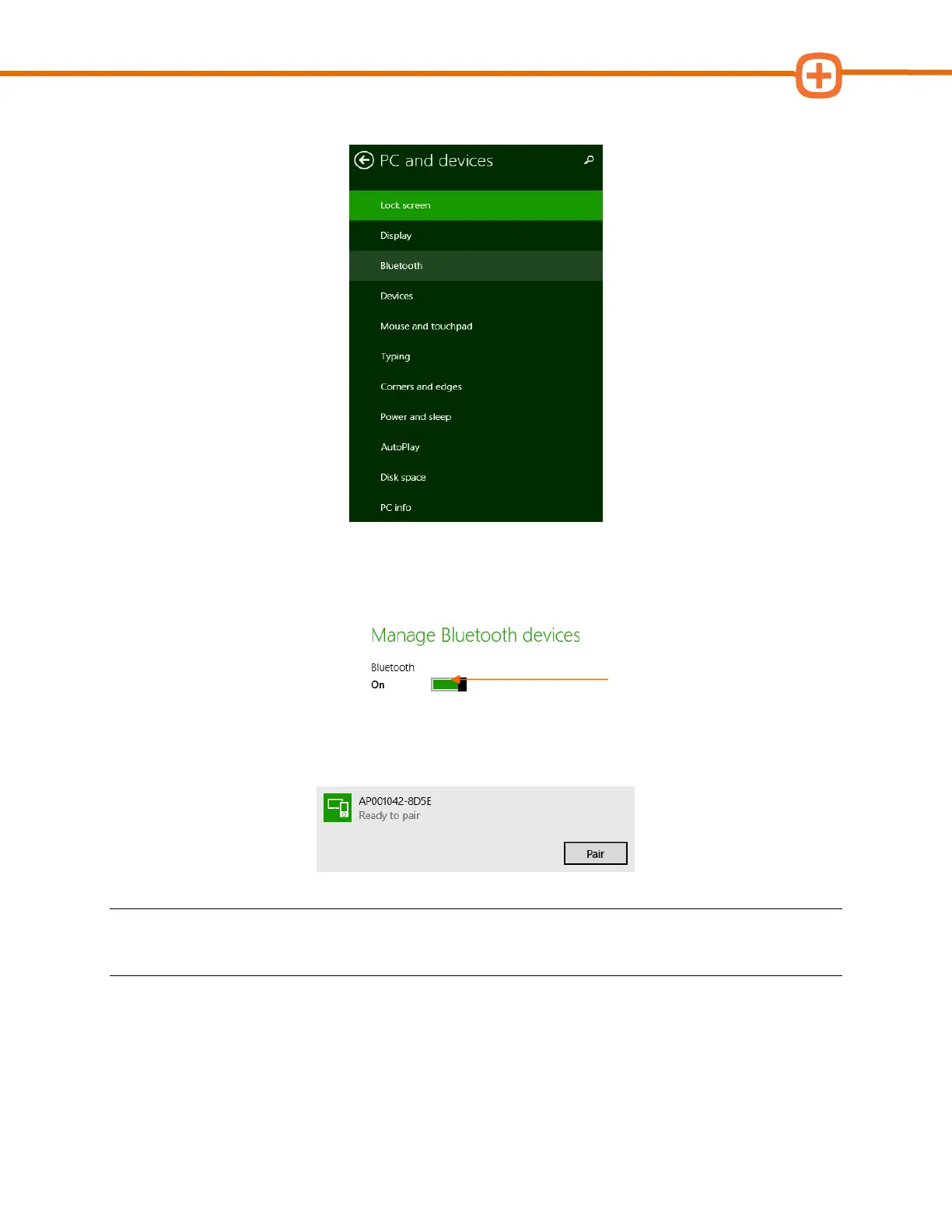
4. From PC and devices, select Bluetooth.
5. Confirm that Bluetooth is turned On as shown in the screenshot below. If Bluetooth is
not turned On, click on the box pointed to by the orange arrow below.
6. Locate your Smog DADdy device, click on it to highlight it, and then click Pair.
NOTE: The device name will match the Serial Number printed on the Smog DADdy label
followed by a dash and 4 alphanumeric characters, AP001042-8D5E in the example above.
7. If prompted to Compare the passcodes as shown in the screenshot below, click Yes.



 To Next Page