Applus Technologies, Inc. Smog DADdy User Manual VER 8.2 Page 34 of 55
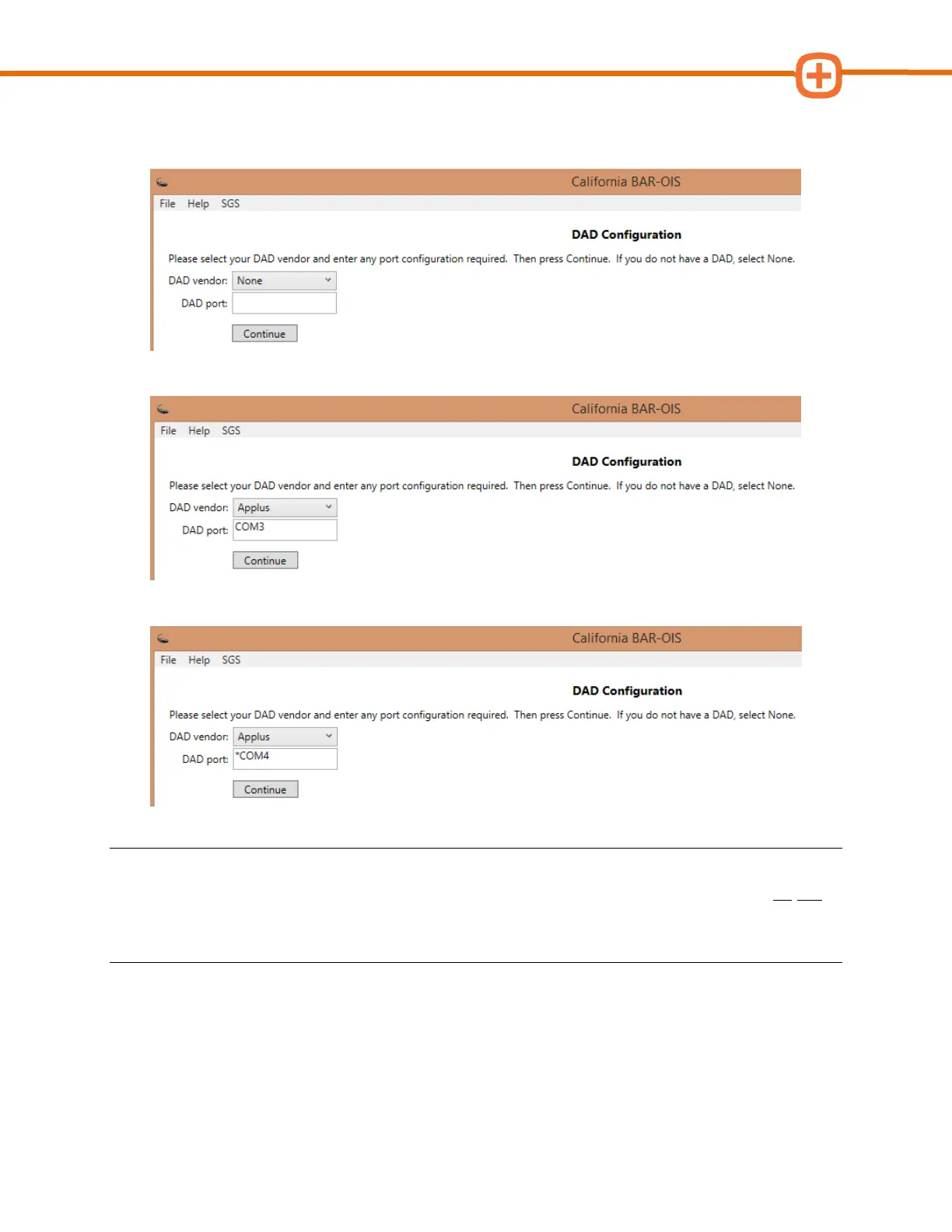
Upon initial installation and prior to configuration, the ‘DAD Configuration’ screen will
appear as shown below.
A sample screenshot for a wired DAD configured to ‘COM3’ is shown below.
A sample screenshot for a wireless DAD configured to ‘*COM4’ is shown below.
NOTE: Throughout the remaining pages of this chapter, you will see illustrations that reference
both types of COM port numbers used. Remember, if you are using a wired device you do not
need to precede the COM port number with an asterisk symbol. If you are using a wireless
device, you will ALWAYS need an asterisk symbol before the COM port number.
3. Click Continue



 To Next Page