Applus Technologies, Inc. Smog DADdy User Manual VER 8.2 Page 36 of 55
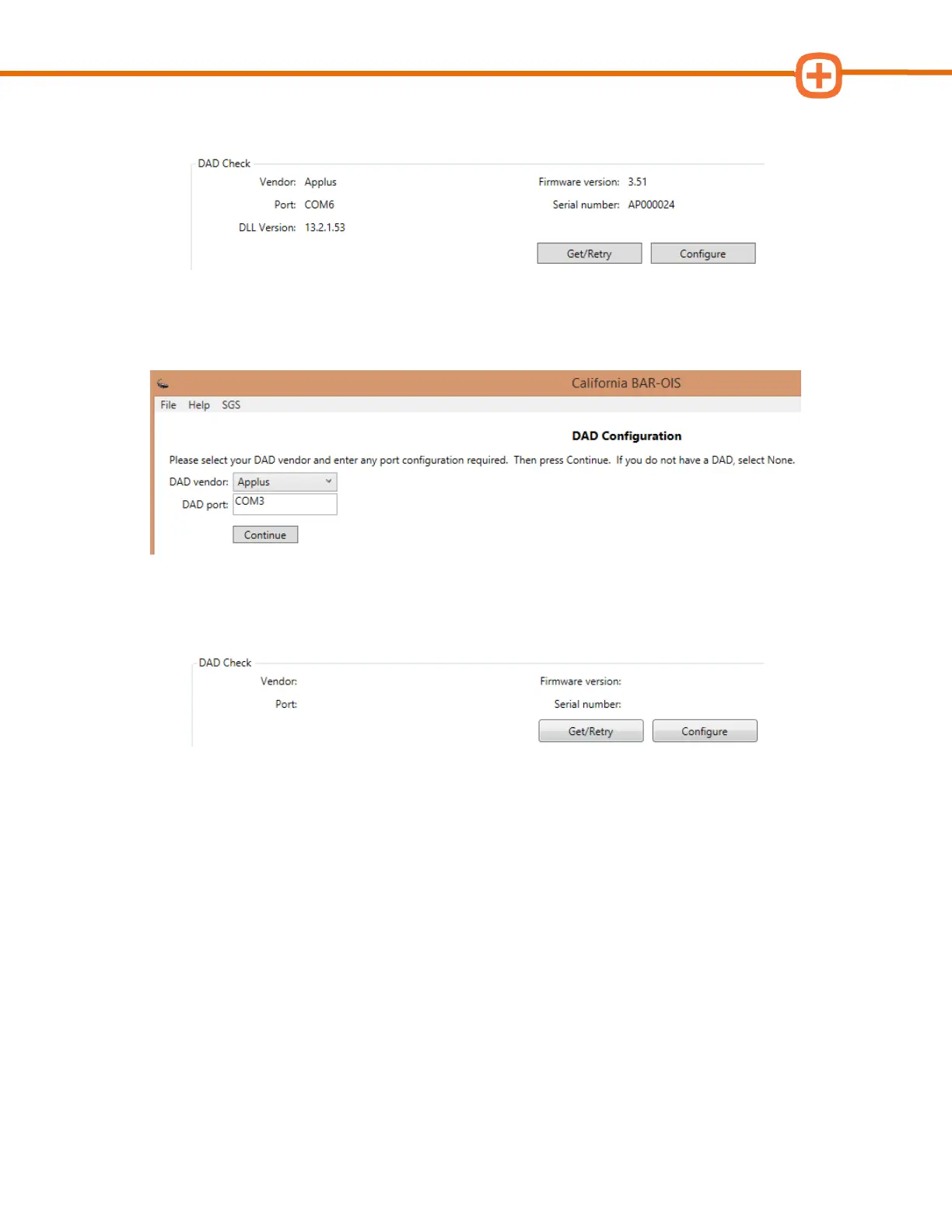
2. Locate DAD Check in the ‘Self Diagnostics’ screen and click Configure.
3. Type the new DAD port number and click Continue. A sample screenshot for a wired
DAD configured to ‘COM3’ is shown below.
4. Confirm BAR-OIS can successfully communicate with Smog DADdy by clicking on
Get/Retry.



 To Next Page