7 VERIFICATION AND CALIBRATION AquaLab
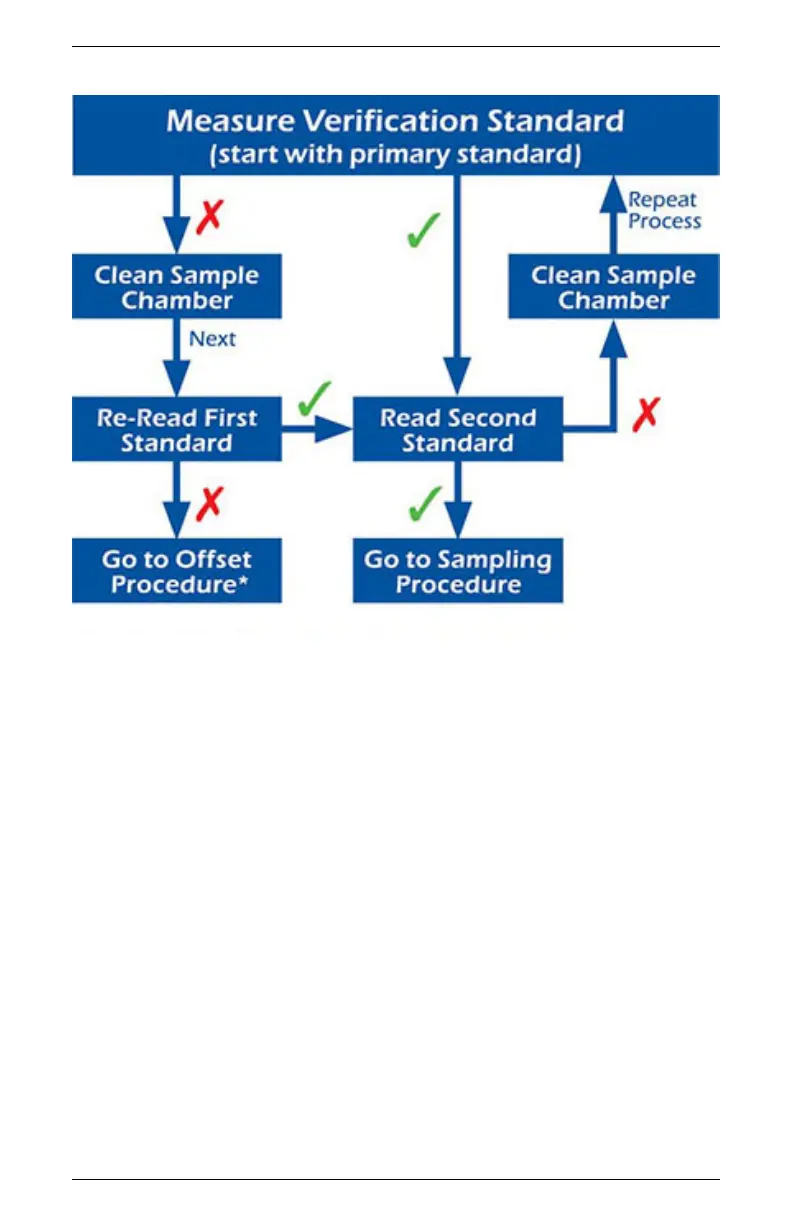
Figure 3: Verification Standard Flowchart
Note: The Measure Verification Standard flowchart is a graphical
representation of the Verification of Calibration directions.
Adjust for Linear Offset
1. Once you are certain a linear offset has occurred, toggle to the
Configuration tab by pressing the Menu icon button. Calibra-
tion is the first option highlighted in the Configuration tab.
Press the Enter icon button to begin the verification process.
The on screen commands guides you through the linear offset
routine. The Calibration screen prompts you to start.
40


 To Next Page