5 MENUS AquaLab
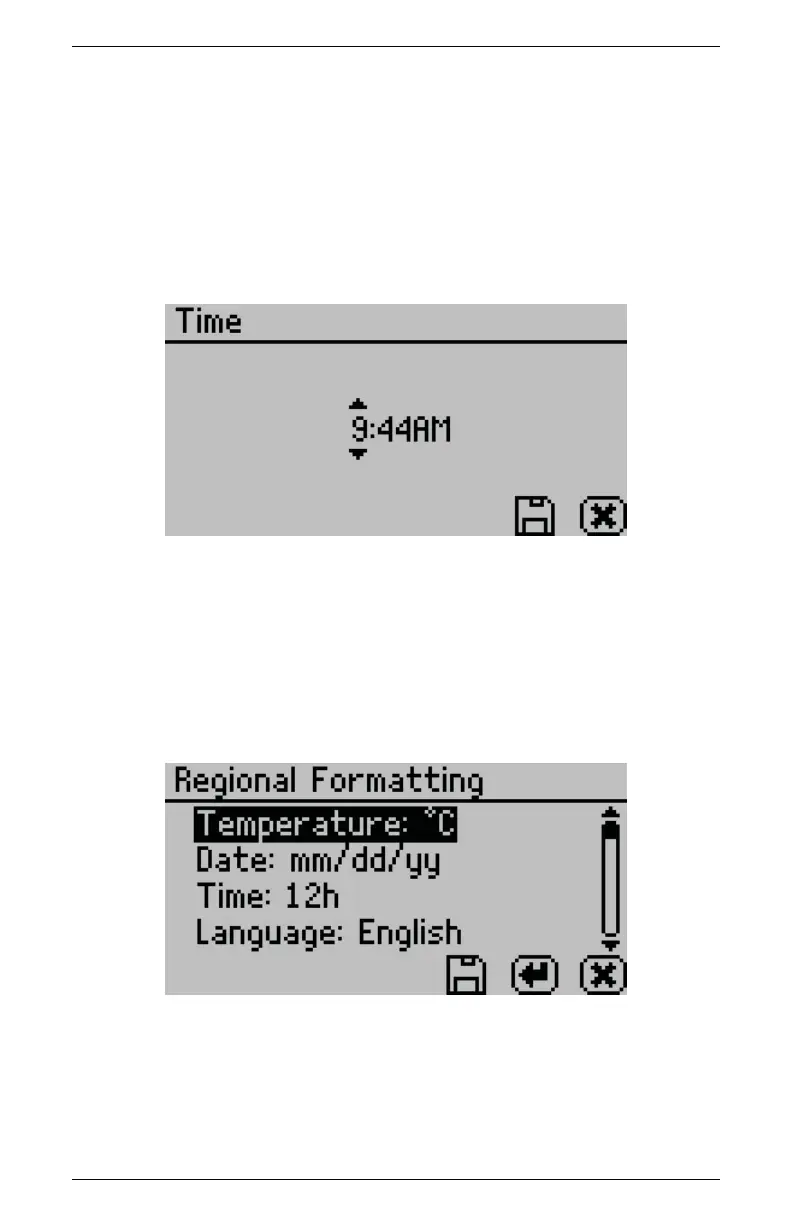
Time
Pressing Enter with the Time option highlighted allows you to set
the current local time. Press the up or down arrows to change any
of the individual values. Press the left or right buttons to change
between hour and minutes. The hour setting automatically changes
between AM and PM.
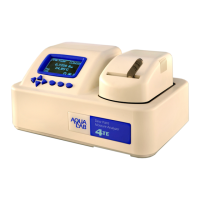
Regional Formatting
Allows you to configure how all Series 4 models display informa-
tion. You may choose the temperature scale (Celsius vs Fahrenheit),
the date display (mm/dd/yy vs dd/mm/yy), the hour format (12 vs
24 hour) and the language.
5.3 Admin Settings
Allows you to create an administrator password as well as create,
edit, and delete additional users.
24


 To Next Page