EasyManua.ls Logo

AquaLab 4 Series - User Manual

AquaLab 4 Series
122 pages
Print Icon
To Next Page IconTo Next Page
Loading...
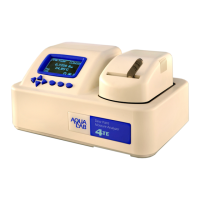
Water Activity Meter
Operator’s Manual
For Series 4, 4TE, 4TEV, DUO, and TEV DUO
Decagon Devices, Inc.
Version: August 2, 2016 09:05:15

Table of Contents

Questions and Answers

  • F
    farrellkatherineAug 19, 2025
    What to do if AquaLab Measuring Instruments shows a warning that the sample is too hot?
    • K
      Kelsey FrostAug 19, 2025
      To avoid this problem with AquaLab Measuring Instruments, ensure that you only measure samples that are at the same temperature as the instrument.
  • D
    dfranklinAug 22, 2025
    How to fix 'Contaminated mirror' message on AquaLab 4 Series Measuring Instruments?
    • W
      Wendy RayAug 22, 2025
      If the AquaLab Measuring Instruments displays the message “Contaminated mirror,” it means the mirror used for dew point measurements requires cleaning. Follow the cleaning instructions.
  • B
    Beth MoralesAug 25, 2025
    What to do if AquaLab 4 Series displays aw below instrument detection limits?
    • D
      David ReyesAug 25, 2025
      If your AquaLab Measuring Instruments displays aw below instrument detection limits, it means the sample is too dry for the instrument to read accurately. If your sample has a water activity that is less than the detection limits of the instrument, this message appears. You can also try cleaning the mirror and chamber and measuring the sample again.
  • K
    kevin13Aug 26, 2025
    Why is moisture content not correct on AquaLab 4 Series?
    • L
      Leslie WilliamsAug 26, 2025
      If the moisture content displayed on AquaLab Measuring Instruments is not correct, it may be because the model selected is not correct for the product being tested. Toggle through the available models to find a more appropriate one. If the model is correct but still not giving correct moisture content values, it may be necessary to generate a new model for the product or update an existing model.
  • F
    fhallAug 28, 2025
    How to fix AquaLab Measuring Instruments that does not turn on?
    • L
      Lisa FordAug 28, 2025
      If your AquaLab Measuring Instruments does not turn on, check to make sure your power cord is securely attached to the back of the instrument and plugged into the power outlet. A power surge may have caused a fuse to blow, follow instructions to change the fuses. If the fuse blows again, a failed component may be causing the problem.
  • T
    Terry MurrayAug 30, 2025
    What to do if I ran test with wrong model on AquaLab Measuring Instruments?
    • S
      Spencer HuffmanAug 30, 2025
      If you run a test with the wrong model on AquaLab Measuring Instruments, toggle to the correct model on the measurement screen using the up and down arrow keys. The correct model may not be loaded on the instrument. To determine which models are loaded on the instrument, cycle to the menu tab, select Moisture Content and then the loaded models appear.
  • C
    Courtney JohnsonSep 1, 2025
    Why are the readings slow or inconsistent on AquaLab Measuring Instruments?
    • R
      rebeccagarciaSep 1, 2025
      If you are getting slow or inconsistent readings from AquaLab Measuring Instruments, it could be because the temperature difference between the sample and the block chamber may be too great, the sample needs to equilibrate to instrument temperature before a fast, accurate reading can be made. The sample chamber may be dirty. Some products absorb or desorb moisture very slowly. Your sample may contain volatiles. A fan blade in the block chamber may be broken or bent.
  • J
    James CarterSep 3, 2025
    What to do if verification is not correct on AquaLab 4 Series Measuring Instruments?
    • L
      Latoya AshleySep 3, 2025
      If verification is not correct on AquaLab Measuring Instruments, it may be because the sample chamber and mirror need to be cleaned. Also, verify and adjust for linear offset.
  • J
    Jamie ThomasSep 5, 2025
    Why moisture content does not show up on AquaLab 4 Series Measuring Instruments screen?
    • N
      Natalie PetersSep 6, 2025
      If the moisture content does not show up on the screen of AquaLab Measuring Instruments, it means moisture content has not been activated. Toggle to menu tab, select moisture content, and select the appropriate model.
  • R
    ralph58Sep 7, 2025
    Why are water activity readings too high or low on AquaLab 4 Series?
    • S
      Sarah GarciaSep 8, 2025
      If your AquaLab Measuring Instruments displays water activity readings on verification standards that are too high/low and a linear offset adjustment cannot be made any higher/lower, it may be because the thermopile in your chamber or the chamber mirror may have become contaminated.

Summary

Introduction

Customer Support

Information on how to contact Decagon for assistance and support.

General Safety Information

Important safety precautions and warnings for operating the AquaLab.

About AquaLab

AquaLab 4 Specifications

Technical specifications for the AquaLab 4 instrument.

AquaLab Operation Principle

Explanation of the principles and technology behind AquaLab operation.

AquaLab Temperature Effects

How temperature affects AquaLab measurements and its importance.

Water Activity Fundamentals

Water Activity

Definition and significance of water activity in products.

Temperature Effects

How temperature influences water activity measurements and instrument performance.

AquaLab Setup and Operation

AquaLab Package Contents

List of items included in the AquaLab package.

Initial AquaLab Setup

Steps for powering on and preparing the AquaLab for use.

AquaLab Menu Navigation

Measurement Screen Overview

Description of the main measurement screen and its displays.

Instrument Configuration Settings

Accessing and modifying instrument settings via the configuration menu.

AquaLab Cleaning and Care

Cleaning Sensor Block

Detailed steps for cleaning the instrument's block and sensors.

Detailed Cleaning Process

Step-by-step cleaning process for the AquaLab instrument.

Instrument Verification and Calibration

Verifying Water Activity Readings

Steps and standards for verifying the water activity measurement.

Calibration Verification and Adjustment

Details on checking and adjusting the instrument's calibration.

Restoring Factory Defaults

Guide to resetting the AquaLab to its original factory settings.

Sample Preparation Guidelines

Standard Sample Preparation

Step-by-step instructions for preparing samples for the AquaLab.

Handling Volatile Samples

Procedures for measuring samples containing volatile substances.

Performing a Water Activity Reading

AquaLab Measurement Steps

Step-by-step guide for performing a water activity measurement.

AquaLab DUO Moisture Content

DUO Moisture Content Measurement

How to measure moisture content using the DUO model.

Adjusting DUO Moisture Content

How to adjust moisture content readings based on reference methods.

Connecting AquaLab to Computer

AquaLink 4 Software Features

Overview of the AquaLink 4 software for data management.

Terminal Program Connectivity

Instructions for using terminal programs to connect to the AquaLab.

AquaLab Troubleshooting Guide

AquaLab Support and Repair

Recommended Further Reading

Water Activity References

References related to water activity theory and measurement techniques.

Appendix A: Salt Solutions

Preparing Verification Salt Solutions

Instructions for mixing saturated salt solutions for calibration verification.

Appendix B: Temperature Correction

Appendix C: Verification Standards

Declaration of Product Conformity

Certificate of Calibration Traceability

AquaLab 4 Series Specifications

General IconGeneral
Water Activity Accuracy±0.003 aw
Water Activity Range0.030 - 1.000 aw
Measurement Time5 minutes
DisplayLCD
ConnectivityUSB

Related product manuals