37 - 60
IsACQ110C-0 (ENG) Rev.230708-0
Sequences Menu
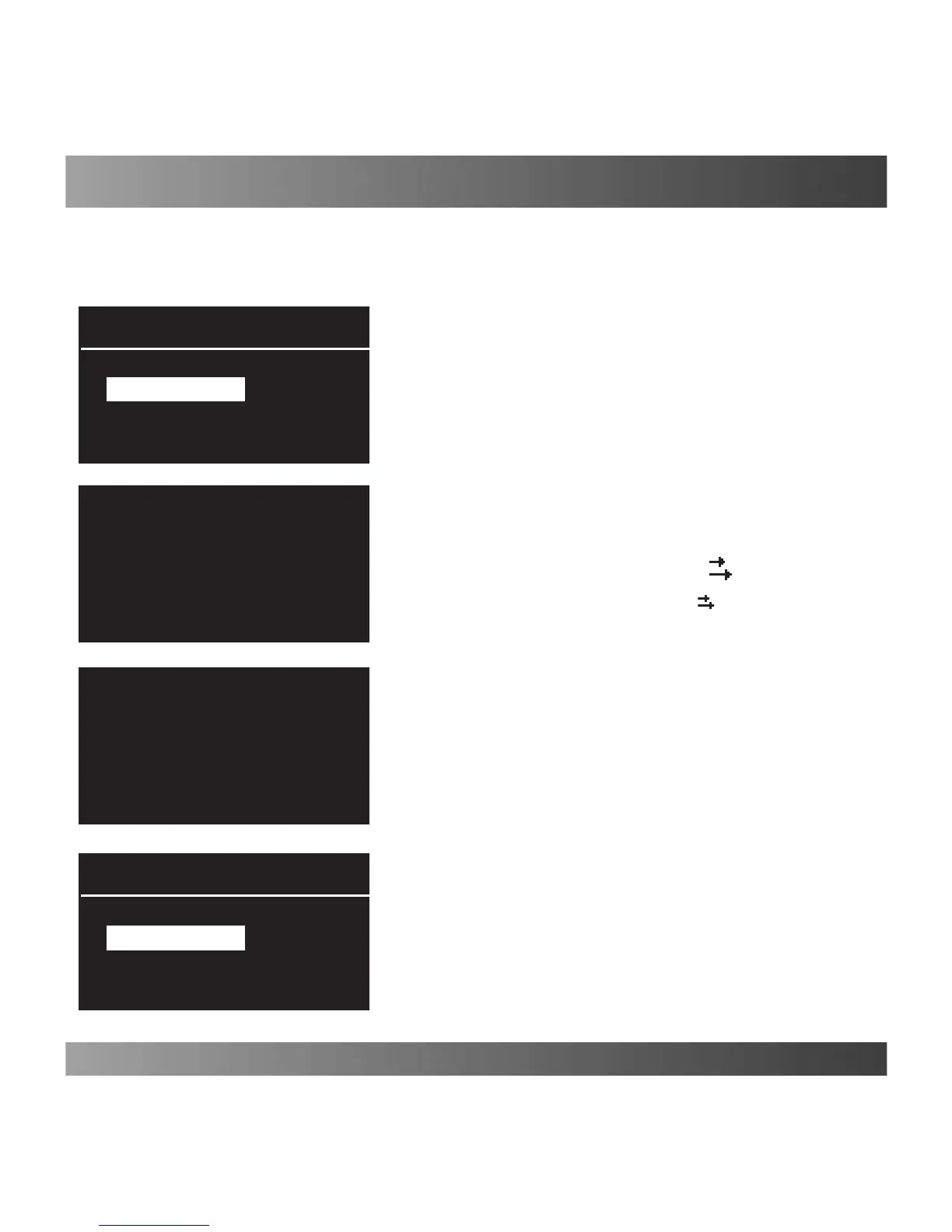
To enable the set sequence, proceed as follows:
Main screen Main Menu Sequences.
Toenableasequence,selectitfromthoseavailableandthen
pressthe“Enter”key(Fig.1).
Enablingacertainsequenceisdisplayedwithaagnextto
the name of the sequence.
(Fig. 2)
(Fig. 3)
(Fig. 4)
(Fig. 1)
Do you conrm
enabling of the
selected sequence?
Enter: Conrm
Esc: Cancel
Do you conrm
disabling of the
sequence?
Enter: Conrm
Esc: Cancel
Sequence 2
Sequence 2
Sequences
Sequences
WARNING
Two or more sequences cannot be executed at the
same time.
If you try to enable a sequence while another is being
executed, an error message will appear.
If you want to cancel a sequence under execution, select the
samesequenceagainandpressthe“Enter”key.
Thisfunctionletsyouenableasetofuser-denedphasesconsecutivelysoastomakeexecuting
certainoperationssuchaschangeofwatereasier.
NOTE: It is possible to create and modify a sequence only using PC software (see the
dedicated paragraph in the PC software instructions).
Water Change
Water Change
Once a sequence is enabled, its icon (
) appears on the
lower left of the main screen and the outputs controlled by
thesequencearemarkedbytheicon
.


 To Next Page