46 - 60
IsACQ110C-0 (ENG) Rev.230708-0
Temperature Menu
Insert
In this section it is possible to choose a desired temperature
and set a minimum and maximum tolerance for temperature
variation.
Toadjustthetemperature,proceedasfollows:
Main screen Main Menu Temperature Programs
Insert.
• Selectareferencetemperaturewithkeys and set the
valuedesiredwithkeys.
• Set the “∆MIN” and “∆MAX” tolerancevalues,selecting
thedesiredeldwithkeysandmodifyingitsvaluewith
keys.
• Select “Plugs”withkeys to choose which outputs will
operatewhenthetemperatureishigherorlowerthantheset
valuesandthenpress“Enter”.
•Selecttheoutputtobeutilizedwithkeys;theselected
outputwillashonbothlines.Byoperatingontheupperline
oftheoutputs,itispossibletoprogramthedevicesthatwill
beactivated/deactivatedwhenthetemperaturerisesabove
themaximumvalueestablished(Ref.+∆MAX).
The outputs of the upper linearesetwithkey.
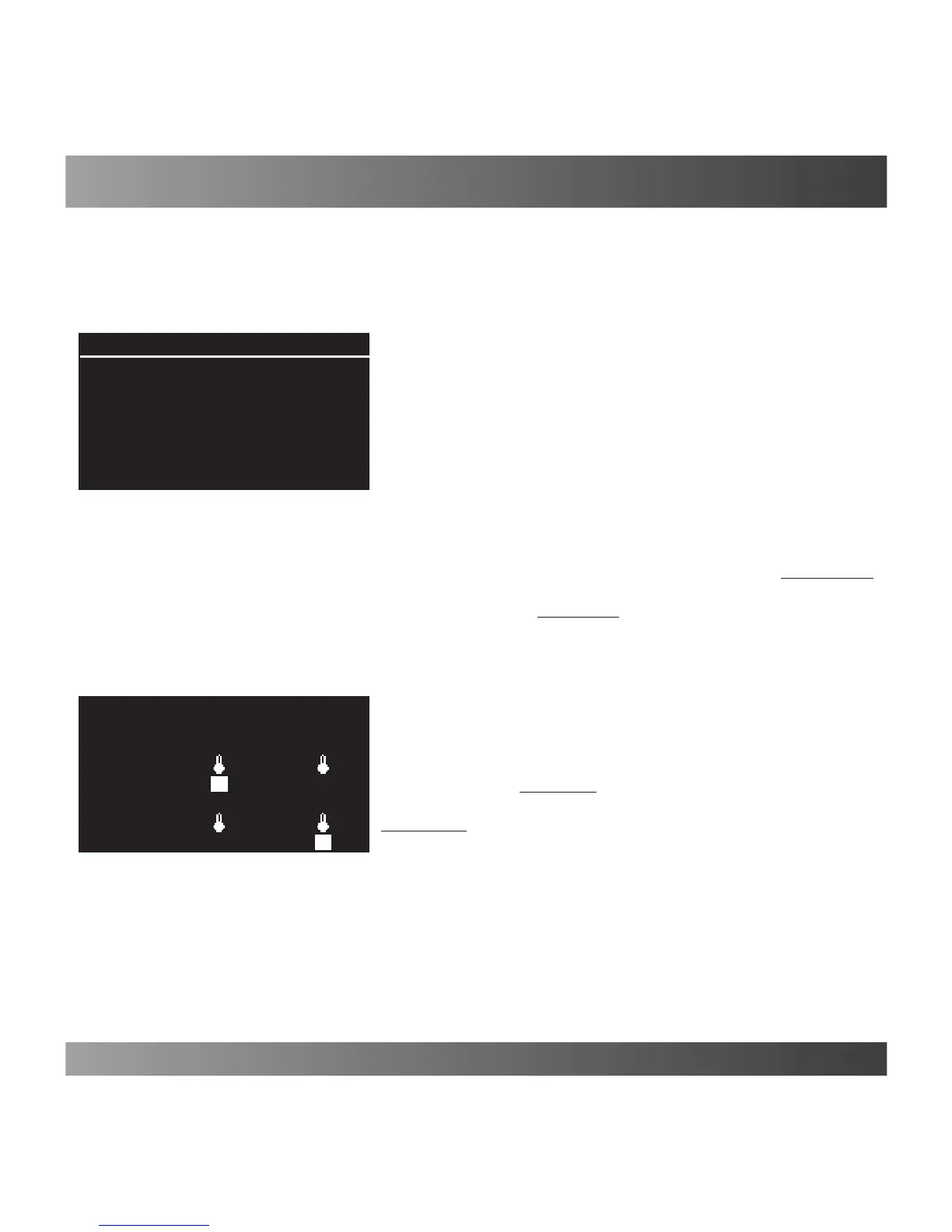
Theexampleindicatedinthegure(Fig.60)showstheactiva-
tionofthecooleronoutlet“B”.Bypressingthekey once,
theoutletishighlightedandaboveitthethermometersym-
bolappears.Inordertodeactivateanoutlet(lights,heater,
etc.)thekey must be pressed a second time.
Inthiscase,onlythesymbolofthethermometerappearsover
the selected outlet.
Operatingonthelower lineoutputs,theusercanprogramthe
devicesthatwillbeactivated/deactivatedwhenthetemperature
falls belowtheminimumvalueestablished(Ref.-∆MIN).
Theoutputsofthelowerlinearesetwithkey.
Theexampleindicatedinthegure(Fig.60)showstheac-
tivationoftheheateronoutlet“E”.Theoutletishighlighted
andthethermometersymbolappearsaboveit.
(Fig. 59)
Programs
Ref. 27.0°C
∆MIN: ∆MAX:
0.3°C 0.5°C
Plugs Conrm
(Fig. 60)
Cooler
PU01 A B C D E F
PU01 A B C D E F


 To Next Page